
Factory Planning Room
Discord: https://discord.gg/WsfrxfK35r
Sketch factory layouts without touching your real base.
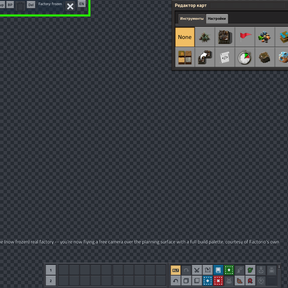
Hit Ctrl+P (or the toggle button top-left) and you're dropped into a private planning surface — infinite lab tiles, free camera, full item palette, nothing costs anything. Your character doesn't move; you're just flying around a blank slate with build tools in hand. Leave whenever you want and you're back in your real factory exactly as you left it.
Your factory keeps running (or doesn't, your choice)
By default the real factory pauses while you're off planning — assemblers, belts, trains, turrets, biters, all of it — and picks back up the instant you leave. In multiplayer this freezes the surface for everyone, not just you, so nobody's base moves while you're heads-down on a redesign. Biter evolution can be frozen separately too. Don't like it? Both are toggles in the mod settings.
Sheets
Every layout idea gets its own sheet — think of them as tabs. Step through with </>, jump to one by name from the dropdown, rename it, duplicate it, wipe it, delete it, or export it straight to a blueprint. At least one sheet always survives so you can't delete your way into nothing.
Pull in your actual base
There's a "Select factory" tool in the toolbar — drag a box over any chunk of your real factory and it gets cloned onto a fresh sheet, buildings and belts and all. It's a copy. Nothing you do to it touches the original, so you can gut a section and try three different redesigns without any risk to what's actually running.
What's in the toolbar
- Search — pick any item, get as much as you want, instantly. No unlocking, no cost.
- Brush — paint ore, oil, water, even space platform foundation straight onto the sheet, so drills and pumps and offshore equipment have something real to test against.
- Space platform (Space Age only) — spins up a disposable planning-only space platform as its own sheet, right alongside your ground sheets. Never shows up under your real force in the actual game.
- Stats — per-sheet throughput and power numbers, sorted by category, if you want a gut-check before committing to a design.
- Bottleneck diagnostics — flags whatever's actually stalled on the sheet right now (starved, backed up, unpowered) so you're not hunting for it by eye.
- Info — in-game rundown of all this, plus a link to the Discord if you want to talk shop.
Everything's quick-bar friendly, there's an EN/RU toggle for the interface, and a small HUD indicator tells you at a glance whether your real factory (and its evolution) is currently frozen.
Settings
- Freeze the real factory while planning — pauses your real surface (machines, trains, turrets, enemies) for as long as anyone's in the planning room, resuming exactly where it left off on exit. Doesn't touch your character, just the world.
- Freeze biter evolution while planning — independent of the above; pauses evolution progress for the session.
- Keep planning-room items in my inventory (off by default, per player) — the item picker gives things away for free, so leftovers get cleared on exit unless you turn this on.
Controls
- Ctrl+P — toggle the planning room
Requirements
- Factorio
2.0+ - Factorio
2.1+
Uses Markdown formatting.