
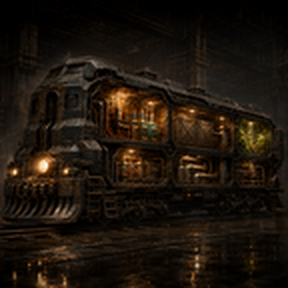
Train Interiors
Turn a persistent Main Train into a complete mobile factory. Explore Nauvis, recover abandoned rolling stock, connect new rooms, transfer items and fluids, store energy, expand your train through research, and build an entire factory inside it.
Train Interiors is a standalone version of the Train Interiors system originally developed for The Cave. It is designed for normal Factorio gameplay and does not require The Cave.
Created by BEHROOZZX
Main Features
- A persistent Main Train that contains real, buildable interior rooms.
- One interior room for every connected locomotive or wagon.
- Automatic Starter Train for every force.
- Exploration-only locomotives and wagons.
- Cargo, fluid, power and Garden transfer systems.
- A shared Train Battery that can power an exterior factory.
- A shared Train Shield with researchable health and self-repair.
- Six Train Interior Expansion levels.
- Seven Main Train capacity upgrades.
- Three Locomotive Garden expansion levels.
- Full Base Factorio 2.0 support.
- Optional Space Age support.
- Multiplayer and force-aware progression.
- Custom Train Interiors main-menu background and thumbnail.
- No custom music.
Starter Train
When the first player of a force starts a new game, a safe Starter Train is automatically placed nearby.
The Starter Train contains:
- 1 Main Train Locomotive
- 1 Main Train Cargo Wagon
- 1 Main Train Fluid Wagon
- A connected rail section
- 50 Solid Fuel inside the locomotive
- A fully charged
5,000 / 5,000 HPshared Train Shield
The mod searches for safe empty land before placing the Starter Train. It does not delete water, cliffs, resources, enemies, player buildings or factory entities to make room for it.
The initial Main Train capacity is exactly three parts, which is already used by the Starter Train. Research Main Train Expansion 1 before connecting a fourth part.
A new game is recommended so the Starter Train can be created automatically.
Entering and Leaving the Train
Entering
- Stand within 10 tiles of a connected locomotive or wagon.
- Press Ctrl + Enter.
- Press Ctrl + Enter again within five seconds to confirm.
- You will be teleported to the reserved 4×4 landing pad inside that exact train part.
A screen prompt appears when you are close enough to enter.
You may also use the Enter Train Interior shortcut from the Factorio shortcut bar.
Leaving
While inside the train:
- Press Ctrl + Enter.
- Press Ctrl + Enter again within five seconds to confirm.
- You will be placed safely beside the corresponding exterior locomotive or wagon.
You can leave from anywhere inside the connected train interior.
Normal Train Driving
The normal Factorio Enter key is not replaced.
- Press normal Enter on a locomotive to drive it.
- Press Ctrl + Enter to enter its interior.
Train Interiors does not take control of standard Factorio train driving or server permissions.
Persistent Connected Interiors
Every claimed and connected Main Train part receives its own persistent interior room.
Connected train parts share one continuous interior surface, with corridors connecting the rooms in the same order as the exterior train.
Your machines, belts, pipes, poles, storage and factory layouts remain inside the train while it moves.
Every room begins at 40×40 tiles and contains:
- A centered 36×36 green working area
- A protected 4×4 entry landing pad
- Black expansion flooring
- Ten-tile blue utility lanes along the top and bottom
- A corridor connecting it to the next train part
The 4×4 entry pad must remain empty so players always have a safe place to enter.
Utility Lanes
The blue utility lanes are reserved for factory connections between rooms.
They allow:
- Pipes
- Underground pipes
- Pumps
- Storage tanks
- Small, medium and large electric poles
- Substations
- Compatible modded electric poles
Machines and unrelated entities cannot be placed on these lanes and are automatically refunded.
Offshore Pumps cannot be placed on utility lanes. Place them directly beside the water inside a locomotive or the Locomotive Garden.
Power is not transferred automatically between wagon rooms. Use visible electric poles and the utility lanes to connect your interior networks.
Locomotive Interior
Every locomotive receives a factory room and a 12×4 water pond with a centered 6×4 dry island.
The persistent Main Locomotive also contains:
- The Main Train Battery Substation
- A Train Battery information panel
- A portal to the Locomotive Garden
- The internal connection to the exterior Train Battery power range
Only the persistent Main Locomotive receives these fixed power and Garden systems.
Additional locomotives still receive their own interior rooms and water areas, but they do not receive duplicate Battery Substations, information panels or Garden portals.
Cargo Wagon Interior
Every Main Train Cargo Wagon has:
- An 80-slot exterior cargo inventory
- One protected 6×6 Import Storehouse
- One protected 6×6 Export Storehouse
- 1,000 inventory slots in each Storehouse
Cargo Direction
- Right Storehouse — Import: Items loaded into the exterior cargo wagon are transferred into this Storehouse.
- Left Storehouse — Export: Items placed in this Storehouse are transferred into the exterior cargo wagon.
Imported items do not automatically loop back into the Export Storehouse. You decide what leaves the train by using belts, inserters, filters and your own internal factory design.
Item transfers preserve stack information and safely retry when a destination is full.
The protected Storehouses are fixed Train Interiors infrastructure. They cannot be mined, destroyed, blueprinted or deconstructed.
Fluid Wagon Interior
Every Main Train Fluid Wagon contains two protected 5×5 transfer tanks.
Each internal tank holds up to 70,000 units of fluid.
Fluid Direction
- Right Tank — Import: Transfers fluid from the exterior Fluid Wagon into the train interior.
- Left Tank — Export: Transfers fluid from the train interior back into the exterior Fluid Wagon.
The fluid system:
- Preserves fluid temperature
- Prevents fluid loss
- Rejects incompatible fluid mixing
- Retries transfers when a tank or wagon is temporarily full
- Supports player-built pipes, pumps and storage systems inside the room
The fixed tanks cannot be mined, destroyed, blueprinted or deconstructed.
Artillery Wagon Interior
Artillery Wagons can also become part of the Main Train.
Their interior begins completely empty:
- No automatic storage boxes
- No unnecessary transfer containers
- Full room space for your own military or factory layout
The normal Artillery technology retains its non-wagon effects. Only the Artillery Wagon recipe itself is disabled because all rolling stock must be recovered through exploration.
Exploration-Only Rolling Stock
Locomotives and wagons cannot be crafted in Train Interiors.
The following vanilla recipes are disabled and hidden:
- Locomotive
- Cargo Wagon
- Fluid Wagon
- Artillery Wagon
The Fluid Wagon technology is hidden because its only purpose would be unlocking a forbidden recipe. Railway and Artillery research retain their other useful effects.
Player-placed or construction-robot-placed vanilla rolling stock is rejected and refunded.
Rolling stock created directly by another mod’s script is left untouched for compatibility.
Finding Abandoned Train Parts
Explore newly generated Nauvis chunks to discover abandoned rolling stock.
You can find:
- Locomotives
- Cargo Wagons
- Fluid Wagons
- Artillery Wagons
Every successful group of four finds contains exactly:
- 1 Locomotive
- 1 Cargo Wagon
- 1 Fluid Wagon
- 1 Artillery Wagon
Their order is shuffled deterministically. The same type will not appear twice in a row at the boundary between two groups.
There is no total supply limit. Exploration can continue producing additional train parts indefinitely.
A failed placement does not consume the next part in the sequence.
Abandoned Sites
Each abandoned part appears on:
- A precise 10×4 black concrete pad
- Three straight rail sections
- Safe generated terrain on Nauvis
Finds are kept away from the normal starting area and are spaced at least 576 tiles from previous finds.
The first force to reach an unclaimed part can claim it. However, the part must be physically connected to that force’s Main Train before its interior can be used.
A coupling-assistance system periodically attempts to connect nearby, correctly aligned rolling stock.
Main Train Capacity
The number of parts that may be connected to the Main Train is controlled by research.
- Starting capacity: 3 parts
- Main Train Expansion 1: 4 parts
- Main Train Expansion 2: 5 parts
- Main Train Expansion 3: 6 parts
- Main Train Expansion 4: 7 parts
- Main Train Expansion 5: 8 parts
- Main Train Expansion 6: 9 parts
- Main Train Expansion 7: 10 parts
World finds remain unlimited even after reaching the capacity limit.
If you attempt to connect too many parts, the additional part is disconnected and preserved. Research the next Main Train Expansion before reconnecting it.
Train Interior Expansion
Interior research expands every connected rolling-stock room.
- Level 0:
40×40room, 40-tile connector - Level 1:
60×60room, 60-tile connector - Level 2:
80×80room, 80-tile connector - Level 3:
92×100room, 100-tile connector - Level 4:
92×160room, 160-tile connector - Level 5:
92×220room, 220-tile connector - Level 6:
92×280room, 280-tile connector
The centered 36×36 green working core remains in the same position. New expansion space is added around the existing room so established factory layouts and scripted transfer fixtures remain stable.
All Train Interiors research uses Base Factorio science packs. Space Age science packs are not required.
Train Battery
The Train Battery is not installed at the beginning of the game.
Research Train Battery Upgrade 1 to install it.
The Battery is shared by the complete connected Main Train. It is not duplicated for every wagon.
Battery Levels
- Level 1:
6,000 MJcapacity — maximum charging speed50 MW - Level 2:
8,000 MJcapacity — maximum charging speed100 MW - Level 3:
12,000 MJcapacity — maximum charging speed150 MW - Level 4:
16,000 MJcapacity — maximum charging speed250 MW - Level 5:
20,000 MJcapacity — maximum charging speed400 MW - Level 6:
25,000 MJcapacity — maximum charging speed600 MW
Charging the Battery
You may generate electricity anywhere inside the train.
To charge the Battery:
- Build your power generation system inside the train.
- Connect that network using visible electric poles.
- Wire it to the fixed Main Train Battery Substation inside the Main Locomotive.
- The connected network powers your internal machines and charges the shared Train Battery.
The Main Train Battery Substation provides:
- 36×36 electric supply coverage
- 36-tile copper-wire reach
No hidden system automatically connects separate wagon rooms. You must connect them using your own electric poles.
Automatic Charging Control
The Battery uses automatic charging hysteresis:
- It charges until reaching 100%.
- At 100%, charging stops so the internal factory does not suffer permanent power demand.
- The train continues using stored energy.
- Charging begins again when the Battery reaches 25%.
- It then charges back to 100%.
Exterior Power Export
Stored Battery power can supply an exterior factory near the Main Locomotive.
A yellow power-range outline appears around the Main Locomotive.
Place an electric pole within 10 tiles of the Main Locomotive in any direction. This creates a square power connection area around the locomotive.
Poles outside that yellow area are not connected to the Train Battery.
When the train moves, the power-export area moves with the Main Locomotive.
The Battery’s exterior bridge can deliver stored power to the connected exterior network according to demand.
Battery Information
Select the Main Locomotive to see:
- Battery level
- Current charge
- Maximum capacity
- Charge percentage
- Current charging speed
- Maximum charging speed
- Charging or Standby mode
- Train Shield level
- Current and maximum Shield HP
- Self-repair rate
- Repair status
- Number of linked Main Train parts
A protected information panel inside the Main Locomotive also explains the complete wiring system.
Shared Train Shield
The Main Train begins with a shared 5,000 HP Train Shield.
This is one shared health pool for the complete connected Main Train, not 5,000 HP for every individual carriage.
Damage to any connected Main Train part damages the same shared Shield.
Shield Levels
- Level 0:
5,000 HP— no self-repair - Level 1:
8,000 HP—5 HP/s - Level 2:
11,000 HP—10 HP/s - Level 3:
14,000 HP—15 HP/s - Level 4:
17,000 HP—20 HP/s - Level 5:
20,000 HP—25 HP/s - Level 6:
23,000 HP—30 HP/s - Level 7:
26,000 HP—35 HP/s - Level 8:
29,000 HP—40 HP/s - Level 9:
32,000 HP—45 HP/s - Level 10:
35,000 HP—50 HP/s
Self-repair begins after the train has avoided damage for ten seconds.
Shield research preserves the train’s current health percentage rather than providing a free full heal.
If the shared Shield reaches zero, the damaged rolling-stock entity can be destroyed.
Locomotive Garden
The persistent Main Locomotive contains an automatic portal to a separate Locomotive Garden room.
Walk onto the 2×2 portal to enter the Garden. Walk onto the return portal inside the Garden to return automatically.
No button or hotkey is required.
The system uses:
- A protected 4×4 arrival pad
- Protected one-way item routes
- Protected one-way fluid routes
- A fixed Garden Substation
- Automatic power connection to the Main Locomotive Substation
Garden Size
Before Garden expansion research, a compact 18×18 utility core remains available.
Garden research expands the room:
- Locomotive Garden 1:
60×60 - Locomotive Garden 2:
84×84 - Locomotive Garden 3:
108×108
Everything outside the unlocked Garden area remains black void.
Garden Item Transfer
The Garden uses protected 200-slot Store Boxes.
- Input Store Box: Moves items from the Main Locomotive into the Garden.
- Output Store Box: Moves items from the Garden back into the Main Locomotive.
Complete item stacks are transferred safely, including stack metadata and quality information when supported.
If the destination is full, the remaining items stay safely in the source Store Box.
Garden Fluid Transfer
The Garden also contains dedicated one-way fluid connections:
- Fluid input from the Main Locomotive to the Garden
- Fluid output from the Garden back to the Main Locomotive
The visible pipe endpoints can be rotated and connected to ordinary player-built pipes.
Fluids are never deleted if the destination system cannot accept the full transfer.
Garden Power
The fixed Garden Substation is connected to the Main Locomotive Battery Substation.
Connect your locomotive interior power network to the Main Substation, and the same network becomes available inside the Garden.
Base Factorio and Space Age Garden Differences
Train Interiors works with Base Factorio 2.0 and does not require Space Age.
Base Factorio Only
The Locomotive Garden room, portal, power system, Store Boxes and fluid connections remain available.
However, Base Factorio does not contain Yumako soil, Jellynut soil or Space Age agricultural plants. The expanded Garden therefore uses ordinary concrete flooring and functions as a large utility or factory room rather than a Space Age crop farm.
Factorio: Space Age
When Space Age is installed:
- The left side of the expanded Garden uses Yumako-compatible soil.
- The right side uses Jellynut-compatible soil.
- Space Age agricultural systems can be used inside the mobile Garden.
- Quality and Space Age items can pass through the transfer systems.
Space Age is completely optional. No Space Age science pack is required for Train Interiors research.
Outside View and Map Support
While inside the train, a compact Train Outside View camera follows the corresponding exterior train part.
Camera controls:
- Left click: zoom in
- Right click: zoom out
- Middle click: cycle the camera size
The interior surface is also available in normal Factorio map view while you are inside it.
The camera closes automatically when you leave the train.
Multiplayer
Train Interiors is designed to be force-aware and multiplayer-safe.
- Every force receives its own Starter Train.
- Research progression is stored per force.
- Each force has its own Main Train capacity.
- Each force receives its own Locomotive Garden.
- Abandoned rolling stock can be claimed by the force that finds it.
- Interior entry, confirmation prompts and outside-view cameras are handled separately for every player.
- World finds use deterministic generation for multiplayer consistency.
- Normal Factorio train-driving permissions remain available to server administrators.
Optional Mod: dangOreus
dangOreus is supported as an optional mod.
It is not required to play Train Interiors.
When dangOreus is active, Train Interiors may clear only finite, item-producing solid ore from the exact 10×4 abandoned train-part pad before placing its concrete, rails and rolling stock.
The compatibility system does not remove:
- Crude oil
- Fluid-producing resources
- Infinite resource nodes
- Water
- Cliffs
- Enemies
- Player buildings
- Script-created factory entities
Train Interiors does not modify dangOreus itself.
For Factorio 2.0, install a dangOreus release marked for Factorio 2.0, such as version 2.0.5. The newer dangOreus 2.0.6 release is intended for Factorio 2.1.
Compatibility
Required
- Factorio 2.0
- Base mod
Optional
- Space Age
- dangOreus
Incompatible
Train Interiors cannot be enabled together with:
- The Cave
- The Cave No Space Age
- immersive_locomotives_fork
These mods contain overlapping train-interior systems that would otherwise attempt to control the same rolling stock.
Existing Train Interiors saves can be updated normally. Interior factories, transfer inventories, stored fluids, train order and research progression are preserved during supported migrations.
When adding Train Interiors to a completely unrelated existing save, remember that:
- The automatic Starter Train is designed for a new game.
- Abandoned train parts appear only in newly generated Nauvis chunks.
- Already explored terrain is not generally regenerated.
For the intended experience, begin a new game.
What This Mod Does Not Include
Train Interiors contains only the standalone mobile-train factory system.
It does not include:
- The Cave world generation
- Cave tunnelling
- Wave Defense
- Train attack waves
- Boss waves
- Shelter Defense
- Cave Collapse
- CAVETORIO
- Mission systems
- The Cave resource-room system
- Custom music
You can use Train Interiors in an otherwise normal Factorio factory game.
Frequently Asked Questions
Can I craft locomotives or wagons?
No. Locomotives, Cargo Wagons, Fluid Wagons and Artillery Wagons must be found while exploring Nauvis.
Can I find unlimited train parts?
Yes. Exploration finds do not have a final limit. Every four successful finds contain one of each supported type.
Can I connect every part immediately?
No. The Starter Train begins at its three-part capacity. Research Main Train Expansion upgrades to increase the connected limit to ten parts.
Does every wagon receive an interior?
Every claimed rolling-stock part connected to the Main Train receives an interior.
Can I enter an abandoned wagon immediately?
No. Claim it, align it with your Main Train and connect it first. The current Main Train capacity must also allow the additional part.
Is the Train Shield per wagon?
No. It is one shared health pool for the complete connected Main Train.
Does the Train Battery exist at the beginning?
No. Research Train Battery Upgrade 1 to install the first 6,000 MJ Battery.
Does power move automatically between wagon rooms?
No. Use electric poles and the blue utility lanes to wire the rooms together.
Can the Train Battery power my factory outside?
Yes. Place an electric pole inside the yellow power-range square around the Main Locomotive.
Does the Garden work without Space Age?
The room, portal, item transfer, fluid transfer and power infrastructure work in Base Factorio. Agricultural soil and Space Age crops require Space Age.
Does this mod add attack waves?
No. Train Interiors contains no Wave Defense system.
Can I use normal Factorio train driving?
Yes. Normal Enter remains the driving key. Ctrl + Enter is used only for the interior.
Credits and Licensing
Train Interiors was created by BEHROOZZX and is distributed under the GNU GPLv3 license.
Industrial container artwork and original design are based on Exotic Industries: Containers by PreLeyZero.
The 5×5 fluid transfer tank artwork and supporting implementation are derived from Zithorian’s Extra Storage Tanks and its Factorio 2.0 port.