
Enhanced Remote Vehicle Control
Overview
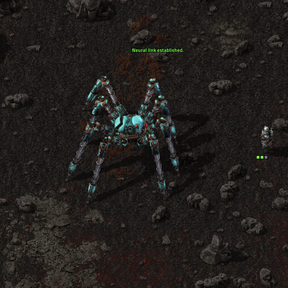
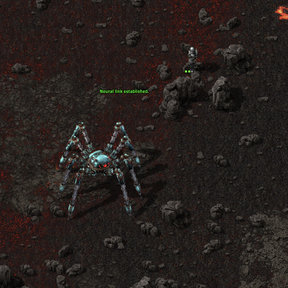
Does remote driving feel too restricted? Enhanced Remote Vehicle Control lets you take full command of any vehicle as if you the engineer was driving. Craft, build, move items, fight, and manage inventories without restrictions, all from anywhere in the game.
Key Features
- Full Vehicle Control: Drive any Spider-vehicle or car (tanks, boats etc) remotely with complete access to its abilities.
- Inventory Management: Access and manage vehicle inventories, craft items, and interact with the world as if you were in the driver's seat.
- Combat Ready: Control vehicle weapons, including Spidertron rocket launchers or car-mounted guns, with full functionality.
- Enhanced Reach and Speed: Double mining speed and extended reach for picking up items or interacting with resources while controlling a vehicle.
New Features
- Background Connections Maintained: Connections remain active after when switching between other vehicles or back to the engineer, if the connection is crafting, has items, or has active logistic requests, allowing you to continue work even when disconnected. Instead of the inventory spilling,
- Previous Reconnection: Using the Blue Spidertron Shortcut lets you quickly reconnect to the last vehicle. Stores only the previous connection.
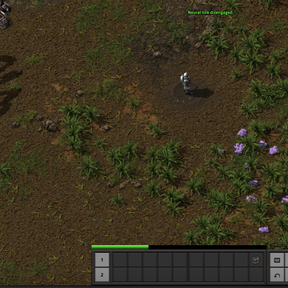
- Safe Disconnects: Automatically return to your character if the vehicle is destroyed or your character takes damage, with inventory spill handling.
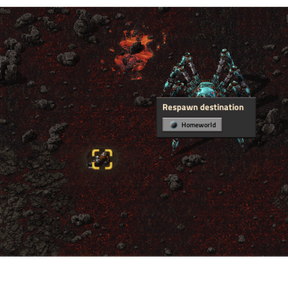
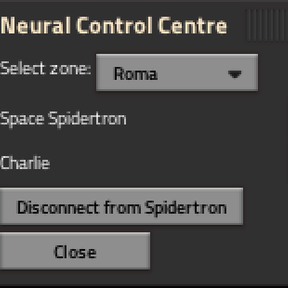
- Vehicle Control Center: The Vehicle Control Center lets you manage all your vehicles on all planets / surfaces, with shortcuts to open their map location, to view their inventory remotely, or remotely connect into. As well as a new tab for all active Enhanced Remote Connections.
- New Tool Bar: A few of my mods are vehicle related and added toolbars / buttons to vehicle GUIs. So I created a toolbar utility mod that lets this mod, as well as my fork of Spidertron Logistics add vehicle related shortcuts buttons to the toolbar.
Shortcuts and Controls
- ALT + V: Open the Vehicle Control Center to connect to any drivable vehicle.
- Direct Connect: Link to a vehicle through its GUI.
- SHIFT + E: Open the vehicle's inventory while remotely controlling it.
- Disconnect: Press ENTER to return to your character.
- Automatic Disconnect: If your character takes damage, dies, or the vehicle is destroyed, you'll instantly return to your character.
- Spidertron Remote: Holding the Spidertron Remote creates a shortcut toolbar, allowing you to quickly open its location in the map, call to your location,
Requirements
- Vehicle Control Center (required): For the updated connection interface.
Compatibility
- Space Age: Connect to vehicles from planets or space platforms.
-
Space Exploration: Control vehicles across planets using Nav Sat or the Control Center
-
Works with most mods that add custom vehicles, but test compatibility with complex vehicle mods.
Known Issues & Cautions
This mod is in active development and may have issues with some vehicle-related mods:
Please note, the following can be described as not smooth compatibility - but are not game breaking and can still be used together.
- Spidertron Docks: Disconnect before docking. And undock before connecting. If an engineer appears where he shouldn't, re-enter the vehicle and properly disconnect before docking / undocking. From versions 2.5.0 onwards, connections are designed to be kept active. So this may have some unintended compatibility issues which I can look at later down the line.
- Spidertron Enhancements: The quick toggle feature (Shift + Enter) stores the Spidertron and lets the engineer run around. My mod is supposed to seamlessly appear like a remote connection, but in order to be able to craft and interact as if they engineer is driving, the mod creates an engineer in the drivers seat and switches your control over. The quick toggle feature breaks this 'illusion'.
- Complex Vehicle Mods: Mods that significantly alter vehicle behaviour may require compatibility patches. For example Space Exploration uses a car entity for Rocket Capsules and Landing pads, that's why the engineer can enter them. Non-vehicles should be removed, if there is any compatibility issues like this, let me know and I'll add compat.
Support
Report bugs, request compatibility, or suggest features in the discussion tab.
Enjoy, I'd love to hear your feedback.