
Modlist UI
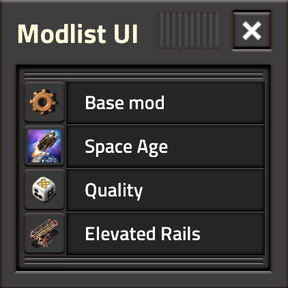
Browse, search, inspect, pin and share your currently active mods directly in-game.
Modlist UI is a compact utility useful during modded gameplay, streaming, troubleshooting, and modpack authoring.
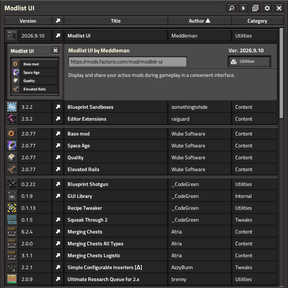
An in-game searchable overview lists every currently active mod, along with richer metadata, thumbnails, sorting, and pinning.
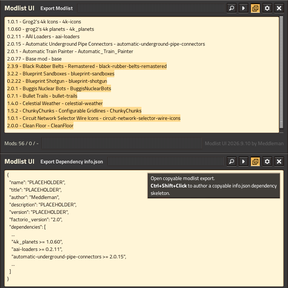
Several copy tools enable mod-list sharing and dependency-array JSON export.
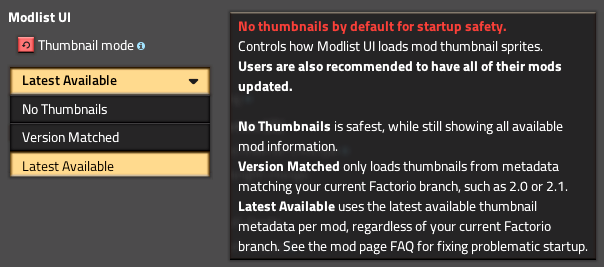
🚫 Modlist UI is set to [No Thumbnails] by default, as a startup failsafe.
First change this in Settings -> Mod Settings -> Tab: Startup -> Modlist UI: Thumbnail Mode to [Version-Matched] or [Latest Available]
⭐ Features
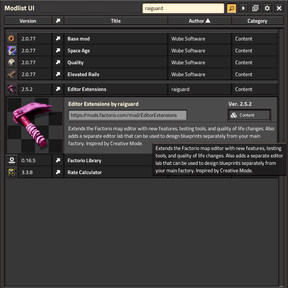
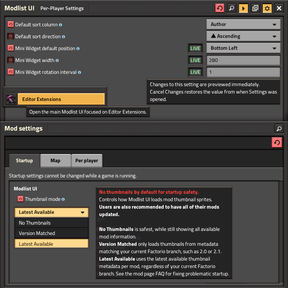
[Search]your active mods across titles, names, authors and other displayed metadata.[Mini Widget]aka. Minilist UI displays one mod-title in a tiny little randomized one-line marquee as you play, great for passive info while streaming to viewers.[Sort]by Version, Title, Author or Category in ascending, descending or default order, with player-defined settings.[Display]richer mod details in expandable entries with descriptions, thumbnails and links.[Pin]and[Reorder]favourite mods so important entries stay at the top regardless of search or sorting.[Copy]your active mod list or modpack dependency for easy sharing or as[info.json]skeleton.[Modes]for thumbnail fallback and version-matching safeguards for large or unusual modpacks.[Per-Player Settings]drawer for ingame non-interruptive live-result** Modlist UI adjustment, such as Mini Widget position, default sort/direction, etc.
Hotkeys
[Ctrl+Shift+M]— Open or close Modlist UI.[Ctrl+Shift+Click]on the Copy button — Switch between normal mod-list copying and Dependency Authoring output.[Ctrl+Shift+Click]on a mod thumbnail — Pin or precisely reorder a mod among already-pinned entries.[Ctrl+Shift+Click]on Mini Widget's [▶️] button to reset it's dragged position to default.[Ctrl+Shift+Click]on the Setting's drawer 【Confirm❯ button to apply changes and keep the drawer open.[Ctrl+F]— Focus the search field while Modlist UI is open.[Esc]— Clear/close an active search first; press again or[E]to close Modlist UI.
Useful for
🧱 Large modpacks
Quickly find out what is actually active without digging through menus.
📺 Streaming
Keep an in-game reference for viewers or quickly answer "what mod is that?"
📋 Sharing
Copy your active mod list into chat, Twitch, Discord, forum posts or bug reports.
📦 Modpack authoring
Generate copy-pastable dependency data and a useful [info.json] starting point.
Roadmap
- 🔍 Mod-UI Inspector. For when you just can't remember what mystery mod created a certain UI overlay.
- 🔣 Want Modlist UI displayed in your native language? Post a
[modlist-ui.cfg]here in this thread.
Credits
- _CodeGreen — for allowing me to modify the shortcut icon from Recipe Tweaker.
- Shemp — for extensive code support, feedback and perspective.
- Therenas — for the co-inspired Click & Drop pinning and element-reordering concept.
- raiguard — for MIT usage of flib's little gear-icon in
[frame-action-icons.png].