
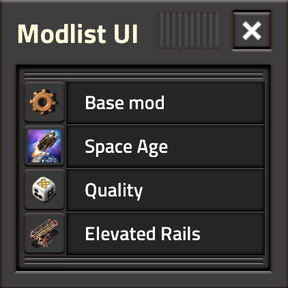
Latest --- Where are the mod thumbnails?
Thumbnails are disabled by default, to ensure Modlist UI is not preventing Factorio from loading. As the default, it doubles as a failsafe should you ever need to reset your mod-settings.
To enable thumbnails: Settings --> Mod Settings --> Tab: Startup --> Modlist UI: [Version Matched] or [Latest Version]
| Thumbnail mode | Behaviour |
|---|---|
[No Thumbnails] |
Default. Failsafe. Loads no thumbnail sprites. |
[Version Matched] |
Uses the latest thumbnail metadata matching your Factorio branch. |
[Latest Version] |
Uses the latest thumbnail metadata available, cross-branch. |
Latest --- Startup crash: missing thumbnail / wrong dimensions / out of bounds
- Manually download the latest version of Modlist UI for your Factorio branch (2.0 / 2.1), and extract its
[factorio_modportal_blob.lua]file. - Manually download the latest version of the problematic mod mentioned in the crash-error, and extract its
[thumbnail.jpg] - Manually replace both files in their respective installed mods' folders with the extracted ones. Repeat step 2 and 3 as necessary.
Also possible: A mod updates its thumbnail ahead of Modlist UI's periodic scrape & [factorio_modportal_blob.lua] update release.
Should the next Modlist UI update not fix this and issues persist, I want to hear about it! Make a thread.
Latest --- What is this “blob” / [factorio_modportal_blob.lua]?
A user's current active modlist only provides a list of slug/name, i.e. [modlist-ui], and version. Anything more requires external provision.
In Modlist UI's folder, you will find [factorio_modportal_blob.lua]. It is a large metadata file generated by scraping all 7,200+ [2.0] and [2.1] mods' metadata on the Factorio Mod Portal, providing Modlist UI richer information: titles, authors, descriptions, and crucially: thumbnail availability and dimensions.
Displaying thumbnails requires writing a graphic to the spritesheet during game-startup and then referencing it in game. Resizing/cropping/centering sprites requires knowing its dimensions. Not every mod has a thumbnail and no dimension size is standardized/agreed upon, except their filename: [thumbnail.jpg].
The game will crash during startup/runtime if we:
- Attempt to reference a thumbnail/file that does not exist. Some mods just don't have a thumbnail. Boo.
- Attempt to resize/crop an image outside of its native dimensions.
Since we cannot read/query the metadata of a file on a user's PC directly via Lua we provide this information via the [factorio_modportal_blob.lua] and are trusting it to be up-to-date.
If you do not want any startup risk from thumbnails, use the default startup mod-setting: [No thumbnails]
Modlist UI will still use the blob’s text metadata, just without the pretty pictures.
Latest --- Why are blob updates so periodic?
Update frequency is a compromise. Mods generally don't change their title, description or thumbnail very often, but 10+ new mods appear every day. Updating Modlist UI that often would be asinine for both user and myself. Fortnightly updates with a bundled up-to-date scraped blob are boring, polite, and good enough.
Deprecated --- 3rd Party Mod Featuring (Metadata Hook)
After a lot of trial and error, now all required data such as author, title, description, and thmbnail.png fields can be directly pulled from a mod-portal scrape data blob, and from all installed mods themselves during data/prototyping, without any input/special code from the 3rd party mods.
If you created a data-updates.lua, and or other code specifically to cater for Modlist UI, you can safely remove it. Apologies for any confusion or jumping the gun.