
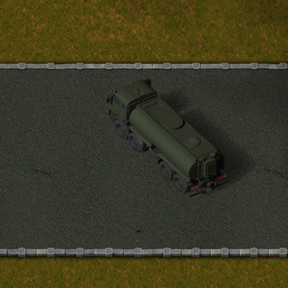
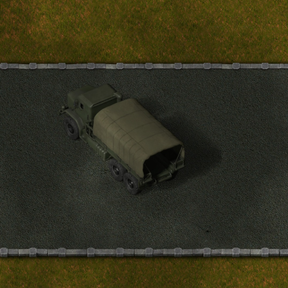
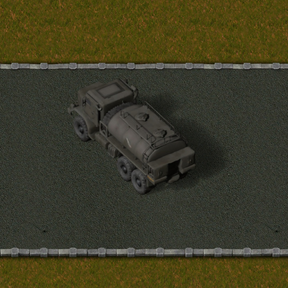
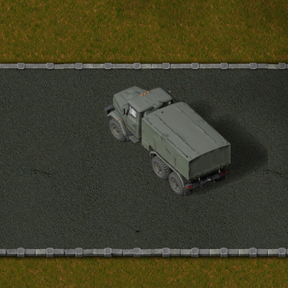
Military Trucks
Early access. This is an early version: expect bugs and balance changes. Please report problems on the mod
page (Discussion tab) with the Factorio log (%APPDATA%\Factorio\factorio-current.log).
Self-driving military trucks that haul cargo between truck stops along military roads — a road alternative to
trains for Factorio 2.1.
Features
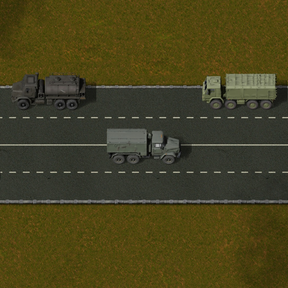
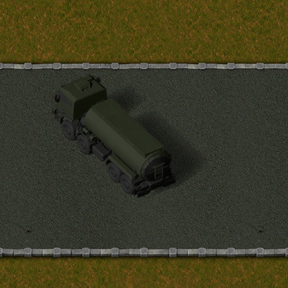
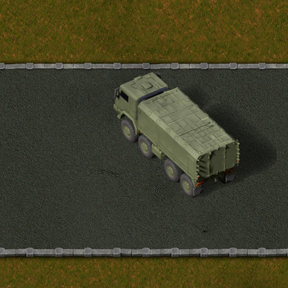
- Trucks: military truck, 6×6 box truck, 8×8 heavy truck, a tanker and the heavy 8×8 tanker (two models). All are
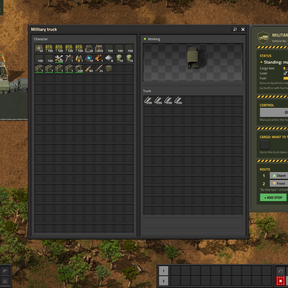
5.5 × 1.9 tiles and fill the parking marking in front of the stations. Enable "Autopilot" in the truck window. - Depot mode: a truck with no route shuttles between the nearest loading and unloading stops by itself; or give
it a route like a train (stops + leave conditions: full, empty, wait N s, inactive N s). - Military roads with dashed and solid lane markings (right-hand traffic, lane changes, U-turns). Trucks also
drive on any tiles you list in the settings. - Road strips: a whole road in one click - 4 lanes (8 tiles: dashed | solid | dashed) or 2 lanes (6 tiles) with a
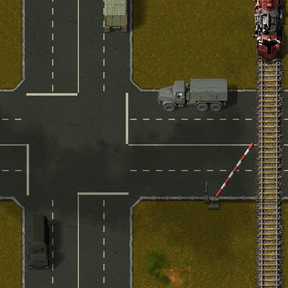
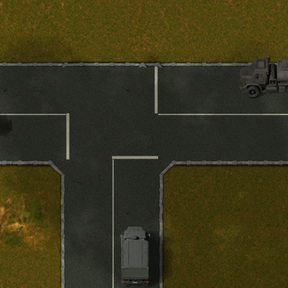
dashed or a solid centre line. Trucks pass a standing truck across dashed lines and never cross a solid one. - Junctions 8x8, 6x6 and 8x6 (crossroads, T-junction, turn) with stop lines: a truck enters only when its whole
way across is free; trucks whose ways do not cross drive at the same time. - Load on demand: in depot mode a truck loads only what an open unloading stop takes right now, so a circuit
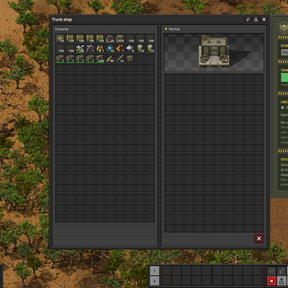
condition on the unloading stop decides when trucks leave the depot. - Truck stops (load / unload) with cargo filters, per-item limits and a circuit-network open condition; trucks
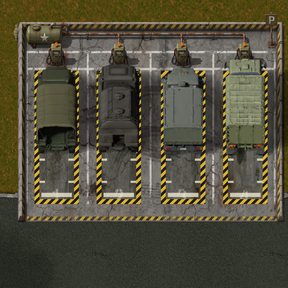
open gates. - Tankers and fluid stations, fuel stations, a 12×9 parking lot with 4 refuelling bays.
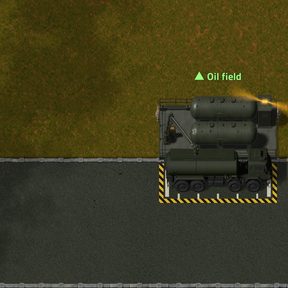
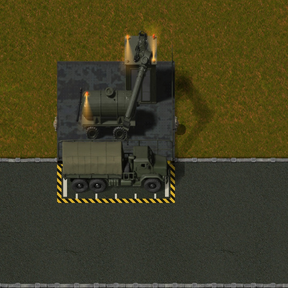
- Stations that visibly work: the fluid station (6×3) and the fuel station (6×5) are one-piece buildings with
their own machinery: the loading arm turns to the tanker and lowers the filler pipe into the hatch, the crane swings
over the truck and lowers the fuel head onto it. Their own lamps light the station at night and turn their beacons
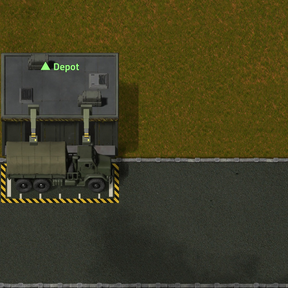
while a vehicle is served. A 6×2 parking marking in front of each; the vehicle stands exactly on it. The truck stop
(6×4) loads and unloads crate by crate with its loader arms. - Tankers connect to ordinary pumps like fluid wagons: a hose reaches out to the tank; a pump pointing at the
tanker fills it, one pointing away empties it. - Loading bays: a road marking with no storage. The truck stops exactly on it and ordinary inserters (or pumps,
for tankers) load and unload it directly. - Rail crossing barriers: the boom goes down when a train comes; trucks wait and drive on after the train.
- Liquid fuel only: military diesel and gasoline (own recipes), or fuel barrels in the trunk.
How to use
- Research Military trucks. Lay military road tiles (4+ tiles wide for two-way traffic). Road markings
(dashed / solid lines) are optional; trucks keep to the right. Faster: the road strips lay a whole marked
road at once (drag for a long road, R turns it). Where roads meet, put a junction of the matching size
(8x8 for 4-lane roads, 6x6 for 2-lane, 8x6 where they meet); R turns it. - Build truck stops (6x4) beside the road, long side to the road (R turns them). The parking marking appears on
the road in front of the stop; keep it free. Open a stop to name it and set it to Loading or Unloading;
optionally add item filters, per-item limits and a circuit condition. Fluid and fuel stations are placed the
same way; connect pipes to their short sides. - Place a truck on the road and fuel it: military diesel or gasoline (from a fuel station connected to a
pipe, or barrels). Trucks refuel by themselves at fuel stations and parking lots when low. - Open the truck and switch it to Autopilot. With an empty route it shuttles between the nearest loading and
unloading stops. Or press + Add stop and build a route like a train schedule (stop + condition: cargo full,
cargo empty, wait N s, inactive N s). - Tankers carry fluids between fluid stations (connect them with pipes). They also connect to ordinary
pumps: stop the tanker so that the tile in front of a pump is under it or right beside it; the pump direction
decides filling or emptying. The parking lot (12x9, 4 bays)
is a depot with refuelling for idle trucks. - Dispatch by circuit signal (depot mode): give the unloading stop a circuit condition, e.g. open if iron
plate < 1000. While it is closed (or full, or at its limits) the depot trucks load nothing and wait on the
parking lot; when it opens they load only what it takes and go. Turn this off with the map setting
Load only on demand. - Loading bays: place a loading bay on the road. The arrow is the way the truck faces, and R / Shift+R turns
it. The truck drives in from behind the arrow and leaves forward. Put inserters right against its long sides (up
to 6 per side), or pumps for tankers. Click the bay to name it and set it to Loading or Unloading. Name it in a
truck route like any stop. In depot mode a truck only uses bays that have inserters, a tanker only bays that
have pumps. - Rail crossings: where rails cross a military road, place a rail crossing barrier right beside the road
(not on it). The boom turns to the road by itself and reaches the centre line (solid or dashed), so a two-way
road needs one barrier on each side; on a road without lines it spans the whole width (up to 10 tiles).
R / Shift+R turns it. The boom is up; when a train comes it goes down and the lamp blinks, trucks stop in front
of it and drive on after the train. A truck already on the crossing drives off it. - Extra road tiles: map setting with tile names separated by commas (e.g.
stone-path); trucks drive on them
like on military roads. - Trucks open gates on their way, queue at busy stops and drive around obstacles (also round a truck busy on a
loading bay).
Recommended mods (same author)
These mods are made to work together:
- Military Support: military economy, 3x3 military drills, loaders, big storage tanks, hyper belts/beacon/modules, military crates, pipes, power grid.
- Military Heavy Tanks: SU-100 self-propelled gun (100 mm, range 90) and T-90 main battle tank (turret all round, 125 mm), AP and HE shells, own sounds.
- Military MLRS: BM-30 Smerch (12-rocket salvos, 400 tiles) and Kupidon heavy MLRS (missiles up to 800 tiles), two radar trucks, one fire-control network and remote.
- Character Control: inventory size, mining, crafting and running speed, pickup / build / reach distance from a panel next to the inventory.
- Stack Size Control: change item stack sizes with multipliers per category, a cap and exact values.
Requirements
- Factorio 2.1. No other mods needed.
Install / uninstall
Install from the in-game mod portal or drop the zip into %APPDATA%\Factorio\mods. Removing the mod removes its
trucks, stops and roads from your save.
Compatibility
- Tested in single player. Multiplayer has not been tested yet.
- Works with Military Support, Military Heavy Tanks and Military MLRS (their vehicles also use military diesel and gasoline).
Languages
English, Russian, German, French, Spanish, Brazilian Portuguese, Italian, Polish, Ukrainian, Chinese (simplified),
Japanese, Korean. The non-English/Russian translations were machine-assisted; corrections are welcome.
Credits and AI disclosure
- Code and most art were made by the author together with an AI coding agent: Claude Code (Anthropic,
Claude Opus 5.5). - Art and audio generated with fal (fal.ai) using: Google Nano Banana 2 / 2.1 (sprites, icons, GUI art),
Trellis 2 image-to-3D (truck and tanker models), ElevenLabs sound effects (engine). The 6×6 box truck and
8×8 truck models were made by the author with Tripo. 3D renders done in Blender.
License
Code: MIT (see LICENSE). Generated assets follow the terms of the models that produced them.