
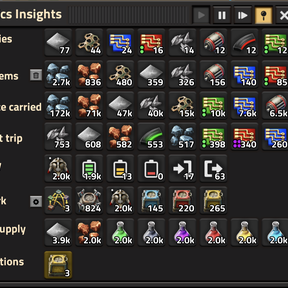
Logistics Insights
When playing Factorio, have you ever wondered what all of your logistics bots are up to? Whether you have too many, or too few? Whether you have enough storage? Particularly in the mid game, when everything is scaling up, the answers are often surprising.
Logistics Insights can help:
- Suggestions: Tells you what to do to improve a network, based on how it is performing
- Undersupply: Lists the items where demand consistently outstrips supply
- Multi-network: Keeps an eye on all your networks and jumps between them
- Multiplayer: Everyone sees the same data, so you can help each other out
- Real time: Shows what is happening in your networks right now
- Interactive: Most things are clickable, so you can go straight to the root of a problem
Quick info available
In the top left corner of the screen, you'll see two icons.
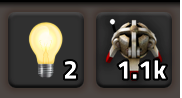
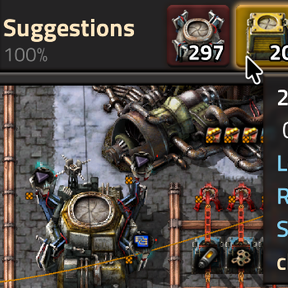
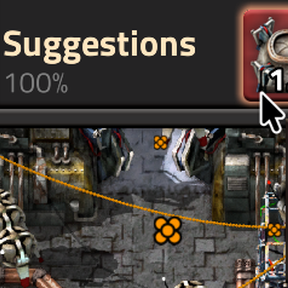
- The lightbulb shows how many Suggestions you have across all of the networks being analyzed. Click it to open or close the Networks window where you can see more detail.
- The logistics bot shows how many logistics bots are idle in your current network. If this gets to 0, you most likely don't have enough. Click it to open the main Logistics Insights window for much more detail about the network.
The two main windows
The main Logistics Insights window focuses on showing everything you need to know about a single bot network at a time, whether it's the one where you are or one you're looking at via the map view.
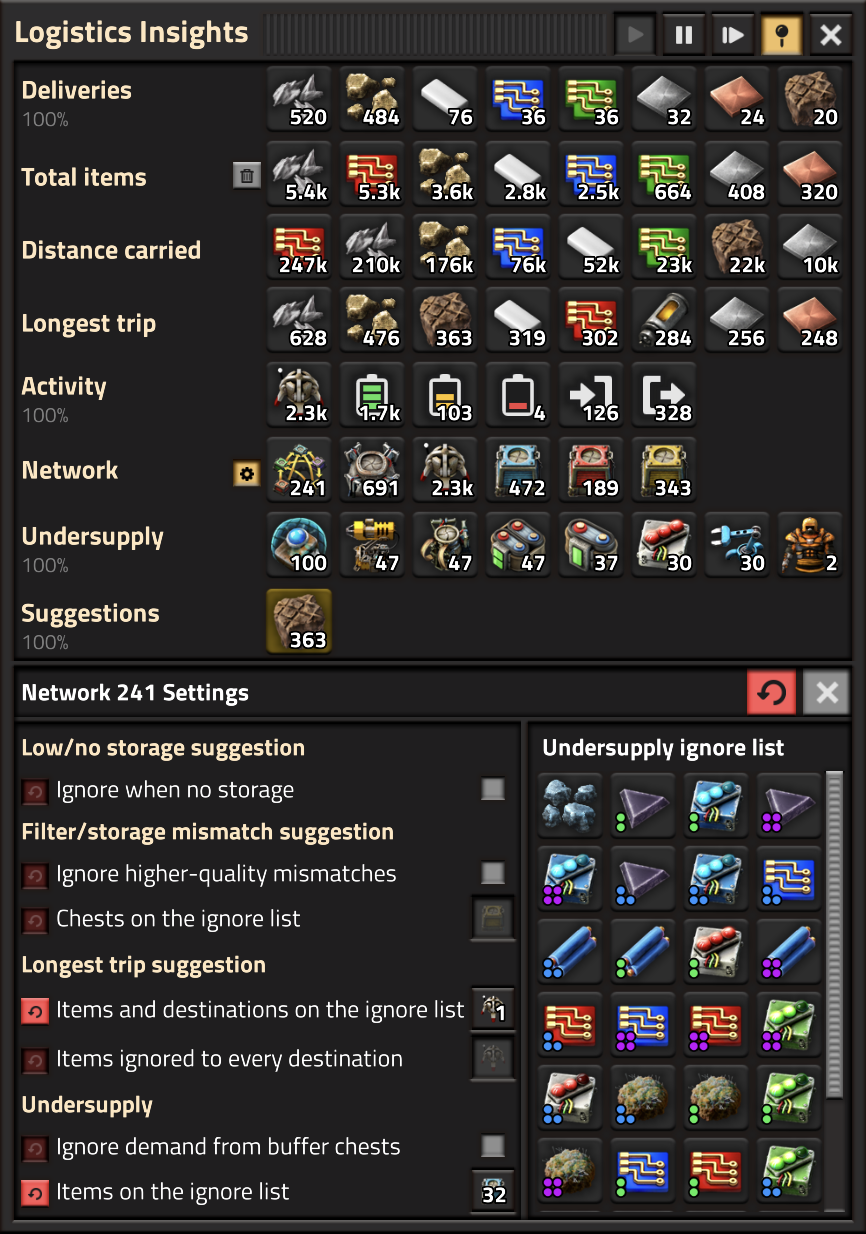
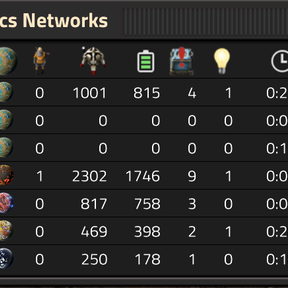
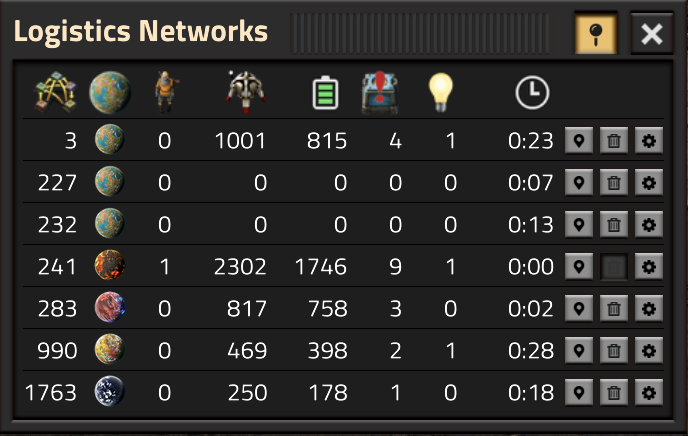
The Logistics Networks window shows all of the networks you've visited, with a few key highlights like number of bots, number of active suggestions and how many things are in short supply. You can also easily navigate between networks from here. Clicking the gear icon opens the Logistics Insights window with the settings pane below.
The main window supports the Pipette action ("Q" by default), which allows you to pick up a ghost of an entity shown. This is useful if you need to build or search for that item, for example using Factory Search.
Both windows have a pin button in the title bar. A pinned window stays open when you press E or Escape, so you can keep an eye on it while you play.
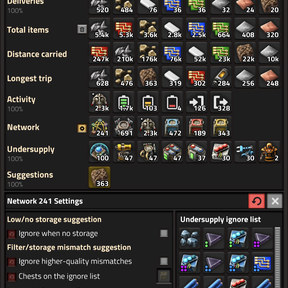
When the settings pane is open (you can also open it with the settings icon next to the Network row), you can see and edit the settings that apply to the current network.
How to use Undersupply information
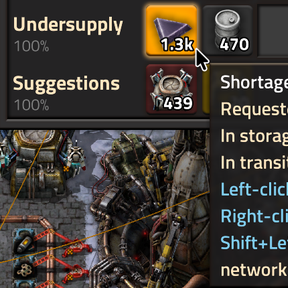
In the Undersupply row, you can see items that have more demand than can be supplied in the network. This is useful to identify hard-to-spot bottlenecks.
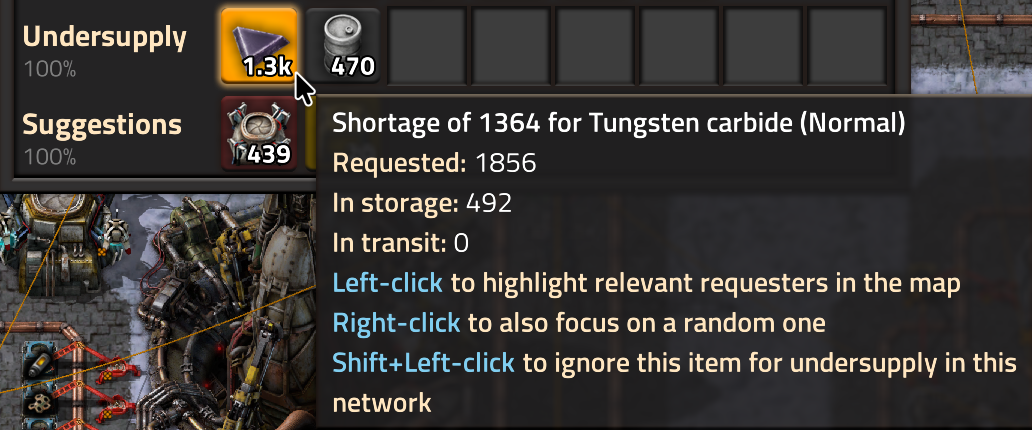
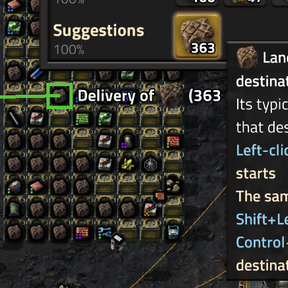
If you click on an item, LI will highlight every place that requests the item, and if you right-click, it will also zoom in and focus the map view on one of them. You can repeatedly right-click to get a sense for where the problems are.
If an item is shown in undersupply but you don't want to track it, you can Shift-click on the icon to ignore that item type in the current network. I find this useful when I have requests for "accidental" items that I want to capture somewhere, but where there is no real shortage.
How to use Suggestions
There are several types of suggestions, depending on what is happening in your network:
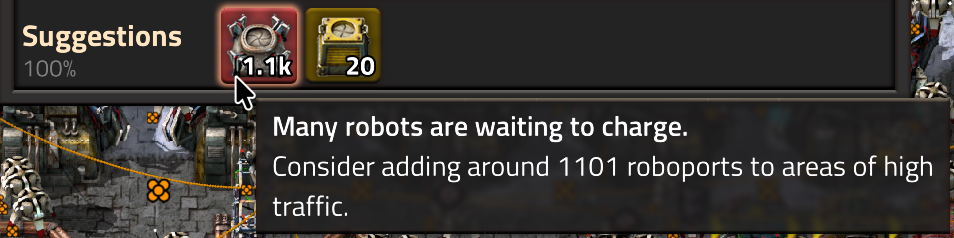
- Build more roboports. A common problem is that a lot of your bots are waiting to charge, which means that fewer bots are free to do useful work. Building more bots doesn't help though! Instead, build more roboports so the bots can quickly find a place to charge, without having to wait. LI will show this as a High priority suggestion if you need more than 100 additional roboports.
- Build more storage. If your storage is close to full, your network will work less efficiently as bots need to go further to find available storage. This suggestion shows up when your storage is 70% full, and becomes High priority when it's 90% full. Note that "fullness" of storage is measured by stacks, so you may have more storage available than LI suggests as it only looks for empty stacks. A network with no storage chests at all is told so instead; if that is how you want it, for a mall or an outpost say, tick Ignore when no storage in the network settings.
- Build more unfiltered storage. Filtered storage is great, but you may be running out of storage that isn't filtered. LI uses the same thresholds as for total storage here, and only makes this suggestion when some of your storage has a filter; without any, it would just repeat the one above.

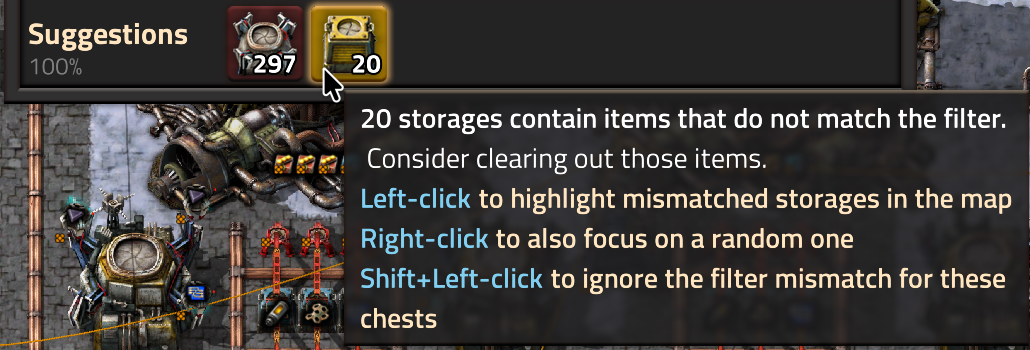
- Filtered storage mismatch. If your filtered storage has items that don't match the filter, LI suggests you fix it. You can click/right-click on the suggestion to see which chests show the problem, which is otherwise hard to find. If a mismatch doesn't matter to you, you can Shift-click on the cell to ignore the chests in question from flagging a mismatch.
- Too few bots. Sometimes you just don't have enough bots to do everything. This suggestion needs a network of at least 20 bots that have been 98% busy for a minute, and it stands down while bots are queuing to charge, because building more bots then only lengthens the queue.

- Too many bots. In a network of at least 100 bots, if more than half are idle but you keep adding more, LI suggests that you stop.

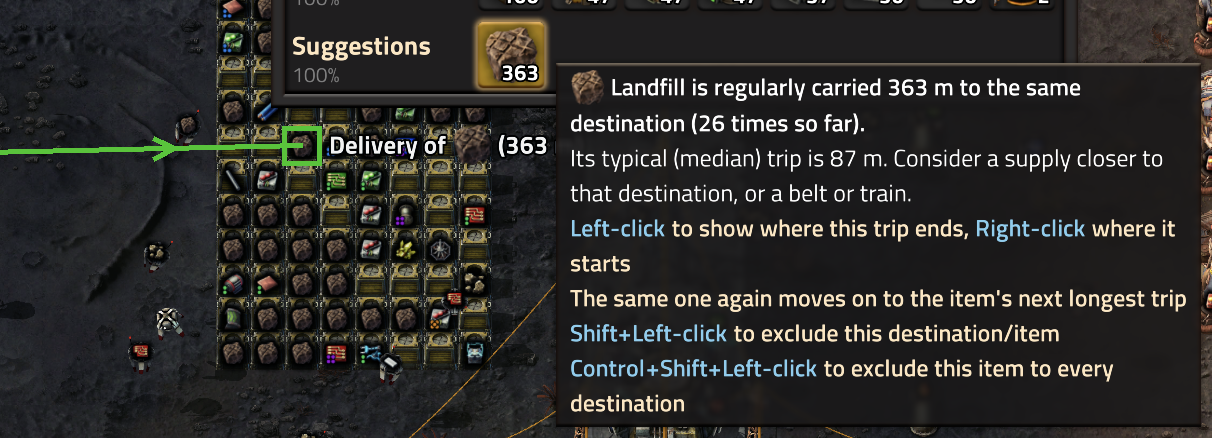
- Items carried unusually far. If bots regularly carry an item much further than they usually do, e.g. to an outpost when the item mostly goes to a nearby mall, LI suggests a supply closer to that destination, or a belt or train. Click the suggestion to see the trip on the map. If the long trip is expected, Shift+click to exclude it. Trips to players and spidertrons are left out by default, as they go wherever the player is; a setting turns that off. How far is far enough to be worth mentioning depends on the base, so the minimum distance and the sensitivity are both settings, and the suggestion can be turned off entirely. This suggestion is made from the delivery history, which LI only records for a network while a player is in it with the main window open and "Record and show delivery history" turned on.
How to keep an eye on things
Keep the Networks window open to see at a glance whether any network has a lot in Undersupply or Suggestions. When one does, click it to move the map view there and open the main window:
In the Deliveries, Total items, Distance carried and Longest trip rows
- If there is some item that's being transported unnecessarily (i.e. it shows up early in the Total items row), perhaps you could belt that item instead. For example, in one case I found that my bots were transporting iron ore 90% of the time, filling up my storage chests, all because I accidentally put ore in an active provider chest.
- Distance carried shows which items take up most of your bots' work: the total distance bots have flown carrying each one. The items at the top are the best candidates for belts or trains, or for a source closer to where they're needed.
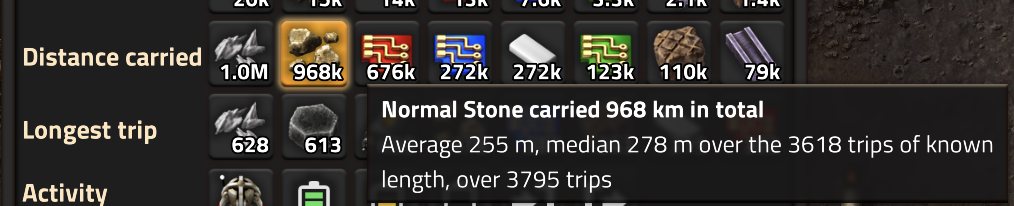
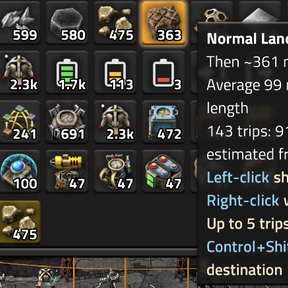
- Longest trip shows the items that bots carry furthest from pickup to delivery in one go. A long trip can be hidden among many short ones, e.g. iron plates carried a few metres to a mall and occasionally hundreds of metres to an outpost, so look for items with an average trip much higher than the median. Distances are shown in metres and kilometres; one tile is one metre. A distance shown with a tilde, like ~435 m, is an estimate: the bot was first seen already carrying the item, so the trip is at least that long.
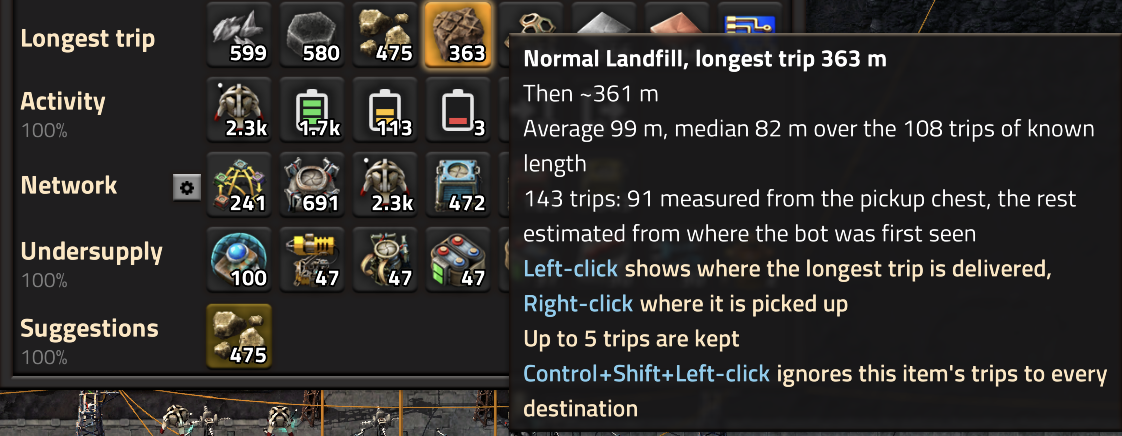
- Click an item in Longest trip to show the destinations of up to 5 of its longest trips on the map, one at a time, and right-click to show where the trip being shown starts. If a long trip is expected, Shift+click to exclude it; excluded items and destinations can be managed in the network settings. For an item that is needed a bit here and a bit there, Ctrl+Shift+click ignores its trips to every destination; ignored items have their own list in the network settings.
- Sometimes, a small number of items are delivered a long way, cluttering up the statistics. Click the trash button next to Total items to clear the delivery history and start again.
- If you don't need part of the display right now, click the pause button to temporarily pause collecting it. Or change the setting to remove the History, Undersupply or Suggestions rows entirely, which also makes the window smaller.
In the Activity row

- If too many bots are "waiting to charge", you'll get a "Build more roboports" suggestion.
- If too few bots are "available", you need more bots, and a suggestion will say so.
- If most of the bots are "available", you can stop adding more. Keep adding them anyway and a suggestion will tell you so.
In the Network row
- If you are upgrading your bots to a higher quality, this shows how many are still at the lower one
- If your bots are high quality but your roboports are not, charging takes much longer. Upgrade the roboports too!
Settings
Every setting has a tooltip in the game that explains it in detail, so this is only a map of what is where. Settings come in three layers: per map, per player, and per network.
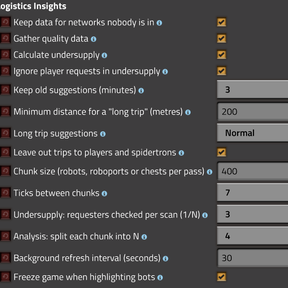
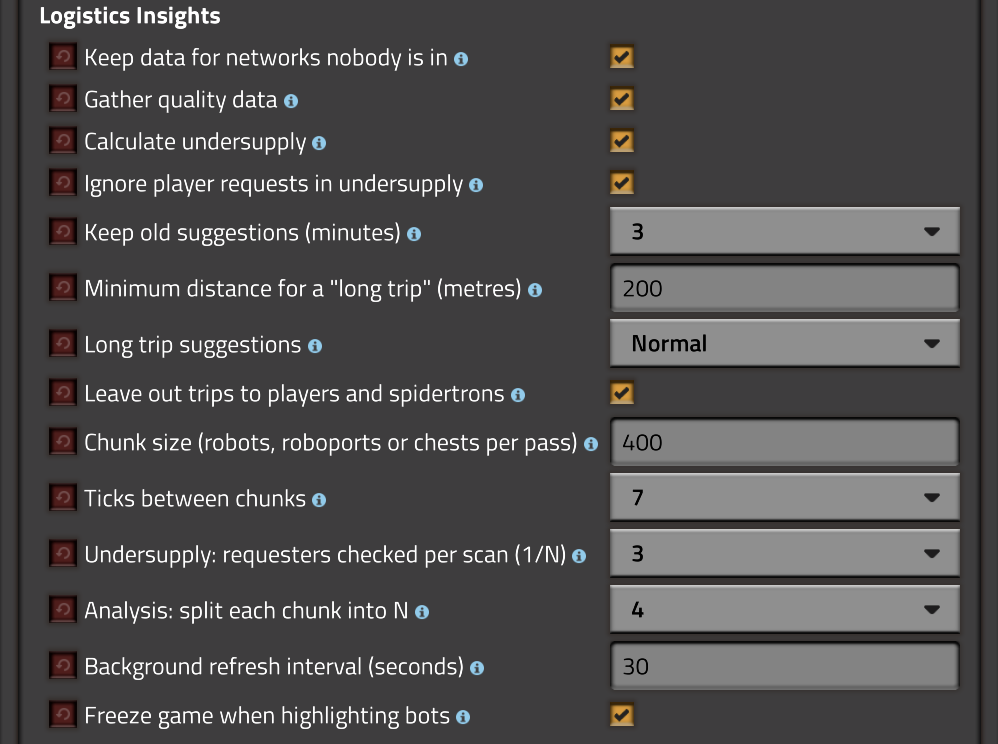
Logistics Insights has several settings that are on a per-map basis. They control what data is gathered and how much work the mod does, and since the data is shared by every player, they apply to everyone. They come in four groups:
- What is gathered. Keep data for networks nobody is in keeps history and suggestions for every network you have visited, so they stay in the Networks window; Gather quality data counts bots and roboports by quality; Calculate undersupply can be turned off to save scanning every requester; and Ignore player requests in undersupply leaves personal logistics requests out of the demand.
- Suggestions. Keep old suggestions is how long a resolved suggestion lingers, greyed out; Minimum distance for a "long trip" and Long trip suggestions (Off, Relaxed, Normal or Sensitive) set when a delivery is far enough to mention; and Leave out trips to players and spidertrons ignores deliveries that go wherever the player happens to be.
- Performance. Chunk size and Ticks between chunks set how much is scanned at a time and how often; Undersupply: requesters checked per scan and Analysis: split each chunk into N spread the analysis steps out further; and Background refresh interval is how often networks nobody is looking at are refreshed. These are explained in the next section.
- Behaviour. Freeze game when highlighting bots pauses the game for everyone while bots are highlighted, so they stay under their highlights.
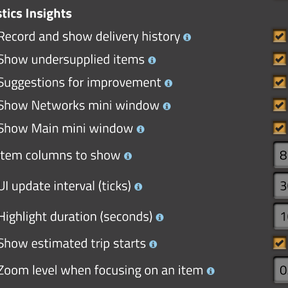
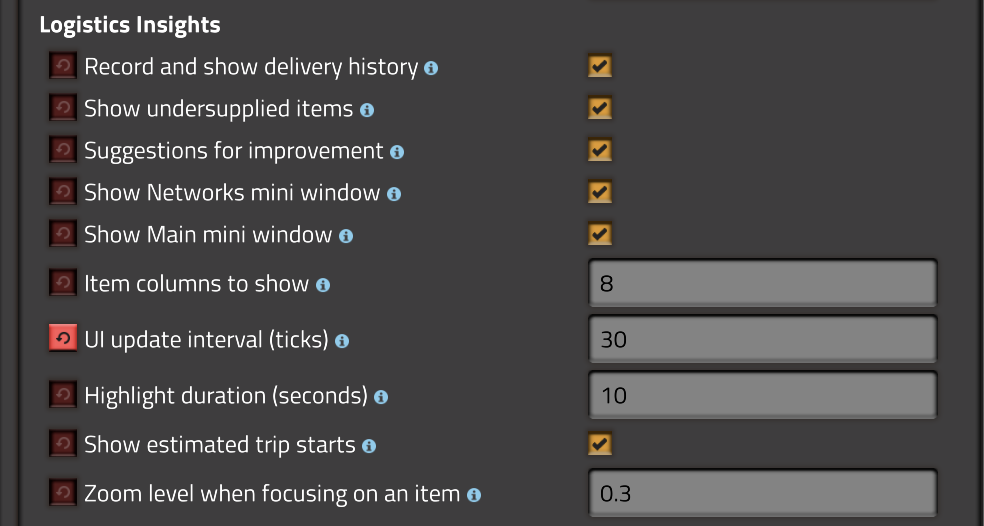
There are also player-specific settings that allow each player to configure what is displayed on their screen:
- Which rows to show: Record and show delivery history, Show undersupplied items and Suggestions for improvement. Hiding a row also makes the window smaller, and the history setting is what makes LI record history for the network you are in.
- The two mini windows in the top left corner, and how many Item columns each row shows (7 to 10).
- How the window and map behave: the UI update interval, the Highlight duration, the Zoom level when focusing on an item, and whether estimated trip starts are drawn as a dashed line.
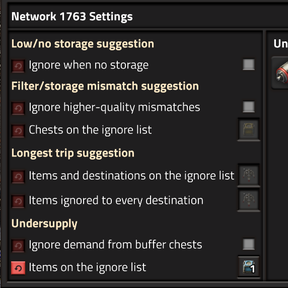
While in the game, there are settings that apply to individual networks and allow you to fine tune what is collected and suggested at that level. To access this, click the gear icon next to the Network row in the main window, which opens a settings pane below the main window. This is where the ignore lists live (chests for the filter mismatch, items for undersupply, and destinations and items for long trips), along with whether higher-quality items count as a filter mismatch, whether buffer chests count as demand, and whether a network without storage should be told so.
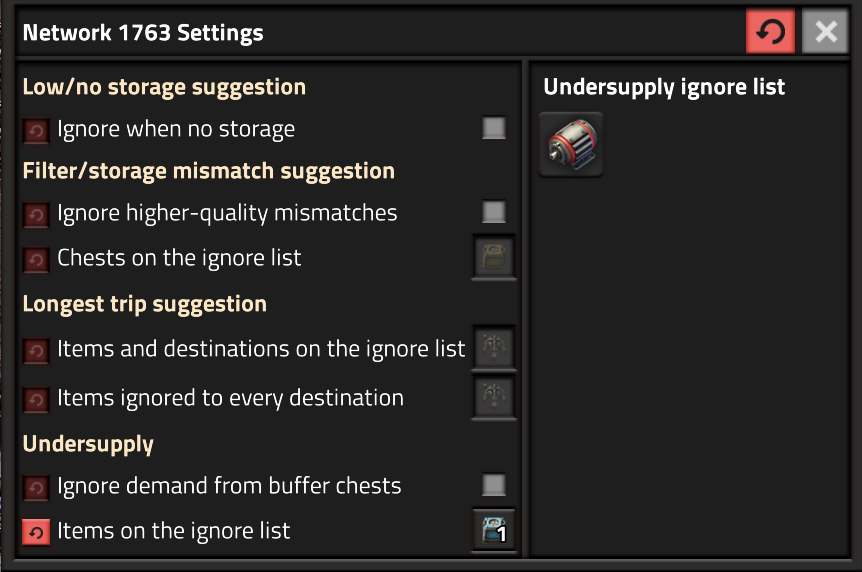
In all cases, LI is aware of which settings are changed, and allows you to revert to defaults in the standard Factorio way.
How Logistics Insights minimises its overhead
What Logistics Insights does takes time, and for very large bot networks can cause the game to slow down. The mod is written to mitigate this by processing the bots, network items, etc. in chunks, so it only processes a small portion of the whole each tick. The default chunk size is 400, but you can change this.
It is tempting to lower the chunk size to reduce the load, but that is the wrong way round: a larger chunk is cheaper per bot, because the fixed cost of a pass is spread over more of them, and it gives a more consistent picture, because every bot in a chunk is seen at the same moment. The mod copies the full list and processes it one chunk at a time, so with small chunks the game state moves on between the first chunk and the last. The only cost of a large chunk is that all its work lands in one tick; lower the size only if that shows up as stutter.
A progress indicator shows the chunk processing in action. Chunking applies to bots, roboports, undersupply and suggestions alike. For example:
- If you have 1,800 bots and use the default chunk size of 400, it will take 5 passes before the Deliveries and history rows (Total items, Distance carried and Longest trip) are updated. A pass is done every 7 ticks, or around 10 times per second.
- If you have 900 roboports with the default chunk size, it will take 3 passes before the Activity data about your bots is updated (showing Available, Charging, Waiting, Picking Up or Delivering).
- Undersupply and the storage analysis are more expensive per entity, so they use the chunk size divided by the Analysis divisor, 4 by default. If you have 1,100 requesters and a chunk size of 400, each analysis chunk is 100 requesters and the pass takes 11 chunks; the undersupply sampling below then cuts that further.
If you have fewer items than the chunk size, the data will be updated on every pass, keeping the data more accurate, though its polling-based nature means it will rarely be 100% accurate. Good enough though!
On a powerful machine, you can easily have a chunk size of 1,000 or more, and process data every 3 ticks. On a less powerful machine, you may want to process fewer items at a time, less often.
Logistics Insights uses a custom scheduler that smooths the load across many ticks, allowing you to get up to date information even with many networks and several players, without suffering a noticeable performance impact on the game.
Five settings control the tradeoff between how current the information is and CPU load: the chunk size and the ticks between chunks described above, the background refresh interval (how often networks nobody is looking at are scanned and analysed), and two that apply to the analysis steps only:
- Undersupply: requesters checked per scan (1/N) (default N=3) instructs LI to only sample 1/Nth of requesters in a network when it's scanned. This makes sense because scanning of requesters is expensive, yet requesters don't often change their request sizes. Requesters that are controlled by circuit network are always scanned on every cycle.
- Analysis: split each chunk into N (default 4) sets the chunk size used for the analysis steps (undersupply and storage). If your chunk size is 400 (used to scan the bots) and N is 4, each analysis chunk is 100 entities. A larger N spreads the analysis over more ticks, so each tick does less work and the answer takes longer to arrive.
What's next?
There are many ways in which this mod could become more useful, and I'll be looking for feedback on what you'd like to see. Here are some of my ideas:
Main window
- Maybe it would be useful to step forward more than one tick at a time. Should there be a "step 10-ticks" button, or maybe a config option?
- The main window right now is floating, which means you can position it anywhere, but it also means it might open overlapping with something else. Should it instead stick to the top or left sides? Should it be an option?
- The max number of items that can be shown in a row is 10. Would more be useful?
Highlighting items
- When highlighting bots, it might be useful to show info about where each bot is going. Maybe an arrow pointing to the destination?
- When clicking on a category to highlight them, there is no limit to how many items are shown. It's possible that this needs to be limited to 1,000 or something so the game doesn't grind to a halt if you have a lot of items, so maybe an option is in order.
- When highlighting a group of items, maybe it would be useful to set zoom level to include as many of them as possible, and focus somewhere around the middle?
Completely new functionality
- When focusing on a single bot (with right-click in a cell like Deliveries), it might be fun to have a "follow" window that allows you to see where it's going.
- I'd love to show a heat map of activity on the mini map, but I can't see a way for a mod to do this. Do you know how?
- Maybe it would be useful to also show what Construction Bots are doing? Not sure about that, maybe that's another mod!
Factorio 2.0 and 2.1
Factorio only loads a mod marked for the game version it is running, so every release of Logistics Insights is published twice with identical code: 1.2.x for Factorio 2.0 and 1.3.x for Factorio 2.1, with the same last number in both, so 1.2.5 and 1.3.5 are the same release. The in-game mod browser offers the right one for your game.
Known issues
- The game may desync in multiplayer if players join the server while the Logistics Insights mod is upgrading to a new version. Please wait a second or two for this to complete and it should be fine for other players to join the game.
Want to contribute?
I value contributions, even if it's just a forum post to say what you like or don't like about the mod :)
If you want to contribute functionality or bugfixes, please create a pull request on Github.
You can also create an issue if you find a bug or have an idea for a feature, either on Github or on the Factorio Mod Portal.
Translation
The mod is fully translated into English and Danish, and partly into many other languages. It's easy to contribute, even just a few strings. Go to This project, pick the language you'd like to contribute to, and find the Logistics Insights mod. Translations show up in the game later, typically within a week.
Thanks
These people helped me with code and inspiration:
- Xorimuth for the excellent Factory Search mod and code to highlight items on the map
- raiguard for Stats GUI in particular
- justarandomgeek for the brilliant mod debugger
- Qon for Pause Combinator, which gave me the idea for the freeze functionality
- HermanyAI for Item Cam 2, which I thought I could use but ultimately didn't...