
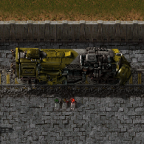
RailForge / FART - Fully Automated Rail Transport
RailForge is a Factorio 2.0 continuation and modernization of the classic FARL-style automated rail-building experience.
Drive a specialized rail-laying train and let it build rail lines, signals, poles, lamps, walls, concrete, landfill crossings, and blueprint-based trackside layouts as it moves. The goal is to preserve the old “rail construction train” workflow while making it work cleanly with Factorio 2.0’s updated API, rail prototypes, blueprint behavior, wire connector system, and stricter runtime rules.
This is intended as a fresh Factorio 2.0-compatible automated rail layer, not a direct upload of the old FARL mod. It keeps the spirit of the classic rail-building train while rebuilding and modernizing the runtime behavior for the current game.
What It Does
RailForge lets you build rail corridors by driving a train instead of hand-placing every rail, signal, pole, lamp, wall, and tile.
Load the train with the required materials, configure the rail-laying options, then drive. As the train moves, it can place rails and supported trackside infrastructure from cargo. It can also use blueprint layouts to customize what gets placed beside the rails.
The main focus of this release is stable ground-rail construction for Factorio 2.0.
Main Features
- Automatically lays rails while driving a train.
- Supports straight rail construction.
- Supports turning behavior.
- Supports parallel track construction.
- Places rail signals and chain signals from the active layout.
- Places electric poles, lamps, walls, and other configured rail-side entities.
- Supports blueprint-based vertical and diagonal rail layouts.
- Supports custom rail corridor decoration through blueprints.
- Can pave concrete, stone path, refined concrete, or other configured tiles along the rail path.
- Can bridge water when enabled, using landfill from train cargo.
- Stops before water when bridge-water mode is disabled.
- Supports maintenance mode for replacing an existing rail layout.
- Supports bulldozer mode for removing rails and related entities behind the train.
- Removes trees, rocks, cliffs, and other obstructions when enabled.
- Uses real train cargo for placed items.
- Supports ghost placement when configured.
- Handles Factorio 2.0 free red/green wire behavior correctly.
- Includes groundwork for optional Space Age / Elevated Rails recognition.
Factorio 2.0 Modernization
RailForge has been updated for Factorio 2.0 instead of relying on old 1.1-era runtime behavior.
Major internal changes include:
- Migrated old
globalstorage patterns to Factorio 2.0storage. - Updated runtime prototype access for the current Factorio API.
- Updated blueprint icon handling to use Factorio 2.0
preview_icons. - Updated electric pole wire handling for the Factorio 2.0 wire connector API.
- Replaced old flying-text entity usage with rendering text.
- Updated rail direction handling for Factorio 2.0’s expanded direction system.
- Updated rail prototype handling for the 2.0 rail prototype split.
- Updated collision and tile checks for current tile and water behavior.
- Removed cheat-mode free-build bypasses from real placement logic.
- Hardened cargo accounting for rails, landfill, concrete, poles, signals, lamps, walls, and blueprint entities.
Cargo-Based Construction
RailForge is not intended to build for free.
Real construction uses train cargo. The rail-laying train should carry the items it is expected to place, such as:
- Rails
- Rail signals
- Chain signals
- Electric poles
- Lamps
- Walls
- Concrete or other paving tiles
- Landfill for bridge-water construction
- Any custom blueprint entities used in the selected rail layout
If the required item is missing, RailForge can either stop construction or place ghosts, depending on configuration.
Red and green circuit wires do not need to be loaded into the train, because Factorio 2.0 treats circuit wires as free virtual wire connections.
Bridge Water Mode
Bridge water mode allows the rail layer to cross water, but it is not free.
When bridge water mode is enabled, the train must carry landfill. RailForge consumes landfill from the train cargo before placing rails across water. If there is not enough landfill, construction should stop instead of silently building across water.
When bridge water mode is disabled, RailForge should stop before water and avoid placing rails, poles, walls, lamps, signals, or paving across the water surface.
Blueprint Layouts
RailForge can read rail-layout blueprints and use them to place side entities along the track.
This allows customized rail corridors with poles, lamps, walls, signals, turrets, or other supported entities. The mod includes helper commands and GUI actions for generating basic vertical and diagonal layouts, then reading them back into the train’s active configuration.
Blueprint layouts are useful when you want a repeatable rail corridor design instead of only placing bare rails.
Modes
Normal Construction
Builds rails and configured side entities while driving.
Maintenance Mode
Removes and replaces an existing layout in front of the train. This is useful when upgrading or refreshing an existing rail corridor.
Bulldozer Mode
Removes rails and supported rail-side entities behind the train. This is useful when clearing old rail lines.
Ghost Mode
When enabled, missing items can be placed as ghosts instead of being placed for free. This lets construction robots finish the work later.
Space Age / Elevated Rails Status
This release includes optional recognition for Space Age / Elevated Rails prototype names, but the main stable feature set is still ground rail construction.
Elevated rails are more complex than normal rails because they require ramp transitions, support placement, rail-layer-aware signal behavior, and special rules for ramps. Full automatic elevated rail planning is planned for a later release after the Factorio 2.0 ground-rail foundation is stable.
Current intended elevated-rail direction:
- Follow ghosted elevated rail plans first.
- Place rail ramps where appropriate.
- Place rail supports before elevated rail placement.
- Skip signals on rail ramps.
- Preserve ground/elevated rail layer behavior.
- Keep Space Age / Elevated Rails optional.
Recommended Usage
- Build or place the RailForge rail-laying train.
- Load it with rails and any items you want it to place.
- Configure the layout through the GUI.
- Generate or read a blueprint layout if you want custom side entities.
- Start driving and let the train build.
- Enable bridge-water mode only when the train has landfill.
- Enable ghost mode if you want missing items to become ghosts instead of stopping construction.
Known Limitations
- Full automatic elevated rail planning is not finished yet.
- Complex ramp/elevated layouts should be treated as experimental.
- Some heavily modded rail/entity setups may need additional compatibility work.
- This release is focused on restoring and stabilizing Factorio 2.0 ground rail construction first.
Credits
RailForge is based on the classic FARL concept and code lineage.
Original FARL was created by Choumiko and released under the MIT license. This mod is a Factorio 2.0 continuation and modernization intended to preserve the automated rail-laying gameplay style for current Factorio versions.
Additional reference work was taken from FARL-Revised behavior where useful for restoring stable rail placement logic.
License
MIT, following the original FARL license lineage.