
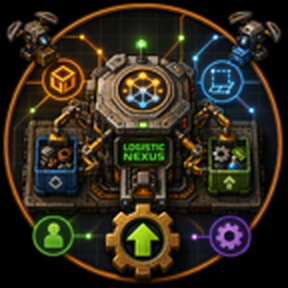
Logistic Nexus
A compact, logistics-aware automatic mall for Factorio 2.0.
Logistic Nexus watches its logistic network for requested items — from requester chests, personal logistics, construction ghosts, upgrade planners, and module installation requests — and automatically crafts them. It requests raw materials and available intermediates through logistics, crafts missing intermediates internally, and delivers finished products back to the network through an active provider chest.
Multiple Logistic Nexus workshops on the same network share demand information and distribute work across the most-needed products.
Features
- Self-planning mall — detects logistic and construction shortages, chooses the highest-priority craftable jobs, and executes them without manual recipe configuration.
- Internal intermediate crafting — if a required component is missing but craftable, Logistic Nexus crafts it inside the same workshop instead of abandoning the final product.
- Multiple demand sources — reacts to requester chests, player personal logistic requests, construction ghosts, tile ghosts, upgrade-planner requests, and item-request proxies.
- Quality-aware — exact-quality requests are matched at every level, and quality is preserved through internally crafted intermediates.
- Fluid recipe support — recipes that normally require fluids are automatically converted to barrelled item-only variants. Empty barrels are returned to the network.
- Batch crafting — configurable maximum batches per job lets each workshop craft several units in one assignment before reassessing.
- Workshop tiers — base workshop and a faster MK2 version with more module slots.
- Circuit network control — block specific products or limit how many product types a workshop considers at once.
- Status GUI — inspect network demand, active workshops, and blocked items.
- Flying-text alerts — get notified when a requested item cannot be crafted.
Entities
Logistic Nexus workshop
The main crafting entity. It has a fixed 4×4 footprint and internally owns an input requester chest, an output active-provider chest, and input/output inserters. Clicking the workshop opens its internal GUI.
- Crafting speed:
1 - Energy usage:
750 kW - Module slots:
0by default (enable the experimental module-support setting to allow4slots) - Technology: unlocked by
logistic-system
Logistic Nexus workshop MK2
An upgraded workshop with higher crafting speed and extra module slots.
- Crafting speed:
2 - Energy usage:
1500 kW - Module slots:
0by default (enable the experimental module-support setting to allow6slots) - Technology: unlocked by the dedicated
Logistic Nexus workshop MK2technology afterlogistic-system
Companion entities
Each workshop creates its own invisible companion entities. They are not minable and not blueprintable, and are removed automatically when the workshop is removed.
- Logistic Nexus requester — input chest that receives requested ingredients.
- Logistic Nexus active provider — output chest where finished products and returned materials are placed.
- Logistic Nexus input/output inserters — internal inserters that move items between the workshop and the companion chests.
How to Use
- Place a Logistic Nexus workshop inside a logistic network that has construction and logistic robots.
- Supply the network with raw materials and commonly used intermediates.
- Create demand using any combination of:
- Requester chests
- Personal logistic requests
- Construction ghosts or tile ghosts
- Upgrade planner marks
- Module/item installation requests on entities
- The workshop requests ingredients through its internal requester chest, crafts the item (and any missing intermediates), and places the result in its internal active provider chest.
Logistic Nexus crafts one target product per assignment. If the target needs multiple internal steps, those steps are performed inside the same workshop before the final product is output.
Circuit Network Control
Connect red or green wires directly to one or more workshops. The workshop reads circuit signals and uses them to constrain job selection.
Block a product
Output any positive item signal to prevent connected workshops from crafting that item, even if it is requested.
Example: Solar panel = 1 blocks solar-panel production.
Limit product variety
Output virtual signal P with a positive value to restrict how many product types each connected workshop considers.
P = 1— only the single highest-priority product typeP = 5— up to five product types- No
Psignal — default is three
Zero or negative signals have no effect.
Example
Connect a constant combinator to all workshops, set Solar panel = 1 and P = 2, then turn it on. Workshops ignore solar-panel demand and distribute work among the two highest-priority remaining products.
Mod Settings
Startup settings
- Excluded recipe categories — comma-separated list of recipe categories the workshop should never craft. Example:
smelting, centrifuging, chemistry. - Enable module support (experimental) — allows modules to be inserted into workshops. Disabled by default because module GUI/click interactions are still being hardened for Factorio 2.0.
Runtime-global settings
- Max batches per job — maximum number of recipe batches a workshop will craft in a single assignment. Higher values reduce scheduling overhead but increase the time before a workshop reassesses priorities. Range:
1–100, default5.
Commands
Open the console (~) and use any of these commands:
/logistic-nexus-gui— open the Logistic Nexus Status GUI for the network at your position./logistic-nexus-status— print the latest network allocation analysis to the console./logistic-nexus-debug [item-name]— print recipe debug for an item. Defaults toconcreteif no item is given./logistic-nexus-debug-construction [item-name]— print construction ghost debug for an item.
Status GUI
The status GUI shows:
- Summary — total workshops, idle workshops, and assigned workshops.
- Requests & shortages — counts of logistic/construction requests and currently craftable shortages.
- Targets table — each requested item with missing count, available count, active workshops, remaining units, and blocked status.
- Workers table — each workshop with its current state, target item, and delivery progress.
Open it with /logistic-nexus-gui or via the in-game console.
Status Indicators
The workshop entity displays a status diode and label:
| Status | Meaning |
|---|---|
| Idle (green) | No current assignment. |
| Working (green) | Actively crafting a target product, showing the item and current internal step. |
| Finishing (yellow) | Preparing ingredients or settling deliveries for a target product. |
| Blocked (red) | Cannot craft the target, e.g. missing uncraftable material or side space blocked. |
| No network (red) | Workshop is outside a logistic network. |
| No shortage (yellow) | No craftable shortage found; shows request and shortage counts. |
Flying-text alerts appear when a specific requested item is blocked, with a cooldown to prevent spam.
Notes & Tips
- Workshops share demand information across the same logistic network. Multiple workshops naturally distribute work toward the highest-priority items.
- Jobs that require unavailable, non-craftable materials are skipped and shown as blocked.
- Quality is preserved end-to-end: a request for an uncommon item will use uncommon ingredients and produce an uncommon result.
- Fluid recipes are handled automatically by barrelled variants. Make sure the network has enough empty barrels available if you plan to craft fluid-based products.
- The MK2 workshop is a direct upgrade and can be placed as an upgrade of the base workshop.
License
See LICENSE.md and NOTICE.md.