Heavy Trucks (Vanilla+)


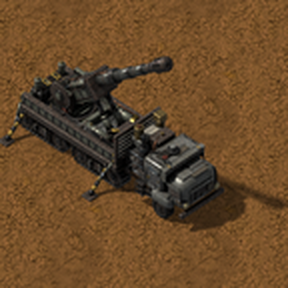
Half-track heavy trucks in the vanilla style. The Heavy Truck hauls cargo and is the base of the others: the Tanker Truck loads and unloads fluids at ordinary pumps like a fluid wagon, the Artillery Truck deploys on its stabilizers and fires artillery shells in a forward cone, and the Logistic Truck carries a roboport and the five logistic chests, a mobile logistics hub powered by its own solar panels.

Content
2 days ago
2.0
1.48K
Transportation Logistics Combat Storage

g Fuel

a month ago

First, thank you for this mod. I’d like to clarify how the truck refueling is currently designed. I haven’t figured it out yet — right now, in addition to refueling, the loader is also adding fuel to the cargo compartment. And one more question: is it possible to make it so that the cargo can have the option to choose what can be loaded into each slot, similar to how it’s implemented in a train car?

a month ago

Thanks! Extra fuel goes into the cargo because inserters fill the fuel slots first and then the trunk. That's how the base game works. Autopilot 0.1.3 adds slot filters: middle-click a slot, like on a cargo wagon. Filter the cargo slots and fuel stays out.

I haven't been able to test it myself because my middle mouse button is broken 😅, so please let me know if something doesn't work!

a month ago

Ha)))

I just checked. It doesn’t work in the editor, although it does work when checking in a train car.

a month ago

Thanks for testing! Found it: the map editor usually pauses time, and the truck window only redrew while the game was running. The filter was set but didn't show. Fixed in Autopilot 0.1.4, filters now show right away even when paused.

a month ago

Oh? Sorry, i dont update the mod.

a month ago

No worries! The fix is in the dependency, Heavy Trucks: Autopilot, not in Heavy Trucks itself. Update Autopilot to the latest version and it should work, even in the editor.

5 days ago

Hi, loving the mod so far, middle mouse clicking to filter works great, but surely there is an easier way than having to click every slot on every truck or am I forgetting something?

-Bonus idea I just had, Truck with a big machine gun on the back that acts as a heavier, but slower car, more fragile than the tank with less weapon options but a better machine gun that is great for bugs but not for nests. Maybe a later upgrade that makes the gun shoot automatically?
Even just the standard gun turret on a truck that needs to deploy before firing could be fun, drive up to nest, deploy truck and fire missiles from the safety of the covering fire.

5 days ago

Hi, glad you're enjoying it!

For the filters there's an easier way: set up one truck, then Shift + right click it to copy its settings and Shift + left click each other truck to paste them. It copies all the trunk filters at once (you can also hold Shift + left click and drag over several trucks). Blueprints don't keep vehicle filters, so copy-paste is the way to go.

Also, thanks for the idea, but I'm not planning any more trucks like that one: the last truck I want to add is an electromagnetic cannon. I do like the machine gun and covering fire idea, though: I'm planning armored trains with weapons like those, but that will be a separate mod.

3 days ago

Of course, works for factories would work for trucks hahahaha

Fair enough on the gun truck, just your mentions of C&C Red Alert had me thinking of C&C Generals with the Quad Cannon Truck the GLA had.

Trucks are working as a great intermediate for trains, though I've noticed I gotta leave more room at the stops then I might use for a train stop to leave them room to navigate which feels like a nice trade off. Only things I would say would really help would be setting a specific entrance and exit to the truck stops and maybe a way to force them to back in or forward, not super necessary though.

Keep up the great work and thanks for the reply :D

2 days ago

on this topic, using parameterised interupts is made harder because of needing to filter the trucks slots, disallowing the use of ambiguous slots because they are filled with fuel.

trains usually get around this with the seperate engine with no cargo slots but that doesn't really work here.

the station can read the trucks contents, but nut the current fuel contents in that, not can they pull fuel from the inventory which can be read.

auto refueling could be fixed in 2 ways by either allowing auto-trucks to refuel from cargo or allowing the station to read the fuel when pulling from the inventory.

ps. it would be a nice QOL to have a fuel bar like the burners and other vehicles to see how long the rod of nuclear fuel has left

pps. also fuel doesn't seem to have an effect on auto drive, nor do concrete roads make them faster, they are stuck at ~64 ish kph

ppps. unrelated but on the wait condition settings the grab to move vertical line texture thing on the station ui for the trucks is allways green for wait till full cargo and allways gray for wait till empty, and doesn't allow grabbing it to move station conditions.

2 days ago

Thanks for the detailed list! A few answers:

  • The truck stop can already send the fuel too: in its circuit connection, turn on reading the truck's contents and the option to include its fuel slots.
  • Refuelling from cargo is a great idea and would also fix the fuel getting in the way of parameterised interrupts. I'm on it, along with a fuel bar in the truck window.
  • You're right about speed: automatic trucks have a fixed top speed. I'll make them take fuel bonuses and roads into account.
  • About the wait condition grip: the truck window is built to look like the train one, but it can't be a real copy of it. Mods can't reuse the game's train schedule window, so everything in it is rebuilt by hand, and some things (like dragging conditions around) don't work the same way. I'll fix the grip's colour and look into a way to reorder conditions, but it may not be by dragging.
2 days ago

aah, im alittle blind and missed the include fuel ui element lol, also thanks for a quick responce!

New response