
Search the Mod Portal by entering a search term.
To search for specific phrases, surround them with double quotes (").
The mod portal will match your query against the mod title, internal name, summary, and username of the mod owner.
To further refine your search, use the sidebar on the left. Enable the checkboxes to limit the search results to selected categories and tags or use the ban button to exclude them.
You can reset your filters by clicking the active tab on the top.
There's a lot of caching on this page. It can take several hours for new mods and updates to show up in search results.

Jump straight to building your base with speedy construction bots! Super handy for those times when you have all the initial stuff planned out and don't want to spend time chopping down trees. Adds custom construction bots, roboport and exoskeletons to the player when they join the game. These are equivalent to top tier equipment but cannot be built and will disappear when you research the upper tiers of these technologies. Grants construction research by default to allow ghosts from the start.
Providing the player with new tools or adjusting the game interface, without fundamentally changing gameplay.

This mod allows headless server owners to keep their bases protected and producing items whilst there are no players online by pausing biter AI.
Providing the player with new tools or adjusting the game interface, without fundamentally changing gameplay.

This mod adds a quicksave-key (F6 by default) which saves the game to '_autosave-quick<nr>'. By default the number rotates between 1 and 3 similar to the built-in autosave-feature. This can be changed in the Mod settings. It is also possible to set a name for the save there. This is most useful, when the option "Use different mod settings per save" is activated in Other settings.
Providing the player with new tools or adjusting the game interface, without fundamentally changing gameplay.

Providing the player with new tools or adjusting the game interface, without fundamentally changing gameplay.
Providing the player with new tools or adjusting the game interface, without fundamentally changing gameplay.
Helpfull stuff, just a few things to help out: Longer pickup range. Larger inventory: until verstion 0.18.1 inventory 120. After 0.18.1 inventory 200. Radars look futher.
Providing the player with new tools or adjusting the game interface, without fundamentally changing gameplay.
When in a train, using the movement controls will automatically set the train in manual mode.
Providing the player with new tools or adjusting the game interface, without fundamentally changing gameplay.

Providing the player with new tools or adjusting the game interface, without fundamentally changing gameplay.
Displays the throughput of the selected inserter (under ideal conditions). Now with a measuring tool for live testing.
Providing the player with new tools or adjusting the game interface, without fundamentally changing gameplay.
Lost crafting time is compensated. Your craft speeds up depending on your craft activity. Anyone can translate the mod on Crowdin. https://crowdin.com/project/factorio-mods-localization
Providing the player with new tools or adjusting the game interface, without fundamentally changing gameplay.

Providing the player with new tools or adjusting the game interface, without fundamentally changing gameplay.
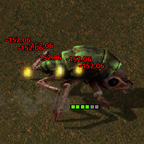
Damage dealt to enemies and structures appear as floating text above their heads. Highly configurable.
Providing the player with new tools or adjusting the game interface, without fundamentally changing gameplay.

Providing the player with new tools or adjusting the game interface, without fundamentally changing gameplay.

This mod adds an Implant Camera. Craft it, throw it on a player, vehicle, unit or ground to install the camera and watch if from distance.
Providing the player with new tools or adjusting the game interface, without fundamentally changing gameplay.
Using a selection tool allow Admin's to delete chunks. By default if player entities found in a chunk the chunk will not be deleted. This can be forced by holding the SHIFT key while selecting an area. In all cases you will not be able to delete a chunk if a player is present.
Providing the player with new tools or adjusting the game interface, without fundamentally changing gameplay.
The helpful information directory and guide to the galaxy. Allows mods to put help and documentation pages in game. Default hotkey is I.
Providing the player with new tools or adjusting the game interface, without fundamentally changing gameplay.
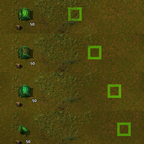
Shows maximum range indicators to help you place underground belts and pipes.
Providing the player with new tools or adjusting the game interface, without fundamentally changing gameplay.

Adds a command to decouple wagons from a group of locomotives.
Providing the player with new tools or adjusting the game interface, without fundamentally changing gameplay.

Providing the player with new tools or adjusting the game interface, without fundamentally changing gameplay.

Adds critical information onto the tooltip of items, recipes, and entities.
Providing the player with new tools or adjusting the game interface, without fundamentally changing gameplay.
