
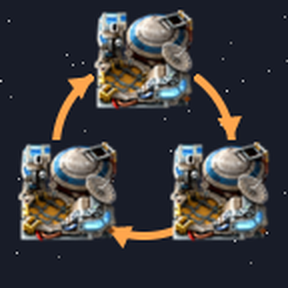
Orbital Logistics
Depots and cargo with a destination for space platforms in Factorio 2.1,
on top of the vanilla platform-to-platform transfers.
Factorio 2.1 lets platforms in one orbit send items to each other, but a
proxy depot does not work there: a platform never gives away an item it
requests itself, so a depot filled from the planet cannot serve the
shuttles. Orbital Logistics fixes that without replacing anything. Rockets,
cargo pods and transfers stay vanilla — the mod only decides, for each item
on each hub, whether the hub may give it away in the orbit it is in.
What you get
- Depots. A platform over Nauvis is filled from the planet as usual and
serves the shuttles that come by. A depot can work over one planet, over
several, or wherever it stops. - Cargo with a destination. Plates bound for Aquilo are not handed out
at Vulcanus on the way, neither to platforms nor to the planet. - Reserve. Fuel, ammo and repair packs a platform keeps for itself are
never given away. - Transit. Holmium brought from Fulgora goes into the Nauvis depot, and
the depot hands it on to the next shuttle. While brought cargo is in the
orbit, it is given first. - Collecting. Leave Import from empty with a large amount, and the
platform collects in every orbit and delivers only at its destination. - Supply lines. One list of items for a whole chain — depot, shuttles,
the depot over another planet, a landing pad — each with its own factor.
Change rare to legendary or 2000 to 3000 once, and every participant
follows.
Any platform can mix all of these: ten depot sections, ten reserve sections
and ten cargo sections on one hub are fine, and a flying depot is just a
depot that works wherever it stops.
Panel
Open a hub: the panel below its window lists the hub's request sections.
- Pick a purpose — reserve, cargo or depot — and the places with «+», then
press Apply. The purpose is written into the group name, so it applies
to every hub with that group and survives blueprints and copy-paste. - Giving in this orbit shows one line per marked section — whether it
holds its items or gives them here — and the exceptions, such as a depot
taking brought cargo. - A red warning shows up when Provide to other platforms is off while the
hub has a depot or cargo with a destination. - Supply lines… opens the supply lines window, also
/shm-orbital-lines.
The panel can sit below, above, left or right of the window:
Settings → Mod settings → Per player. Tips and tricks has a page on the
mod.
Tags
The panel writes a tag into the group name; you can also type it yourself:
| Tag | Purpose |
|---|---|
[reserve] |
own supply, never given away |
[cargo→aquilo] |
cargo for Aquilo, held everywhere else and in flight |
[cargo→vulcanus,aquilo] |
cargo for several planets: the first one on the route takes what it asks for |
[depot:nauvis], [depot:nauvis,vulcanus] |
a depot over these planets, held elsewhere |
[depot] |
a depot wherever the platform stops |
Use internal names: nauvis, vulcanus, gleba, fulgora, aquilo.
Tags are case-insensitive, -> works as well as →. A group without a tag
works as usual.
Good to know
- The mod keeps its own group ⚙ Orbital Logistics — auto #N on hubs where
it holds something. Its zero filters are how it blocks giving. Do not
edit it: it is rewritten every second and removed when there is nothing to
hold. - If an item is both reserve and depot on one hub, the depot part is given
while the hub holds more than the reserve. One large delivery can still
take some of the reserve: vanilla chooses the size of each delivery. - Provide to other platforms keeps its vanilla meaning: off means nothing
is given to platforms; dropping to the planet is not affected. - The controller goes over platforms in small slices: about 1 ms every 10
ticks for 40 platforms with 160 filters each in one orbit.
Removing the mod
Turn off Enable Orbital Logistics in the map settings first. The mod then
removes its groups from all hubs and turns cargo sections back on. After the
mod is removed, nothing can undo them.
Source
Open source, MIT: https://github.com/Shahimat/factorio-modding. Bugs and
ideas are welcome in the mod discussions.