
Quidquid

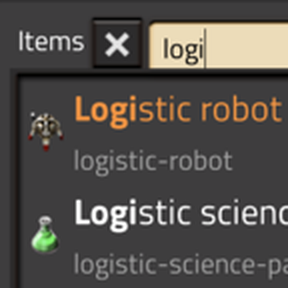
Quidquid is a general-purpose palette with incremental search for Factorio, over items, recipes, technologies and more. Each result offers the actions that apply to it, and extension mods add further sources and actions. Open it with Ctrl/Cmd + K.
Features
Ctrl/Cmd + Kpalette that searches items, fluids, recipes and technologies- Fuzzy search over both the translated and the internal name, insensitive to case, accents and width
- Source-specific actions on the selected result
- Source prefixes to restrict a search to one category
- Temporary personal logistics requests for items and recipe ingredients, removed automatically once fulfilled
Usage
Opening and navigating
Press Ctrl/Cmd + K to open the palette. The search field takes focus and results appear as you type. Hovering or clicking a result selects it.
Enter moves focus off the search field onto the selected result, after which J and K step through the list. They only move the highlight. Every action is dispatched against the result under the cursor, and the default bindings are all mouse combinations, so running an action means clicking the row you want.
The title bar holds a pin button and a cancel button. Pinning keeps the palette open after an action runs and refreshes the results, so several actions can be run in a row. Esc closes the palette.
Every key in this document except Enter and Esc is a Quidquid control and can be rebound in Factorio's control settings.
Searching
A query matches when its characters appear in order, not necessarily together, so emd finds electric mining drill.
Both the translated name and the internal prototype name are searched, so iron-plate works whatever the game language is.
Restricting the search to one source
A recognized prefix followed by a space locks the search to that source. Every source accepts a one-letter abbreviation as well as its full name:
| Prefix | Source |
|---|---|
i / item |
Items |
f / fluid |
Fluids |
r / recipe |
Recipes |
t / technology |
Technologies |
= |
Calculator |
While locked, another recognized prefix switches sources directly. The × next to the source label unlocks again, as does a space typed into an empty field.
Sources and actions
Items
Search for items by name.
| Key | Action |
|---|---|
| Left click | Craft 1 |
| Right click | Craft 5 |
Shift + left click |
Craft all |
Ctrl/Cmd + left click |
Create a temporary logistics request |
Alt + left click |
Open in Factoriopedia |
Alt + right click |
Pipette |
Craft actions only use a recipe with the same name as the selected item.
Each result shows the player's inventory count and, once personal logistics requests are unlocked and the player is within a logistic network's range, that network's stock. Hover a result for a per-quality breakdown and any items currently in transit.
Fluids
Search for fluids by name.
| Key | Action |
|---|---|
Alt + left click |
Open in Factoriopedia |
Known limitation: in English, a name starting with the word Fluid cannot be typed in lowercase, because the space after fluid completes the fluid source prefix and locks the palette to fluids. Prefixes are case-sensitive, so Fluid wagon as it reads is unaffected, and so is fluidwagon.
Recipes
Search for recipes by name. Craft actions use the number of crafting operations, not the number of items produced by each operation, and are subject to the same craftability checks as items.
| Key | Action |
|---|---|
| Left click | Craft 1 |
| Right click | Craft 5 |
Shift + left click |
Craft all |
Ctrl/Cmd + left click |
Create temporary logistics requests for recipe ingredients |
Alt + left click |
Open in Factoriopedia |
Alt + right click |
Pipette the recipe's item product, if it has exactly one |
Technologies
Search for technologies by name.
| Key | Action |
|---|---|
| Left click | Add to the research queue |
Alt + left click |
Open the technology screen |
Missing prerequisites are queued ahead of the technology when there is enough room.
Surfaces, resources and blueprints
These sources live in their own mods: Quidquid: Surfaces, Quidquid: Resources and Quidquid: Blueprints.
Calculator
Evaluate an arithmetic expression with the = prefix. The calculator is left out of the default search, so the prefix is the only way to reach it.
A number may carry a k (thousand) or M (million) suffix, as in the base game's circuit network signal count entry.
Temporary logistics requests
Select an item or recipe, enter the desired quantity, and confirm with the button or with E.
For recipes the quantity is a number of crafting operations, and the request covers every item ingredient for that many operations.
Requests are stored separately from existing personal logistics requests, and the quantity is added on top of them. A request is removed automatically once the inventory holds the existing requests plus the requested quantity.
Settings
Include hidden entries
Also list what the game itself keeps out of view, such as internal items and recipes.
Related mods
- Quidquid: Blueprints adds blueprints, books and planners, to hold, copy or export.
- Quidquid: Resources adds charted resource patches, to view, pin or look up.
- Quidquid: Surfaces adds planets and space platforms, to open in remote view or look up.
- Quidquid: Factory Search opens Factory Search for the selected entry.
- Factory Palette is a command palette that also opens with
Ctrl/Cmd + K. - Quicksearch picks up or crafts from the inventory, chests, logistic networks and recipes; Quicksearch Enhanced extends it for Factorio 2.1.
- Quick Item Search is an item search for Factorio 1.1 and the inspiration for Quidquid's temporary requests.
Extending Quidquid
Other mods can add their own search sources and palette actions by declaring them as mod-data prototypes. See EXTENDING.md.
License
Quidquid is licensed under the MIT License. See LICENSE.txt.
The fuzzy matching in lib/fuzzy_match.lua is adapted from fzy-lua by Seth Warn, modified to work on Unicode code points instead of bytes. It is separately licensed under the MIT License; see LICENSE.fzy-lua.txt.
The search normalization tables in lib/search_mapping.lua are generated from the Unicode Character Database, distributed under the Unicode License v3. See LICENSE.Unicode-3.0.txt.
The calculator icon (graphics/icons/calculator.png) is derived from the calculator icon of Font Awesome Free (Copyright Fonticons, Inc., licensed under CC BY 4.0). It was recolored white and resized into mipmaps.