
Custom Machine Tweaker
CMT is an in-game editor for modifying existing Factorio machines and buildings without writing your own prototype override mod.
You can change properties such as:
- Crafting, research and mining speed
- Inventory and storage capacity
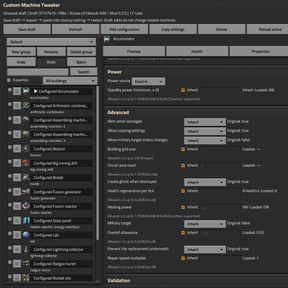
- Energy usage and power settings
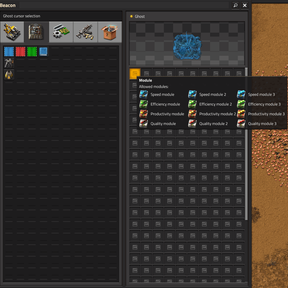
- Module slots and allowed effects
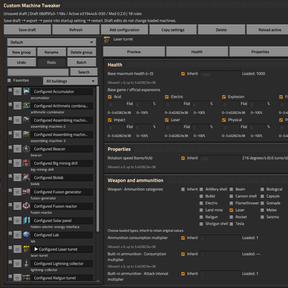
- Health and resistances
- Fluid capacity and transfer properties
- Inserter, belt, pump, roboport and turret behavior
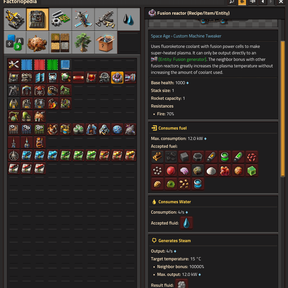
- Ranges, distances and other prototype-specific properties
Unchanged properties keep their original values.
Compatible mod-added machines are supported.
How far can you push it?
CMT exposes most editable native properties of supported machines, so extreme configurations are possible. For example:
- A building immune to every loaded damage type that can regenerate its full health every game tick
- A biolab with extreme research speed and productivity, such as 100,000%, while consuming science packs at only 1%
- A mining drill that uses no electricity, runs on plasma, and has its mining speed set to 100,000
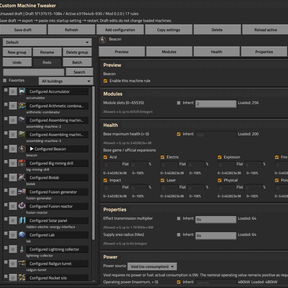
- A beacon with an effect range of 64 tiles, accepting every module category, with up to 65,535 module slots
- And many more combinations using the underlying Factorio prototype properties
How to use
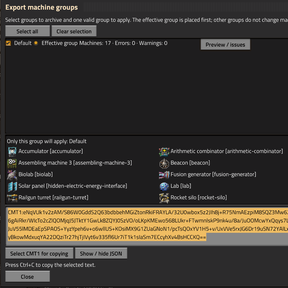
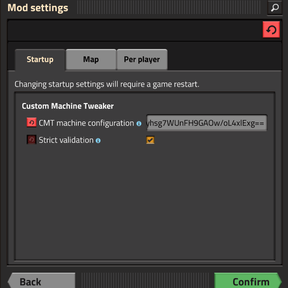
Open CMT → Select a machine → Change properties → Validate → Export CMT1 → Paste into Startup Settings → Restart Factorio
Open with:
Ctrl + Shift + M or /cmt
Because machine properties are applied during Factorio's data stage, a restart is required. Multiplayer servers and clients use the same synchronized configuration.
Custom Machine Tweaker — 自定义机器调整器
CMT 是一个用于修改 Factorio 现有机器与建筑的游戏内可视化编辑器,无需另外编写 Prototype 覆盖 Mod。
可以修改例如:
- 制作、研究与采矿速度
- 库存与储存容量
- 能耗与供能相关设置
- 插件槽与允许的插件效果
- 生命值与伤害抗性
- 流体容量与传输属性
- 机械臂、传送带、泵、机器人指令平台与炮塔属性
- 范围、距离及其他 Prototype 特有属性
没有修改的属性会保持原值。
同时支持兼容的 Mod 建筑。
能调整到什么程度?
CMT 开放了受支持机器中绝大多数可编辑的原生属性,因此可以组合出非常极端的机器。例如:
- 让建筑对当前游戏中所有伤害类型达到 100% 抗性,并且每个游戏帧都能恢复全部生命值
- 将生物研究室的研究速度和产能提升到例如 100,000%,同时只消耗 1% 的科研包
- 让采矿机完全不使用电力,改为使用等离子体供能,并将采矿速度设置为 100,000
- 制作一个效果范围达到 64 格、接受所有插件类别,并拥有最多 65,535 个插件槽的插件塔
- 以及利用 Factorio 原生 Prototype 属性实现更多组合
使用方法
打开 CMT → 选择机器 → 修改属性 → 验证 → 导出 CMT1 → 填入启动设置 → 重启 Factorio
打开方式:
Ctrl + Shift + M 或 /cmt
由于机器属性在 Factorio 的 Data Stage 应用,因此修改后需要重启游戏。多人游戏中,服务器和客户端会使用同一套同步配置。