
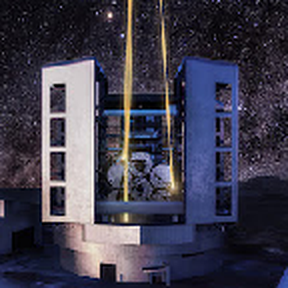
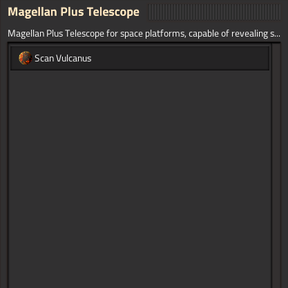
In short, this mod removes the need of physically travel to every single planet with the engineer. You build an expensive super telescope in space to have direct view of any planet, research the desired planet to acquire its coordinates, and use it to scan its surfaces.
"Fake-ish" since the game api don't allow this, that is exactly why there is no mod that does it, the only reliable way to make it works is to actually physically have the engineer on the surface to run the initial surface generation. The only way is to actually teleport the character to the surface for the first time, so the game correctly runs the first generation. Aka, it basically fakes the scan by teleporting the character to the target planet for a few seconds and bring it back where it was.
How it works:
- Build a space platform
- Research AAI Signal Transmission tech, that unlocks the telescope
- Send the required materials to the platform station
- Build the telescope on site
- Place it on the platform station
- Research the planet you want to scan to unlock it
- Click on the telescope and click on the planet
- Wait a few seconds
It only shows planets that don't have any chunk generated, since if it has something on {x:0, y: 0} it means you can already drop entity from space platform, so there is no point. Aka, it is a "onetime use" per planet.
This mod does not provide any way of actually sending a valid entity to the planet, there are already other mods that handle this part, like: Orbital Vehicle Deployment (https://mods.factorio.com/mod/spider-launcher). This only handles the initial surface generation that is required to be able to use remote view and go from there. Drop your entity with some sort of personal roboport that can start the building process.
I would recommend using it with Insectron (https://mods.factorio.com/mod/Insectitron) mod, that would allow you to make spidertron with uranium and just use as normal spidertron remotely, no fuel and only Nauvis tech, but it is up to you how you will get an entity there and which one and have vision of it. Maybe a mod that gives tank vision as well...
Other mods can request a scan, sample call from another mod:
remote.call("SkipEngDropFake", "requestPlanetGeneration", <player_index>, <planet_name>)
Up to the mod to find the current player index and planet name
if remote.interfaces["SkipEngDropFake"] then
    remote.call("SkipEngDropFake", "requestPlanetGeneration", 1, "vulcanus")
end
Does it work on any planet mod? It should, I tested with 8~10ish modded planets.
Does it work on multiplayer? It should but I never tested it.
Why does it depend on AAI Signal?
I have no images, sprites neither skill or time to make any, so instead of copying from other mods and have to deal with license, the cleanest and easy way is to just use it as a dependency, that way all work credits go to the dependency mod owner, Earendel in this case. Besides, the AAI signal doesn't alter the game in any way, just add a tech and two buildings. So, it should work fine with any other mod.
Issues? Make sure to enable the Detailed message settings in Map settings so it shows in game chat what is happening.
Weird planets with weird icons shown in list? Those are most likely surfaces created from mods to do special "magic", to hide them use the blacklist startup settings with the prefix of those planets, those will be ignored. Once you open the UI, it will generate some lines in the current log, use that to get the right names.
Planet show name in red and no icon on the UI, that is the mod planets fault for not using the standers icon naming, it will work, it just won't show the icon on the UI.