
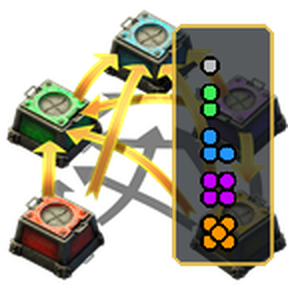
Shows how many of an item are available in your bot logistic networks on the current planet or space platform, split by quality.
Providing the player with new tools or adjusting the game interface, without fundamentally changing gameplay.
Version: 0.3.3
Date: 09. 08. 2026
  Features:
    - Entire-surface scope on an orbiting space platform reads the planet below (while traveling, still uses the platform).
Version: 0.3.2
Date: 09. 08. 2026
  Info:
    - Release build.
Version: 0.3.1
Date: 09. 08. 2026
  Bugfixes:
    - Quality bar no longer disappears when the cursor holds a non-normal quality ghost (cursor_ghost returns prototypes, not strings).
Version: 0.3.0
Date: 09. 08. 2026
  Features:
    - Logistic storage companion panel for cursor item, selected entity, or a pinned inventory hover (Control+Shift+K).
    - Network scope setting: entire surface, network at player/view, or network at selected entity.
    - Click browser items/qualities to add or update a personal logistic request.
  Changes:
    - Browser title shows the active network scope.
    - Browser item icons use full-opacity slot buttons instead of faded disabled transparent slots.
Version: 0.2.9
Date: 09. 08. 2026
  Changes:
    - New setting "Show quality bar overlay" (default on). Turn it off to keep only entity tooltip lines and the storage browser.
    - Quality bar close button hides the overlay and turns that setting off.
    - Quality bar only appears for items that can have quality (not tiles/planning tools), and only lists qualities your force has unlocked.
  Bugfixes:
    - Quality bar no longer stretches to full quickbar width (dropped quick_bar_slot_window_frame minimal_width inheritance).
Version: 0.2.8
Date: 09. 08. 2026
  Info:
    - Portal release stamped for Factorio 2.0+ (same build also runs on 2.1). Portal allows only one package per version number.
Version: 0.2.7
Date: 09. 08. 2026
  Graphics:
    - Custom technology icon and mod portal thumbnail (logistic-system art + quality pip panel).
    - Shortcut uses the new mod icon.
Version: 0.2.6
Date: 09. 08. 2026
  Changes:
    - Improved hotbar position approximation (tool window, page buttons, frame padding).
    - Added a visible striped drag handle; right-click resets to the approximated spot.
Version: 0.2.5
Date: 09. 08. 2026
  Bugfixes:
    - Research cost is now taken from Logistic system in data-final-fixes, so Space Age correctly uses space science (not utility) at half count.
Version: 0.2.4
Date: 09. 08. 2026
  Balancing:
    - Logistic storage overlay research now costs half of Logistic system (same science packs; 250 vs 500 in vanilla).
Version: 0.2.3
Date: 09. 08. 2026
  Changes:
    - Clicking a quality now clears the cursor and selects a placement ghost (never creates items).
    - Quality bar default position accounts for "Tool window next to quickbar" and uses a tighter quickbar-like frame.
  Bugfixes:
    - Reset saved bar drag offsets on upgrade so the improved anchor can apply.
Version: 0.2.2
Date: 09. 08. 2026
  Bugfixes:
    - Clicking a quality no longer transforms/creates cursor items. Real stacks only swap with matching inventory items (alt-scroll style); qualities you do not own stay disabled.
Version: 0.2.1
Date: 09. 08. 2026
  Changes:
    - Quality bar placement now tracks the hotbar using visible quickbar row height (mod setting must match Interface → Active quickbars).
    - Bar stays glued on resolution/UI-scale changes; drag the handle to fine-tune (position is remembered).
    - Added per-player X/Y offset settings.
Version: 0.2.0
Date: 09. 08. 2026
  Major Features:
    - Replaced the left-side text HUD with a hotbar quality picker: item icons per quality with logistic counts, click to select quality (alt-scroll style).
    - Roboport icon on the left opens the storage browser.
  Changes:
    - Removed the floating left "Logistic storage" text panel.
Version: 0.1.1
Date: 09. 08. 2026
  Bugfixes:
    - Entity tooltip fields now always show (including 0 stock) and use a lower order so they appear in the side info pane.
    - Resolve item names for ghosts more reliably.
Version: 0.1.0
Date: 09. 08. 2026
  Major Features:
    - Shows logistic network item availability by quality on the current surface.
    - Unlocks with technology "Logistic storage overlay" (after Logistic system).
    - Active with a transmitting personal roboport or while in remote/overview view.
    - Companion HUD for selected entity / cursor item.
    - Hotkey and shortcut browser (Control+Shift+L) with search.
    - Native entity tooltip fields on Factorio 2.1.7+ (feature-detected; no-op on 2.0).