
Logistic Storage Tooltip
See logistic network stock by quality while you build - without opening chests or the logistics GUI.
Inspired by the forum "Logistic storage" mockup / Set-request quality breakdown.
Features
-
Companion panel - stock for the cursor item, selected entity, or an inventory item pinned with
Control+Shift+K. -
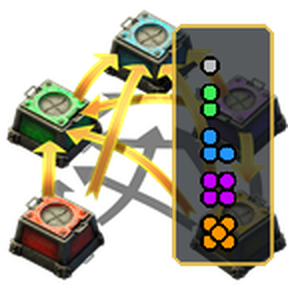
Quality bar above the hotbar when you hold an item to place - real item icons, quality pips, and network counts. Click a quality to switch to a placement ghost (never spawns free items).
-
Storage browser (
Control+Shift+Lor the shortcut) - searchable list of logistic storage for the active scope. Click an item or quality to add a personal logistic request. -
Entity tooltip lines on Factorio 2.1.7+ - native "Logistic storage" fields on the selected entity.
-
Network scope - entire surface (planet below when on an orbiting platform), network at player/view, or network at selected entity.
-
Works on planets and space platforms.
How to unlock
-
Research Logistic storage overlay (after Logistic system - half that tech's cost, including Space Age science packs).
-
Turn on your personal roboport, or enter remote / map overview.
Settings
-
Show quality bar overlay (default on) - turn off if you only want companion / tooltips / browser
-
Show logistic storage companion (default on)
-
Logistic network scope - surface / local / selected
-
Refresh interval while the UI is open
-
Quickbar row count / tool-window beside hotbar (for quality-bar placement - Factorio does not expose these to mods)
-
X/Y offsets; drag the striped handle to fine-tune (right-click handle to reset)
Limitations
-
Mods cannot inject live counts into vanilla item tooltips (inventory / Set request). Pin with
Control+Shift+K, or use Set request which already shows logistic storage natively. -
Entity tooltip injection needs Factorio 2.1.7+. On 2.0 you still get the companion, quality bar, and browser.
Compatibility
-
Factorio 2.0 and 2.1 (separate portal packages per release; same codebase)
-
Optional: Quality / Space Age