
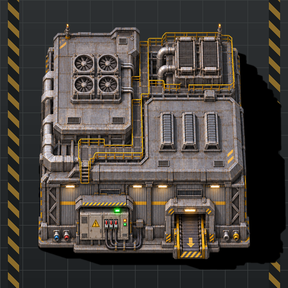
超级工厂(Super Factory 1.0.0)插件与插件塔 FAQ / Modules & Beacons FAQ
Q1:超级工厂支持哪些插件?怎么配置才会生效?
Q1: Which modules are supported, and how do I make them work?
支持速度、产能、节能等生产类插件;不支持任何带品质提升效果的插件。 * 配置方式: 厂房本体没有独立插件槽,直接把插件塔摆在厂房旁边也不会生效。必须先在 Factory Planner(工厂规划师 / FP) 中为对应工序的机器或插件塔配置好插件并重新求解,导出方案导入厂房后,再按设备清单将对应的插件和插件塔放入厂房的「输入物品栏」即可随方案结算生效[cite: 3]。
Production modules (Speed, Productivity, Efficiency) are supported; any modules with Quality effects are currently NOT supported. * How to configure: The Super Factory building itself has no standalone module slots, and placing physical beacons outside the building will not apply effects. You must configure the modules on the machines or beacons inside Factory Planner (FP), solve and export the plan into the Super Factory, and then insert the required modules and beacons into the factory's Input Inventory according to the bill of materials[cite: 3].
Q2:为什么在 FP 里配置了插件塔(Beacon)后,导出方案导入厂房会报错?
Q2: Why do I get an error when importing an FP plan with Beacons configured?
因为超级工厂对插件塔的规格和 FP 参数有严格的布局与数量校验,常见报错及要求如下:
* 插件塔规格限制: 仅支持占 3×3、供能范围为 3 格(即原版普通品质插件塔参数,形成 9×9 覆盖区)的插件塔;像 Pyanodons (Py) 等大型 Mod 中范围 32 格的塔会因型号不兼容被拒绝导入,需更换或暂时清空该行插件塔后再导出。
* 机器形状限制: 受插件塔加成的机器必须是方形(如 3×3、4×4)或 2×3 / 3×2 矩形。
* Coverage(覆盖率)限制: 超级工厂目前仅支持每台机器受 1 座 插件塔加成。在 FP 插件塔设置中,覆盖率(Coverage)必须填 1(填 2 及以上会报错;可在 FP 弹窗中填 1 后点击「将数量设为默认」省去重复输入)[cite: 5]。
Super Factory enforces strict layout and count validation on beacon specs and FP parameters. Common requirements and error causes include:
* Beacon Spec Limit: Only 3×3 beacons with a 3-tile supply area (standard vanilla normal-quality beacon specs, forming a 9×9 coverage zone) are accepted. Modded beacons with larger ranges (such as 32-tile beacons in Pyanodons) will be rejected—replace them with a compatible beacon or clear the beacon from that recipe line before exporting.
* Machine Footprint Limit: Beacon-affected machines must have a square footprint (e.g., 3×3, 4×4) or a 2×3 / 3×2 footprint.
* Coverage Limit: Each machine can only be affected by 1 beacon at a time. In FP's beacon configuration, Coverage must be set to 1 (setting 2 or higher will fail validation; you can enter 1 and click "Set amount as default" in FP to avoid re-entering it)[cite: 5].
Q3:FP 插件塔设置里的「Build ratio(建造比例)」怎么算?怎么填?
Q3: How do I calculate and fill in "Build ratio" in FP's beacon settings?
「建造比例」代表平均每台机器分摊几座插件塔,用来保证导入后的插件塔数量满足理论密排的布局下限(低于下限会报错拒绝导入)。
计算口诀:先算需要几座塔(向上取整),再用「塔数 ÷ 机器数」。
1. 查单塔覆盖上限(取决于机器尺寸):
* 3×3 机器(如原版组装机):1 座塔最多带 12 台
* 2×3 或 3×2 机器:1 座塔最多带 20 台
* 4×4 机器:1 座塔最多带 8 台
2. 套用公式:
* 所需插件塔数 = ⌈FP 算出的该行机器数 ÷ 单塔覆盖上限⌉(有小数一律向上取整)
* Build ratio(建造比例) = 所需插件塔数 ÷ FP 算出的该行机器数[cite: 5, 6]
- 完整示例(以原版组装机 2 型生产铁齿轮为例):
- 假设 FP 算出该行需要 25 台 3×3 组装机:2 座塔最多带 24 台,还剩 1 台需要第 3 座,因此至少需要 3 座 插件塔[cite: 5]。
- Build ratio 填写
3 ÷ 25 =0.12(Coverage 填1)[cite: 5]。 - 导入超级工厂后(按默认生产机器需求倍率 ×2),在输入物品栏放入 50 台组装机 2 型、3 座插件塔及对应的 3 个插件即可正常生产。
- (注:如果全部是 3×3 机器,懒人做法可统一填
0.12保证通过校验,但机器少时可能会多算 1 座塔;若出现「建造比例不足」报错,按上述公式重新算高即可。)
Build ratio represents the average number of beacons allocated per machine, ensuring the imported beacon count meets the minimum theoretical dense-packing layout requirement (anything below this floor will be rejected on import).
Rule of Thumb: First calculate the required beacons (rounded up), then divide Beacons ÷ Machines.
1. Check Max Machines per Beacon (by machine footprint):
* 3×3 machines (e.g., vanilla Assembling Machines): up to 12 machines per beacon
* 2×3 or 3×2 machines: up to 20 machines per beacon
* 4×4 machines: up to 8 machines per beacon
2. Apply the Formula:
* Required Beacons = ⌈FP Machine Count ÷ Max Machines per Beacon⌉ (always round up)
* Build ratio = Required Beacons ÷ FP Machine Count[cite: 5, 6]
- Worked Example (Iron Gear Wheels using Assembling Machine 2):
- Suppose FP calculates 25 3×3 assembling machines on a recipe line: 2 beacons only cover up to 24 machines, leaving 1 machine needing a 3rd beacon, so at least 3 beacons are required[cite: 5].
- Set Build ratio to
3 ÷ 25 =0.12(and Coverage to1)[cite: 5]. - After importing into the Super Factory (with the default ×2 machine requirement multiplier), insert 50 Assembling Machine 2s, 3 Beacons, and the corresponding 3 modules into the input inventory to start production.
- (Note: For pure 3×3 machine setups, a quick shortcut is entering
0.12across the board to pass validation, though this may over-request 1 extra beacon on smaller lines. If you get an "insufficient build ratio" error, recalculate and increase the value using the formula above.)