
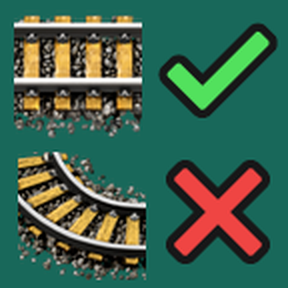
Press N to switch any rail planner to a "straight only" version that can't make turns (and press N again to switch back). This works on diagonal and half-diagonal rails too.
This is useful to ensure the game won't suddenly change to a roundabout path if you move your cursor slightly.
NOTE: You will only see the rail preview (and be able to place it) if you line up the cursor perfectly. It's the same window as the standard rail planner, except this version forbids mistakes.
Compatibility
- Elevated Rails - You can still press G to switch rail layer too.
- Cargo Ships - Works with Waterways.
- Legacy Rail Planner
- Drunk Rail Planner - Standard planner is biased towards curves, Straight Rail planner is unaffected.