
Train-stop combinators that call a train only when the buffers are genuinely ready — validating each wagon's dedicated buffer individually instead of pooling all of a station's storage together.
Two combinators are provided:
- Smart Train Combinator — a single tracked resource, per-wagon validation (the original).
- Smart Train Combinator (Multi-Resource) — a demand-driven dispatcher: tracks up to 10 resources and calls one mono-resource train at a time by renaming the stop (with your train interrupts), always asking for the emptiest buffer first.
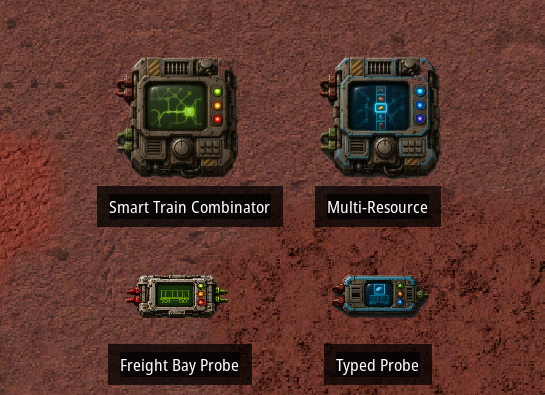
Wiring is entirely by cable (no proximity magic). One Freight Bay Probe per wagon reads that wagon's buffer in isolation; the main combinator reads every probe and drives the stop.
Why
The usual approach sums all of a station's storage and does floor(total / train_capacity). Nothing guarantees that each wagon's buffer actually holds its share, so a train can be called while one bay is still empty. Smart Train Combinator checks every wagon's own buffer and only calls a train when each one is genuinely ready — and a train is only ever called when a full wagon of the resource (or a full wagon of free room, when unloading) is available.
The three modes
Mode 1 — Single resource (the original)
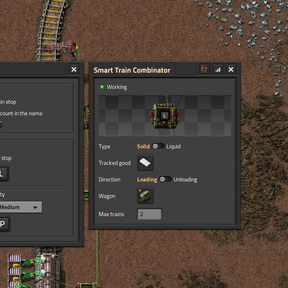
The Smart Train Combinator tracks one item/fluid. Place one Freight Bay Probe per wagon, wire each probe's input to that wagon's buffer chests/tanks and its output to the main. Loading or unloading, with a configurable max-trains. The bottleneck wagon decides, and a train is called only when every bay is ready.
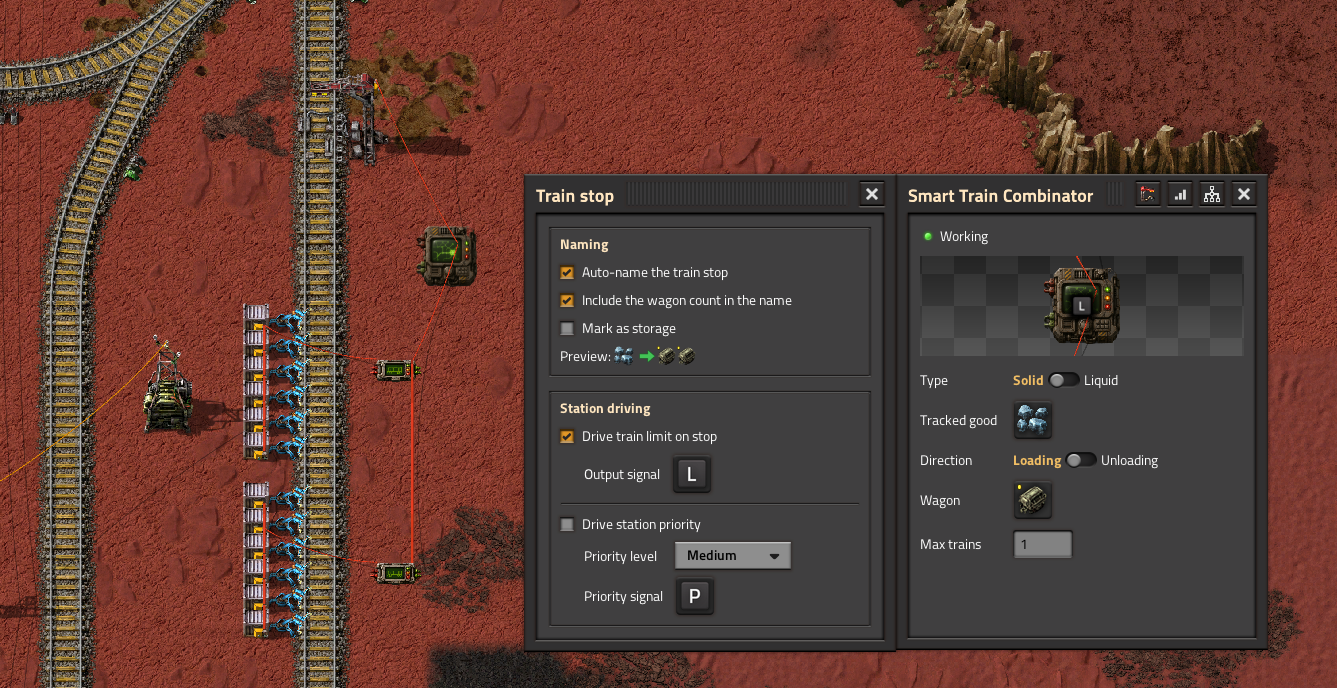
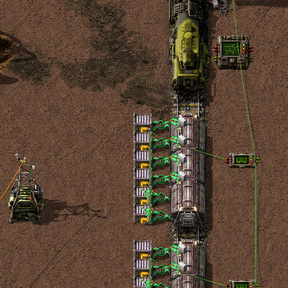
Example blueprint — One main combinator, two generic probes — one per wagon. Each probe is wired to its own six chests, and only to those: that isolation is the whole point. The main calls a train only once both probes report a full wagon's worth.
➡ Copy the blueprint string (the page holds nothing but the string — select all, copy, paste in game)
Mode 2 — Multi-resource, shared buffer
The Multi-Resource combinator with the generic Freight Bay Probes: several resources share the same buffer bays. Pick up to 10 resources; the module renames the stop to request one at a time, always the emptiest buffer first, and holds that choice while a train is on its way. Each train is mono-resource, so a train is only called when a full wagon of that resource is available (and, when unloading, only when the shared bay has room for a full wagon — all resources counted). Because generic probes can't be pinned to a resource, each resource is credited with its share of the shared bay (slots ÷ number of tracked resources).
Best for 2–3 resources with generously-sized chests. Auto-naming is mandatory (it's what routes the trains); the train limit is 0 or 1.
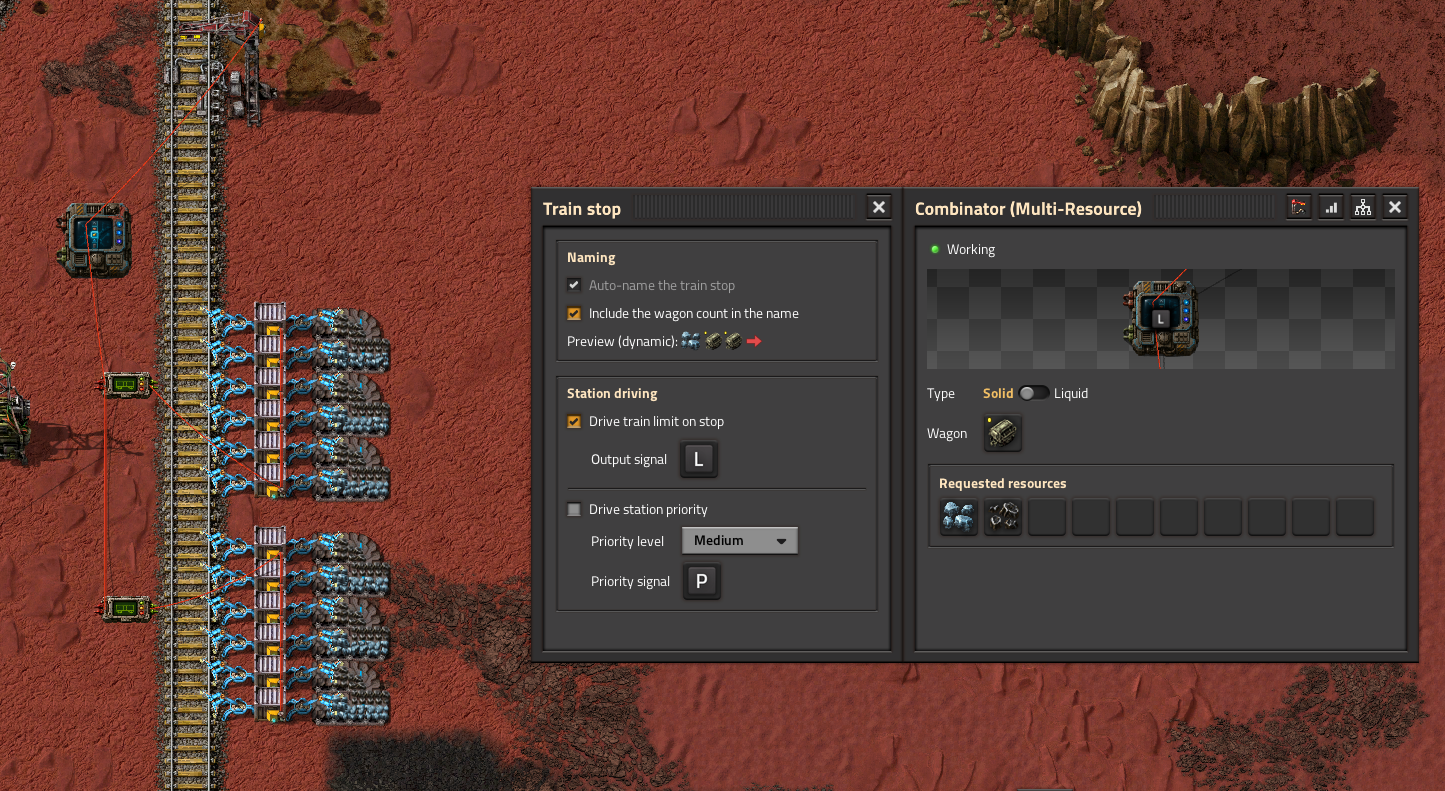
Example blueprint — Same two generic probes, but the brain is the Multi-Resource combinator. The probes still read the same shared chests; the module picks one resource at a time and renames the stop accordingly, so a single station serves several resources.
➡ Copy the blueprint string (the page holds nothing but the string — select all, copy, paste in game)
Mode 3 — Multi-resource, one buffer per resource (typed probes)
The Multi-Resource combinator with Typed Freight Bay Probes: each probe is pinned to one resource (its picker follows the main's Type — item or fluid). A resource's wagons are its own typed probes, so train length can vary per resource (e.g. 1 iron probe + 2 coal probes ⇒ a 1-wagon iron train and a 2-wagon coal train), each with its own independent buffer. The resource list is derived from the wired probes (the main's grid is greyed and shows them).
Best for many resources, and the way to do multiple fluids (each fluid gets its own tank — tanks can't be mixed). Pair it with the enable gate (below) to drain a shared pipe section before the next fluid train.
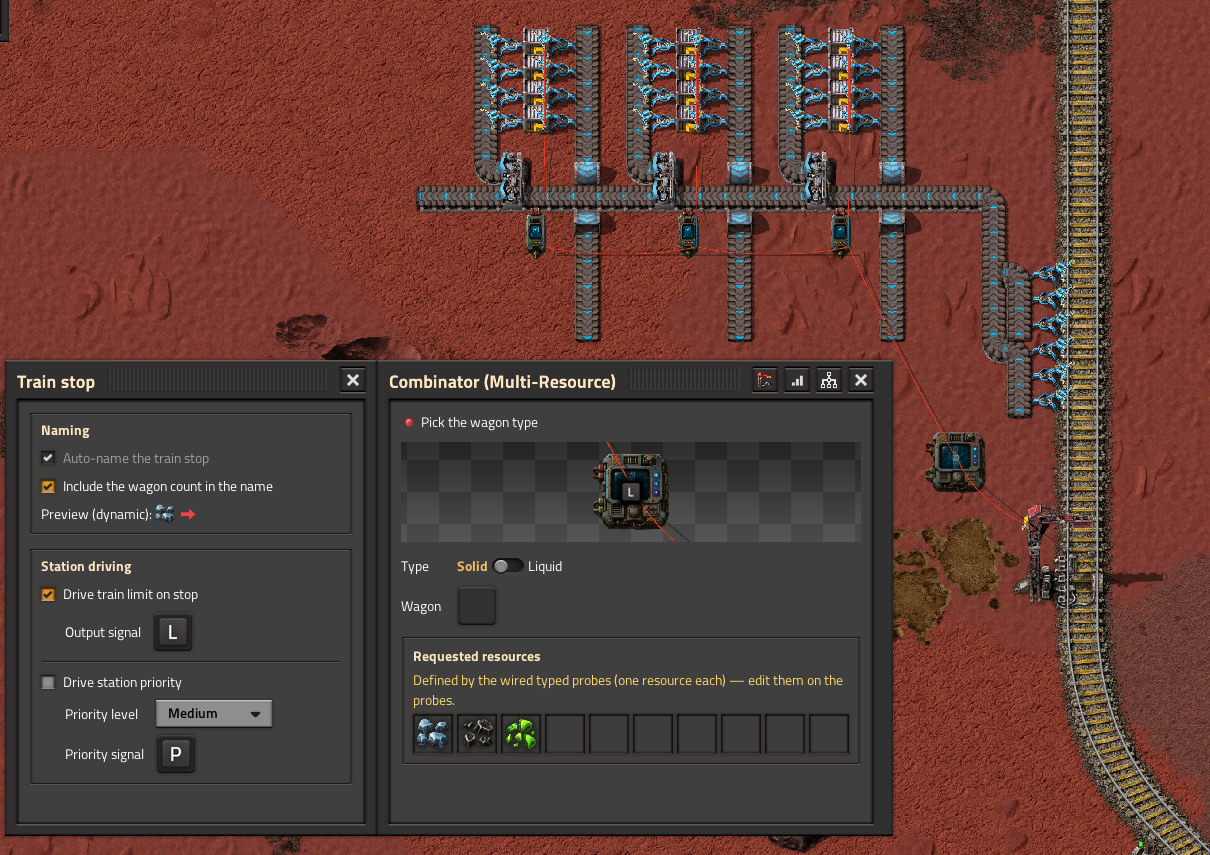
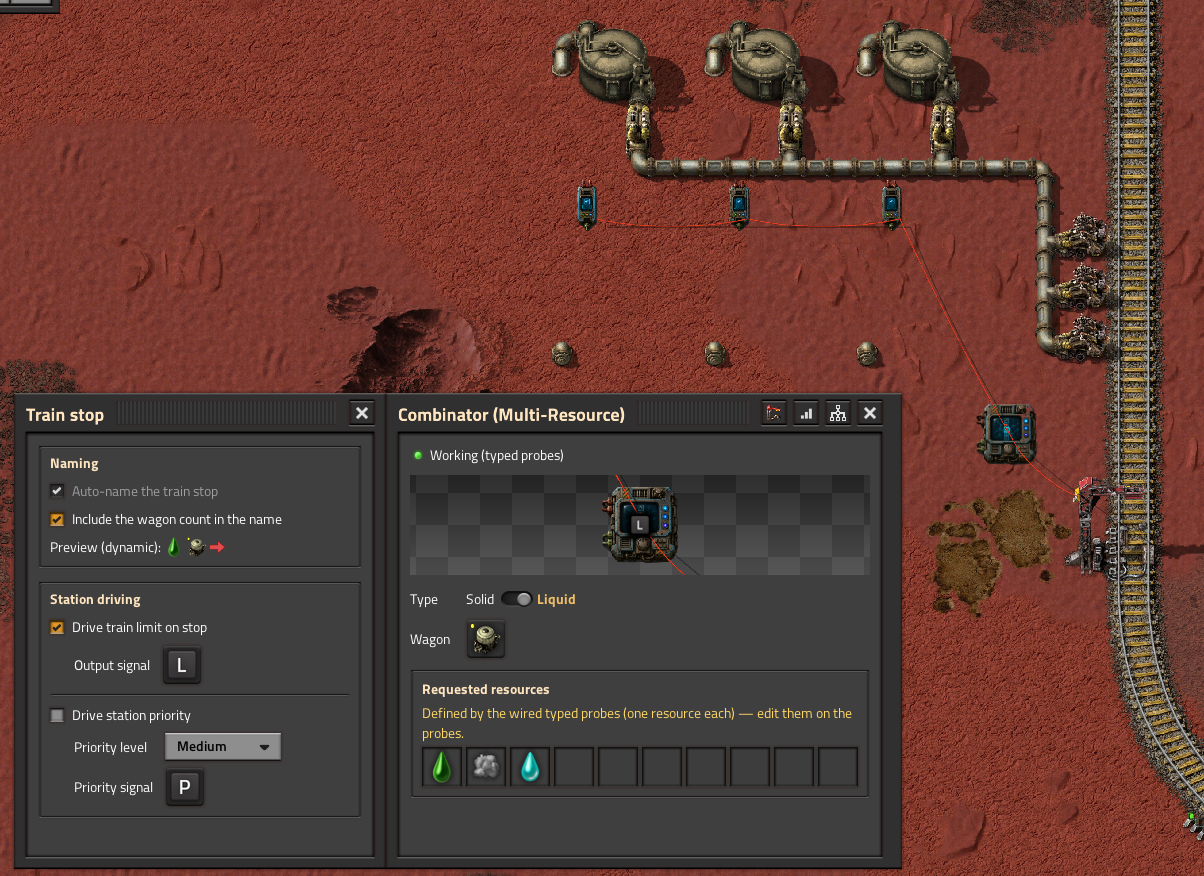
Example blueprint — Three typed probes, each pinned to its own resource and its own chests — so each resource has an independent buffer and its own train length. This one is lifted from a working base, so it comes with the surrounding belts and power; delete what you don't need, the wiring is what matters.
➡ Copy the blueprint string (the page holds nothing but the string — select all, copy, paste in game)
Shared features
- Enable gate ("enable when") on both combinators: pick a signal + comparator + value; while the condition is false the module requests 0 trains (the stop stays active). Ideal for fluids: request the next train only once the common pipe is empty (
[pipe fluid] = 0— in 2.1 you can wire a pipe directly). - Auto-naming: builds the stop name from the tracked good, a load/unload arrow and one wagon icon per wagon, with a live preview. An optional storage marker adds a warehouse icon to the name (to tell an evacuation/storage stop apart).
- Priority: optional priority signal on a High / Important / Medium / Low level scaled by fill.
- Cargo (items, any quality) and fluids; per-wagon capacity read from the chosen rolling-stock prototype, so modded wagons work.
- Buffer monitor window (per-resource / per-wagon readout) and a train-stop config window, glued to the main window.
- Blueprint, copy/paste and parametrization support.
- English and French locale. Nullius and Ultracube compatible.
Overview screen
A game-wide screen listing every Smart Train Combinator module in your save, so you can review and tune them all from one place. Open it with the shortcut-bar button or the customizable key (Ctrl + Alt + T by default).
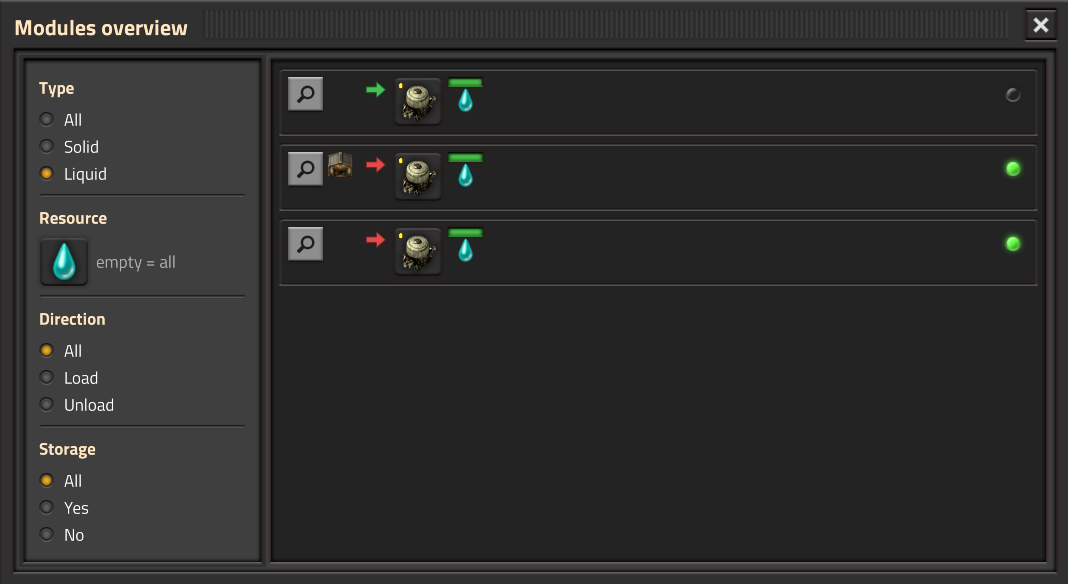
Each row shows an eye button (jump to the module and open it), the direction arrow and, for storage stops, a warehouse icon, the wagon type (editable inline — the only thing you can change here), the fill bars (one bar per wagon on a single module, one bar per requested resource on a multi module, each over its resource icon), the resource whose train is being called right now, and a station-call indicator (green = calling, red = misconfigured, grey = idle). The left column filters by type, resource, direction and the storage flag.
Entities
| Entity | Footprint | Role |
|---|---|---|
| Smart Train Combinator | 2×2 | Single-resource brain (Mode 1) |
| Smart Train Combinator (Multi-Resource) | 2×2 | Demand-driven dispatcher (Modes 2 & 3) |
| Freight Bay Probe | 1×2 | Passive, one per wagon (shared buffer) |
| Typed Freight Bay Probe | 1×2 | Passive, one per wagon, pinned to a resource (independent buffer) |
Usage
- Research Smart Train Combinator (unlocks all four entities).
- Build a main combinator + one probe per wagon; wire each probe's input to that wagon's buffer chests/tanks, its output to the main, and the main to the train stop.
- Open the main and configure: tracked resource(s), wagon type, direction (single module), and the options you want (train limit, auto-naming, priority, enable gate).
- For Mode 3, open each Typed probe and pin its resource.
The mod targets Factorio 2.1. Support for 2.0 was dropped in 1.8.0; the last 2.0-compatible release is 1.6.1.
Credits
Inspired by Simple Train Combinator by Odja_Anarchist (GPLv3). This is an independent implementation (no code reused), not a fork.