
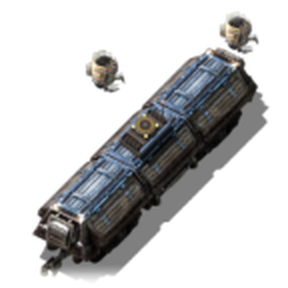
The Roboport Wagon is a cargo wagon that carries robots and brings a robot network with it by train. When its train stops at a station, the wagon's robots go to work around it:
Construction robots build ghosts, repair damaged buildings and deconstruct anything marked for removal, using items from the wagon.
Logistic robots fill nearby requester chests from the wagon and empty nearby active provider chests into it.
When the train is ready to leave, it waits for the robots to fly back, then departs. If the station is already covered by a roboport, the wagon lends its robots and items to that network instead, and takes its robots back when it leaves.
The Robot Depot Stop is a special train stop for your base. There, your base robots restock the wagon with the items you've asked for and unload everything else into storage. Robots and repair packs always stay in the wagon.
When you drive the train yourself. A train in manual mode that stands still for 2 seconds deploys too,
so you can drive to the end of the track and let the robots build the next stretch. Driving off packs the
robots back instantly, with whatever they carry. Switching the train back to automatic waits for the robots,
as when leaving a stop.
At a Robot depot stop. Build a Robot depot stop inside your base's robot network (it can be built
directly over an existing train stop and keeps its name). There, your base robots:
- load the wagon according to its loading requests, set up like a requester chest (open the wagon
and click Loading requests); "Request from buffer chests" works too; - unload everything else into storage, except robots and repair packs, which always stay with the wagon.
A typical schedule: Depot → Outpost → Depot. The wagon comes back with whatever the outpost's active
provider chests held, drops it off, restocks, and heads out again.