
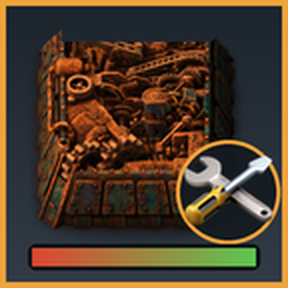
Repair Ward
Damaged items no longer block your logistic network.
In Factorio, an entity you pick up while it is damaged becomes an item with less than full health. Logistic requests only look at the item name, so a half-broken inserter in a storage chest happily satisfies a requester chest and the damaged item ends up in your production line. This mod fixes that: damaged items are turned into a separate "Damaged" item that nothing requests, and a new building, the Repair Ward, collects them with bots, repairs them using repair packs, and puts them back into the network.
How it works
- Damaged items are separated. Every second or so the mod looks through the chests in your logistic networks. A stack of items below full health is replaced by a hidden "Damaged <item>" version of the same stack. Its health is kept exactly (an item at 40% stays at 40%). Because it is a different item, requester chests never ask for it, so it can no longer clog a production line.
- Bots deliver them to the ward. The Repair Ward's input chest requests exactly the damaged items that currently exist in your network.
- The ward repairs them. It restores the missing health and burns repair packs for it.
- Bots take them away. The repaired item (at full health) lands in the ward's output chest, an active provider chest, so bots bring it back to storage or to whoever requested it.
The Repair Ward
Unlocked by the Repair ward technology (needs Logistic robotics and Construction robotics).
The ward is a 3x3 machine that reserves a 4x4 area: the extra column on the right and the extra row below hold three chests that the ward creates by itself when it is built. The game refuses to place the ward when one of those tiles is blocked.
  +-----------+ +---------+
  |           | | PACKS   |   right, middle:  requests repair packs
  |  3 x 3    | +---------+
  |   body    |
  +-----------+
   +-------+ +-------+
   | INPUT | | OUTPUT|        below, left:   requests damaged items
   +-------+ +-------+        below, right:  active provider for repaired items
- Packs chest: requests a stack of repair packs. The packs are the fuel, there is no electricity involved.
- Input chest: requests the damaged items from the network.
- Output chest: active provider chest, holds the repaired items until the bots take them.
Press the usual open key on the ward for its own window: the input chest on the left, the repair in progress in the middle (progress bar, pack stock, modules) and the output chest on the right. In alt mode the ward shows the item it is repairing, a progress bar and the number of items waiting. The small light in its corner shows green (working or idle), yellow (output chest full) or red (out of repair packs).
Alerts for repair packs
A ward that is running out of repair packs raises an alert on screen and on the map, with the repair pack icon (click it to zoom to the ward). The rule is the number of packs in the ward's pack chest:
- Low: fewer than 30 packs
- Critical: fewer than 10 packs
- Empty: no packs
All three levels, and the level from which alerts are shown (off, low, critical or empty), are map settings. The Factory Control dashboard reads the same rule, so it shows the same status.
What repairs cost
The cost is real: it is what a normal repair pack would restore.
- A repair pack restores 2 health per durability (600 health per pack with 300 durability), the same rate as repairing a building yourself.
- Repairing an item costs the health it is missing (its real maximum health, quality included) divided by that rate. A scratched inserter costs very little, a destroyed substation costs a lot.
- Packs are burned gradually while the ward works.
How fast it works: 20 health per second per ward (startup setting), and every item takes at least 1 second so you can see it happening. Build more wards if you have a lot to repair.
Modules and beacons
The ward has 2 module slots for speed (blue) and efficiency (green) modules, and beacons affect it too.
- Speed modules repair faster but burn more repair packs per health.
- Efficiency modules burn fewer repair packs (down to 20% of the normal use).
- Productivity modules cannot be inserted.
Modules are managed in the ward's own window: click a module in the slot to take it out, click a module button under the slots to insert one from your inventory.
Settings
Startup settings (need a restart):
| Setting | Default | |
|---|---|---|
| Repair speed | 20 | Health restored per second by one ward |
| Minimum repair time per item | 1 s | So even tiny repairs are visible |
Map settings (can be changed while playing):
| Setting | Default | |
|---|---|---|
| Damaged below health | 0.999 | Stacks below this health fraction become damaged items |
| Chests swept per tick | 40 | Higher finds damaged items sooner, costs more UPS on very big networks |
| Health restored per repair pack durability | 2 | Vanilla rate |
| Repair packs: low below | 30 | Packs in the pack chest |
| Repair packs: critical below | 10 | Packs in the pack chest |
| Alert for repair packs from | low | Off, low, critical or empty only |
| Health given to damaged items created directly | 0.5 | See below |
Good to know
- Items created directly (for example a "Damaged" item spawned in the map editor) have full health and would repair for free, so they are given 50% health (map setting).
- Works with quality: the damaged version keeps the quality of the original, and the repair cost uses the health of that quality.
- It does not catch everything instantly. Damaged items are found when the sweeper reaches their chest, normally within a couple of seconds. An item that is inside a robot's cargo, in a car or in your inventory is not converted until it lands in a chest of the network. A damaged item that bots grab in the second before the sweep can still reach a requester chest. If a damaged item does end up in a plain requester chest, the sweeper hands it to the nearest ward in that network.
- Only items that place an entity get a damaged version. Items of other kinds (for example some special items added by other mods) are not covered.
- A ward only repairs for its own network. It needs to be inside roboport coverage, and bots need to be available.
- Updating from an older version: wards built with a previous version are rebuilt in the new layout when you load the save, so check that they still have room for their chests.
- The damaged items are hidden: they do not show up in the item lists for requests and filters, and they have no recipe.
Compatibility
Made for Factorio 2.1. It generates the damaged versions from the game's item list, so items from other mods work without any special support, and it has been used together with Space Exploration and Krastorio 2. The ward recipe and technology adapt to the items that exist, so mods that remove an ingredient do not break loading.
Recipe: assembling machine 2, 2 requester chests, 1 active provider chest, 10 advanced circuits and 10 repair packs.
Feedback
Bug reports and ideas are welcome on the mod portal discussion page. Please include factorio-current.log if the game shows a script error from "Repair Ward".