
Platform Schedule Sync
Stop re-entering the same wait conditions every time you add a new planet to a space platform's schedule.
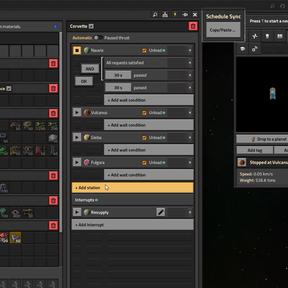
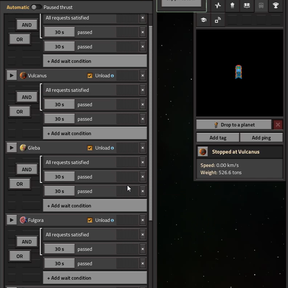
Platform Schedule Sync adds a small "Schedule Sync" panel directly into the space platform hub GUI. Open it, copy the wait conditions from any stop in the schedule, and paste them onto any other stop—including a planet you just added—with just two clicks.
Features
- Built-in UI: Copy/Paste Conditions button built right into the space platform hub window—no menus to dig through.
- Stop Overview: Lists every stop in the platform's schedule along with its current condition count.
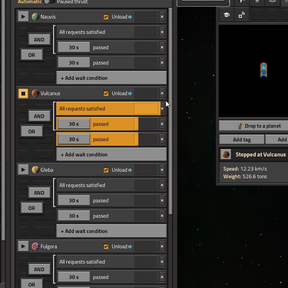
- Full Copy: "Copy" grabs all wait conditions from a stop (time, inactivity, cargo, fuel, etc.—whatever you've set up).
- Smart Paste: "Paste" replaces the target stop's conditions with the copied set, maintaining the exact same order.
- Visual Clipboard: The copied stop is highlighted so you always know what's in your clipboard.
- Backup Hotkey: Press
Ctrl + Shift + Mto open the tool from anywhere on the platform. - Vanilla Style: Features a subtle, green-tinted UI that seamlessly matches the vanilla game look.
How to Use
- Open your space platform's hub.
- Click the Copy/Paste Conditions button on the right side of the hub window.
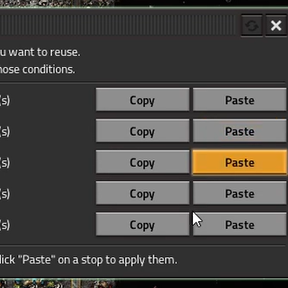
- Click Copy next to the stop whose conditions you want to reuse.
- Click Paste next to the new stop (or any other stop) to apply those same conditions.
Result: That's it—your new planet now behaves exactly like your existing ones!
Notes
- Requirement: Requires the Space Age expansion (as space platforms are a Space Age feature).
- Save-Game Safe: This is a pure UI/utility mod. It doesn't change any recipes, prototypes, or balance, making it completely safe to add to or remove from existing saves.
- Multiplayer Friendly: Works perfectly in multiplayer; each player maintains their own independent clipboard.
Feedback
Found a bug or have an idea for an improvement? Leave a comment! This is an actively maintained QoL (Quality of Life) mod.
PS: This was developed with the help of Claude.