
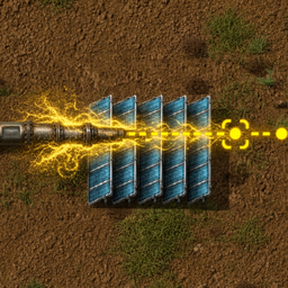
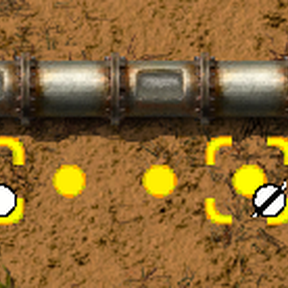
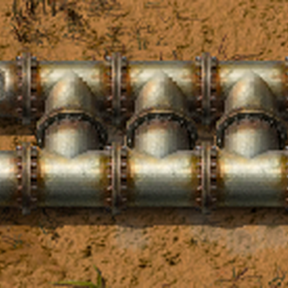
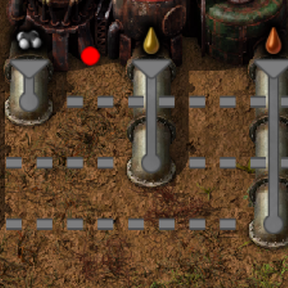
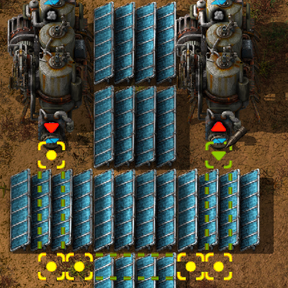
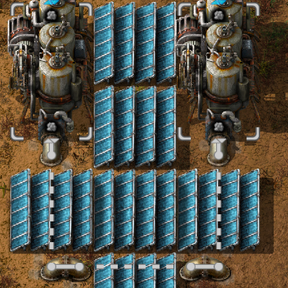
The way pipes were meant to work.
You have fine control over belts, assemblers, modules, all aspects of base layout. Now you have fine control over pipes. No more auto-merging pipe mess.
The tool shows your pipe plan, you adjust, then place them instantly. Just what you draw, no surprises.
No UPS hit, no new recipes, no new items.
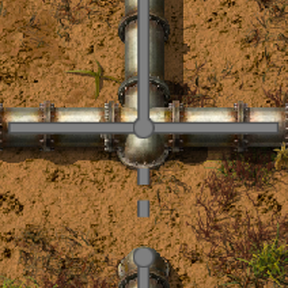
With better pipes, you can make better factory layouts. Tighter, smarter, better. Any piece of pipe can connect underground N S E W. Even all 4 directions at once.
Blueprint your designs, flip, rotate. Everything works. When you place a blueprint, the pipes still do what you told them before. No auto-merge mess.
How it works
Pipe Dream uses regular pipe items, and places fixed pipes. When you pick them up, they're regular pipe items again. Just draw pipes; the tool knows what to place.
Easy is the point. Just try it. Hold the mouse button, move the cursor, see what happens. Try G and R while dragging.
Vanilla pipes too
Vanilla auto-connect pipes are convenient sometimes. Press V to plan with vanilla pipes. Not the whole pipe plan, just the sections you want.
Vanilla pipes can't auto-connect with fixed pipes. Where you want a connection, make one.
Video
See the Belt Draw videos to get an idea how this works.
Notes
- If you uninstall the mod, all the fixed pipes will vanish.
- To connect a fixed pipe to a building, you have to drag right into the building. If you drag almost to the building, it can look connected yet it's not.
- Some pipe entities are secretly assembly machines. It's a hack. You might never notice, and if you do, now you know.
Keys
Find the pipe planning tool to the right of your toolbelt, where the Red Wire button lives. While dragging:
- G to mark a pipe-to-ground transition point. Try hitting G twice in the same location.
- R to anchor the pipe to a location. You'll see when you try it. R will also remove any anchor you're pointing at.
- F to Force current pipe leg to orthogonal (no L shape for this leg).
- V to toggle placing vanilla pipes. They're great for simple segments that auto-connect.
To conveniently edit underground pipe connections, hold the pipe tool over a pipe and hit G. This little dialog lets you edit underground connections.
Competition
Pipe Draw uses pipe planning UI to place vanilla pipes. Choose this for a simpler experience. Just drag and it places what it places.
No Pipe Touching is the classic mod in this space. Use NPT to make different pipes that can't connect to each other (except black pipes, which merge with anything). Can be heavy on items and recipes.
Use whichever mod you like best.
Feedback wanted
Keep it friendly and constructive.
Fixing the pipe mess was my Pipe Dream. Now it's real. Enjoy.