
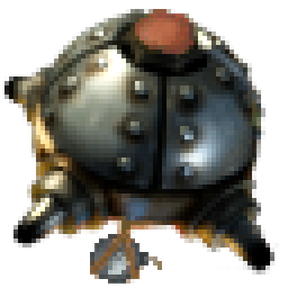
A companion robot that carries rockets and kamikazes into enemies! Place the robot, load a rocket into its inventory, and watch it hunt down nearby enemies.
Mods introducing new content into the game.
Version: 0.25.0
Date: 2026-08-30
  Changes:
    - Compatible with Factorio 2.1. The mod now declares factorio_version 2.1, which is what makes
      it load at all - 2.1 refuses any mod still marked for 2.0, which is why it showed up disabled
      after updating the game.
    - No code changes were needed beyond that. The mod uses none of the script or prototype
      properties 2.1 removed, and every GUI style, sprite and defines path it references still
      exists.
Version: 0.24.1
Date: 2026-08-29
  Features:
    - Startup setting "Only show this mod's main-menu scene": collapses the random main-menu
      background rotation to the kamikaze scene alone. Off by default; handy for seeing it every
      time, or for testing it.
Version: 0.24.0
Date: 2026-08-29
  Features:
    - Custom main-menu background scene. A squad of kamikaze robots lifts off from a supply chest
      and dives one by one into a biter nest under the Factorio logo. The scene is generated and
      animated at load time - no save file ships with the mod, so it cannot break when your mod
      set differs from the one a recording was made with, and it costs a few kilobytes rather than
      a few megabytes.
Version: 0.23.3
Date: 2026-08-18
  Bugfixes:
    - A mass strike over a real nest could ignore biters entirely. The cap on how many targets one
      drag takes (12) was easily filled by spawners and worms alone, which rank above biters on
      purpose - and the biters standing among them fell off the end without ever being named. The
      cap is now 20, and when it does cut into the biters the message says so by name rather than
      just giving a number.
  Changes:
    - Robots move noticeably faster: base speed raised from +15% over vanilla to +80%. +15% still
      read as sluggish once actually flown.
    - Kamikaze Robot Speed research raised from +2% to +5% per level. +2% was the fix for the
      original +15%, which outran its own camera feed within a few levels - but it went too far
      the other way and made the research barely worth taking. The camera itself no longer needs
      protecting from robot speed (see 0.18.1's ROBOT_TILES_MIN/MAX), so the slower research is
      free to move back up.
Version: 0.23.2
Date: 2026-08-18
  Bugfixes:
    - Dragging an area could target enemies standing on ground you have never explored, which a
      single click has always refused. Only the centre of the area was checked; every target is
      now checked on its own.
    - A mass strike sent one report per target - up to twelve lines about one decision - and they
      counted the same corpses over and over, because a report counts who is gone and several
      blasts on one nest all watch the same enemies disappear. One drag now produces one report,
      which folds in each blast as it lands and counts every enemy once.
    - Killing the first enemy of a selected area cleared the whole selection five seconds later.
      The role of primary target now passes to the next enemy still standing.
    - Removing a player left their camera floodlights and hover label drawn on the map forever.
      Those render objects outlive the table holding them, and the table was dropped without
      destroying them first.
  Changes:
    - Availability now measures how much payload the chests hold against how much the order needs,
      instead of only asking whether there is any at all. Six robots carrying ten explosives each
      want sixty; reporting six available when the chests held ten was the window promising what
      the order could not deliver.
Version: 0.23.1
Date: 2026-08-18
  Bugfixes:
    - A mass strike did not follow moving targets. Every robot flew at the spot its target had been
      standing on when the area was dragged, so anything that walked away was missed - while a
      single clicked target was tracked correctly all along.
      A strike decided whether to follow its target from a "kind" field stored next to the target
      entity, and the targets an area produces were built without that field. It now decides from
      the target actually having a living entity, so the two can no longer disagree - a strike
      given something to follow follows it, whoever built the target.
Version: 0.23.0
Date: 2026-08-18
  Features:
    - Mass strike. Drag the target designator across an area instead of clicking, and every enemy
      in it worth a robot is marked at once; one order then sends a robot at each of them. A nest
      is cleared in one sweep rather than target by target.
    - What counts as a target is the same test the robots use when hunting on their own, so a drag
      does not commit robots to things they would never have picked - a lone biter crossing the
      area is not a target. Nests come first, then worms, then the rest, which is what a sweep
      spends its robots on when it cannot afford everything.
    - At most twelve targets per drag, and it says how many it left out. A single drag emptying
      your whole fleet is not a decision anyone made on purpose.
    - The preview covers the whole area: a blast circle on every target and the totals across all
      of them, so what the sweep destroys is visible before it is ordered.
    - "Recall all" on the strikes tab. One drag becomes a dozen strikes, and recalling them one row
      at a time would be a dozen clicks.
  Changes:
    - Hover texts throughout the mod were cut back. Several explained what the button they sat on
      already said, or why it was built the way it was, which is no use to anyone playing.
    - The robots slider is hidden while an area is selected. It is the salvo control - many robots,
      one target - and an area is the other axis: one robot each, many targets. Showing both at
      once would mean two numbers multiplying into an order nobody intended.
    - An area order creates one strike per target rather than a single strike holding a list. Every
      target keeps its own row, arrival time and recall button, which says more than one row could.
Version: 0.22.1
Date: 2026-08-18
  Bugfixes:
    - The robot list on the robots tab could show a single robot while the identical list on the
      strike tab, built from the same data in the same pass, was complete - and it stayed that way
      until the window was closed and reopened.
      There are two of these lists, one per tab, and they shared one flag saying whether a rebuild
      was needed. That flag could only record "the robots have not changed"; it could not record
      "and both lists actually match them". So once a list was out of step for any reason, the
      shared flag answered "no rebuild needed" for both and the wrong one had no way back.
      Each list now carries its own signature, so a list that does not match its contents rebuilds
      itself on the next refresh no matter what put it out of step.
Version: 0.22.0
Date: 2026-08-18
  Features:
    - Salvo. A strike can be given up to six robots instead of one, with a slider next to the
      amount. They fly to the target, and the ones that get there first wait: the whole load goes
      off at once rather than one blast softening a nest that the next two then waste themselves
      on. "That nest is too big for one robot" is now a number in the window instead of ordering
      the same strike three times over.
    - A salvo does not wait forever. Twenty seconds after the first robot arrives it goes off with
      whoever is there - robots sitting on a nest are being shot at the whole time, and waiting
      indefinitely would lose the salvo in order to save it. It also stops waiting for robots that
      died or were called away on the journey.
    - The window says how many robots will actually go before you order, and the confirmation says
      how many went. Asking for six and getting three is a normal outcome, not a refusal - but it
      is never a silent one.
    - The strikes list shows a gathering salvo as what it is: "3 of 5 robots on target, waiting to
      go off together", rather than a countdown that has apparently stopped.
  Changes:
    - One report per strike rather than one per robot. A salvo detonates several robots in the
      same instant, and only the first of them still sees the target standing; the others would
      each have reported on the wreckage the first one made.
    - A salvo's report states what died but not what was predicted. The prediction covers one
      robot's blast, and several loads going off together are not the sum of their footprints -
      printing that number next to a much bigger result would make the damage model look wrong
      when it was only being asked the wrong question.
Version: 0.21.0
Date: 2026-08-18
  Features:
    - A strike reports back. A second after it goes off, whoever ordered it is told how many of the
      enemies standing in the blast are gone.
    - The number is counted, not predicted. The enemies in the blast are written down a moment
      before the detonation and looked up again afterwards, so the report works for the rocket
      payloads too - their damage is the game's business and cannot be worked out in advance, but
      what died can simply be observed.
    - For explosives the report also states what the preview predicted, so the two stand next to
      each other. If the damage model ever drifts away from what the detonation actually does, it
      says so in your own log instead of waiting to be noticed.
    - Only strikes ordered from the dashboard report back. A robot that found a nest on its own
      and blew up is doing its job, not filing a report.
  Changes:
    - The robot list now reaches the bottom of the strike tab as well. It was cut to the height of
      the shorter tabs and stopped about 95 pixels above the execute button.
Version: 0.20.2
Date: 2026-08-18
  Changes:
    - The robot list now ends level with the panel beside it, on every tab, and the window keeps
      one height when you switch tabs. Both columns are simply given the same height instead of
      trying to match each other's: a scroll pane is as tall as its contents, and the setting that
      makes it scroll is the same one that caps how far it can stretch, so no arrangement of those
      two could ever make it follow a panel it does not know the height of. Two attempts went that
      way - one let the list drive the window, the other left it stopping short.
    - The strikes tab no longer carries the robot list. That tab is already a list, of what is in
      the air, and each of its rows says how many robots are on that strike; a second list of
      every robot beside it answered nothing the tab was asking, and it was what dragged that tab
      out of shape.
Version: 0.20.1
Date: 2026-08-18
  Bugfixes:
    - The rows in the new strikes list were blank: the recall button was there and the text next to
      it was not. Each row's description was assembled from four nested localised strings inside a
      concatenation, which rendered as nothing. A row is now one flat line of text, built with its
      text already in it rather than filled in on a second pass.
    - The robot list grew instead of scrolling, dragging the window off the bottom of the screen
      once enough robots existed. A scroll pane is as tall as its contents unless it is told
      otherwise, and the height cap had been removed in 0.18.2 to make the list reach the bottom of
      the window - which fixed one fault by causing a worse one. It now has a cap again, high
      enough to still reach the bottom of the tallest tab.
  Changes:
    - Robots move 15% faster than before. At the old speed the flight out to a nest was simply
      dull, and an armed robot slower than the biters coming the other way does not read as a
      weapon.
    - Kamikaze Robot Speed research now gives +2% per level instead of +15%. The technology is
      endless, so its per-level value is a slope, not a bonus: at +15% a few levels put robots so
      far past their own camera feed that the view could not keep up with them.
Version: 0.20.0
Date: 2026-08-18
  Features:
    - A strike can be called off. The dashboard has a third tab, "In the air", listing every
      strike your force currently has running - what it carries, where it is aimed, how many
      robots are on it and how long until impact - each with a recall button. Recalled robots keep
      what they are carrying and go back to escorting or holding their post.
    - Until now a strike could not be stopped once ordered. The code to cancel one had been there
      since 0.12.0 and was simply never reachable.
  Changes:
    - A strike that lands in the moment you press recall says so, rather than the button appearing
      to do nothing.
Version: 0.19.1
Date: 2026-08-18
  Bugfixes:
    - The swap payload button claimed the confirm key as well, the same way the execute button did
      in 0.19.0. Both buttons in this window are now plain green buttons that promise no key, and
      both say what they do on hover instead.
Version: 0.19.0
Date: 2026-08-18
  Bugfixes:
    - Picking a payload on a robot's own window did nothing visible. It set what the robot
      restocks on the next time it runs empty, so a robot already carrying rockets kept them and
      looked like it had ignored the choice. Picking there now sends it to a chest to put down
      what it holds and pick up what you chose - the same thing the dashboard's swap button does,
      and now literally the same code, so the two can no longer drift apart.
    - The execute button claimed the confirm key, showing "(E)". It never worked: the dashboard is
      deliberately not the game's "opened" window, so that opening a chest does not close it, and
      E goes to the inventory as usual. The button no longer promises a key it does not have.
  Features:
    - Picking a target steps the window aside instead of standing in front of what you are aiming
      at. It is hidden, not closed - the payload, the selected robot and the preview all survive -
      and it returns the moment the designator leaves your cursor, whether you picked something
      or put it away.
    - A destroyed target deselects itself five seconds after it dies, rather than leaving a mark
      sitting on empty ground. The window says "destroyed - clearing" for those five seconds, so
      it is clear what happened. This keeps running while the dashboard is closed.
  Changes:
    - The two panels no longer both claim the window height, which could clip the layout.
Version: 0.18.2
Date: 2026-08-18
  Changes:
    - The robot list now reaches the bottom of the window instead of stopping short and leaving a
      dead strip under itself. It had a fixed maximum height, so it could never follow a window
      that grew taller than it.
    - The list lost a border. It was a scroll pane inside a deep frame, and both of them draw
      their own recessed edge - the list is now the same kind of recessed scroll pane the train
      overview uses, which draws it once.
    - Spacing throughout the window comes from the game's own layout styles rather than from
      numbers picked per element. The panel holding the detail sections had inherited a flow with
      no spacing at all, which is why TARGET, PAYLOAD, EFFECT and STRIKE ran into each other; the
      gap between the list and the panel, and between the two camera feeds, is now the same gap
      the game puts between any two panels.
Version: 0.18.1
Date: 2026-08-18
  Bugfixes:
    - The blast preview was far too solid to see through, worst of all under an atomic bomb where
      it covered everything it was meant to describe. Rendering colours in Factorio are
      pre-multiplied by their alpha, and these were not, so a fill asked to be 10% opaque was
      drawn nearly solid. It is now as faint as it claims to be, and it thins out further as the
      blast grows - around a nuke the outline carries the shape and the fill is barely a tint.
    - Not every enemy in the radius was marked. The preview stopped after the first 40 and said
      nothing about it, which under a big payload meant most of the nest went unmarked. It now
      marks up to 250, which covers a nuke over a large nest.
    - The target feed cut off large blasts. It refused to zoom out past a fixed limit, so an
      atomic bomb's radius simply ran off the edges - the one payload where seeing the whole
      footprint matters most. The limit now clears the widest blast the game has.
  Features:
    - Both camera feeds light the ground they are pointed at, so the dashboard still shows
      something after dark. A camera element has no brightness of its own, so this is a real
      floodlight over the target and the robot rather than a filter over the picture: only you
      see it, and it goes out when the window closes or you switch to the other tab.
  Changes:
    - The robot feed sits much closer. Its zoom followed worker robot speed research without any
      bound, so on a developed save it framed a field with a dot in it.
    - The margin around a blast in the target feed scales with the blast instead of being a fixed
      number of tiles, which was half the picture around a rocket and invisible around a nuke.
    - The preview is only redrawn when it would actually look different - when the target, the
      radius or the set of enemies in it changes. Marking 250 enemies twice a second would
      otherwise mean rebuilding five hundred drawings a second to show the same picture.
Version: 0.18.0
Date: 2026-08-18
  Features:
    - The dashboard shows what a strike would destroy before you order it. An EFFECT section
      states the blast radius, how many enemies stand in it and how many the blast would kill,
      and the target is drawn on the ground and on the map: the blast circle, and a mark on every
      enemy inside it - filled for the ones that would die, hollow for the ones that would only
      be hurt.
    - The preview is worked out by the same code that carries out the detonation, so what it
      promises is what happens. It counts against each target's current health, not its maximum,
      which means a nest you already softened up is shown as the easier kill it is.
    - Explosives are stated exactly, rockets and the atomic bomb are marked as estimated. Those
      are vanilla projectiles whose damage the game decides, applying damage research and
      resistances a mod cannot read; for them the radius and who is standing in it are shown, and
      the number that would die is deliberately left out rather than guessed.
    - A warning when one of your own characters is in the blast, and it distinguishes the two
      cases that follow from it: with the safety check on the robot will refuse to detonate and
      circle until they move, with it off the strike simply kills them.
    - Only enemies are counted and marked. A blast levels the forest around a nest as well, but
      reporting "47 targets" because 33 of them were trees is a number that holds and tells you
      nothing.
  Bugfixes:
    - Updating the mod while the dashboard was open could crash the game. The window is part of
      the save, so one built by an older version is missing whatever elements the new version
      adds, and the next refresh went looking for them. Open dashboards are now closed when the
      mod version changes - this affected every version since 0.13.0.
  Changes:
    - The preview is neither computed nor drawn while you are on the robots tab, and the target
      camera takes its zoom from the same figure the preview uses instead of working the blast
      radius out for itself.
    - Switching tabs refreshes the window immediately rather than at the next timer tick.
Version: 0.17.1
Date: 2026-08-17
  Changes:
    - The dashboard now follows the train overview's layout properly: the tabs sit above
      everything, and the robot list lives inside each tab alongside its detail panel.
    - Camera feeds use the same heavy frame the train window puts around its minimap, with a
      caption strip underneath: the target feed states the blast radius it is showing, the robot
      feed states whether that robot is inbound and how long it has left.
    - First release on the mod portal: description, readme and thumbnail brought up to date. Still
      pre-1.0 on purpose - the dashboard's damage preview is not built yet.
Version: 0.16.0
Date: 2026-08-17
  Features:
    - The robot list is split into "inbound" and "ready", each with its own heading and count, so
      what is in the air is separated from what is standing by. When the list has to be trimmed,
      only standing-by robots are dropped - something in the air always keeps its row.
    - The robots tab has a swap button. Picking a payload there only states the intent; the button
      is what sends the robot to a chest to put its old load down and pick the new one up. It
      states its reason when it cannot: no robot picked, no payload picked, robot on an order,
      swap already running, or the robot already carries that payload.
    - Camera zoom is worked out from what has to be visible instead of being fixed. The robot feed
      keeps roughly four seconds of flight in view, so a fast robot does not outrun its own frame.
      The target feed fits the whole blast radius plus a margin, so it widens on its own as the
      payload gets bigger - a nuke is no longer framed like a single rocket.
    - The robots tab's camera is noticeably larger, since it is the only feed on that tab.
Version: 0.15.0
Date: 2026-08-17
  Features:
    - The dashboard is laid out like the train overview: the robot list runs down the left and
      stays put, with tabs beside it.
    - Robots tab: pick a robot in the list and it is shown in detail - what it carries, what it is
      doing, where it stands, its remaining bonus HP, and its own camera feed. One control only,
      deliberately: which payload it restocks on.
    - Strike tab: target selection, payload and amount, both camera feeds and the launch button,
      as before.
    - Robots currently flying an order sort to the top of the list, soonest impact first, and
      carry a thick progress bar with the countdown to impact written inside it.
    - The dashboard reopens on the tab you last used.
  Changes:
    - Flight time is worked out once per robot per refresh instead of twice, which matters most
      when many robots are in the air at once.
Version: 0.14.0
Date: 2026-08-17
  Features:
    - The dashboard has a robot list down its left side, like the train overview. Every robot of
      your force is listed with what it carries; click one to follow it in the camera, click it
      again to release. A robot flying an order shows a progress bar with a countdown to impact.
    - Explosives strikes take an amount, chosen with a slider (1 to 10). The robot loads exactly
      that much instead of filling up, so the size of the blast is a decision rather than a
      side effect of chest contents.
    - The camera feeds sit in recessed frames, matching the train window.
  Bugfixes:
    - The robot feed never showed the robot that was actually flying the strike. It followed the
      robot that *would* fly the next one, because only free robots are ever candidates - the
      moment a strike launched, the feed jumped to some other idle robot. It now follows, in
      order: the row selected in the list, the robot flying the strike you last ordered, and only
      then the next candidate.
    - A robot carrying the right payload but less of it than the order asked for now tops up at a
      chest first. If it cannot, it flies with what it has rather than cancelling - unlike a robot
      holding the wrong payload entirely, which still refuses and says so.
  Changes:
    - The robot list is rebuilt only when the set of robots changes; between rebuilds only the
      countdowns update. It shows at most 60 rows and states how many were left out.
Version: 0.13.1
Date: 2026-08-17
  Bugfixes:
    - Opening the dashboard crashed in 0.13.0. One of the new camera labels was named "caption",
      which is also a LuaGuiElement property, and the engine refuses such names. All GUI element
      names now contain a hyphen, which no API property ever does, so the collision cannot recur.
Version: 0.13.0
Date: 2026-08-17
  Bugfixes:
    - A robot already loaded with the wrong payload flew the strike anyway. Ordering an explosives
      strike while every robot carried plain rockets sent one off with rockets: the resupply step
      only ever ran on a completely empty robot, so a loaded one never went to a chest at all.
      A robot has a single inventory slot, so it now puts the wrong payload down in the chest
      before picking the right one up.
    - Choosing which robot flies a strike now prefers, in order: one already carrying the payload,
      an empty one, and only then one that has to swap. Previously "empty" and "carrying something
      else" were treated as the same thing.
    - A swap that cannot happen is reported instead of leaving the robot circling: the chest has no
      room for the old payload, or no chest with the payload is in range.
  Features:
    - The dashboard has two live camera feeds, like the train window: one on the target, one on the
      robot that would fly the strike. The target feed follows a moving target by itself.
Version: 0.12.0
Date: 2026-08-17
  Features:
    - The tactical dashboard can order strikes. Pick a target, pick a payload, press execute: the
      nearest free robot of your force flies it. A robot that is not carrying the payload fetches
      it from a chest first and then continues to the target.
    - Each payload shows what is actually available - how much your robots already carry, and how
      much sits in chests they can reach - so it is clear before ordering why a strike can or
      cannot happen.
    - Arrival estimate, including the detour via a supply chest when the robot has to load up.
    - The execute button always states its reason when it cannot fire: no target, no robots on
      this surface, all robots busy, or no payload of that kind within reach.
    - Strikes belong to the force, not to one player: any robot of the force can be sent, and the
      inbound marker is drawn for everyone on the force, in the world and on the map.
  Changes:
    - Robots take a generalised "order" instead of a remote-only target. The remote behaves
      exactly as before (go there now, expires after 30 seconds); dashboard strikes carry a
      payload and run until they land or are cancelled.
    - The toolbar icon is supplied at the sizes the toolbar actually draws (56 and 24 px) instead
      of being resampled from a 32 px image.
    - GUI styles moved into prototypes/style.lua, deriving from the base game's own styles.
Version: 0.11.4
Date: 2026-08-17
  Bugfixes:
    - Armed robots without a reachable owner did nothing whatsoever - they would hover, fully
      loaded, while biters ate them, and never said why. This hit robots built by construction
      robots or blueprints far from any player, robots whose owner logged off, and every robot
      placed in the map editor (where there is no character to adopt, so they could never
      recover). An owner is now only needed for escorting: without one a robot holds its ground,
      restocks and keeps fighting.
    - Whatever attacks a robot is now always a valid target for it, no matter what the "minimum
      enemies for a loose target" setting says. A single biter gnawing on a robot used to be
      waved through as not worth a rocket while it chewed the robot down.
Version: 0.11.3
Date: 2026-08-17
  Bugfixes:
    - A robot that reached its target and detonated was treated as a destroyed building: it left a
      rebuild ghost, so construction robots could quietly rebuild it out of the logistic network,
      and it raised an "entity destroyed" alert. A spent robot now disappears completely - no
      ghost, no alert, no wreckage. Kamikaze robots never leave a rebuild ghost at all any more,
      not even when they are shot down.
  Changes:
    - Robots prefer close targets. Everything within 25 tiles is dealt with first, nest or biter
      pack alike; only when nothing is nearby do they fly out to distant nests. Previously a robot
      would cross the whole detection range for a spawner while a pack was chewing on the wall
      right next to it.
Version: 0.11.2
Date: 2026-08-17
  Features:
    - Tactical dashboard, first stage: a toolbar button (or SHIFT + D) opens a window in which you
      pick a strike target. Clicking an enemy tracks it as it moves, clicking the ground marks that
      spot; both work in the world and in map view. The target is marked on the map and in the
      world, and the window shows what was hit, where, and how far away it is.
    - Only charted ground can be targeted, and the reason is stated when it is refused rather than
      the click doing nothing.
    - A target that dies while selected degrades to the spot where it was last seen instead of
      silently disappearing.
    - The dashboard window remembers where you dragged it.
  Bugfixes:
    - A robot returning to its guard post raised a script error (an undefined speed factor). Guard
      mode was unusable at any distance greater than half a tile from the post.
  Changes:
    - control.lua was split into modules under scripts/. No behaviour change, but the blast model
      now lives in one place, which is what the upcoming damage preview will read from.
    - Migrations are in place from this version on, so future changes to saved state cannot quietly
      break existing saves.
Version: 0.10.0
Date: 2026-08-16
  Features:
    - One enemy, one robot. A robot claims its target, and no other robot picks the same one, so a
      pack of robots no longer all sacrifice themselves for a single biter.
    - The claim is released the moment the robot dies, detonates, loses the target, is sent somewhere
      by remote or runs out of payload - then the next robot may take over. Nests therefore get
      worked down one robot at a time instead of all at once.
    - When the nearest enemy is already taken, a robot looks for another free enemy within 40 tiles
      instead of hovering next to a fight it cannot join.
Version: 0.9.0
Date: 2026-08-16
  Bugfixes:
    - Robots stopped attacking on their own. Three causes: the "minimum enemies" rule also rejected
      single worms and nests (it is meant for loose wandering enemies only), the rule was on by
      default, and the safety check held fire silently whenever the player stood near the target.
      The rule now only applies to units, defaults to off, and holding fire is reported.
    - The safety radius of plain and explosive rockets was larger than their actual blast (3 and 6
      tiles), which blocked most detonations while escorting. Now 2 and 4.
  Features:
    - The robot has its own panel next to its inventory window: pick the payload from a filtered item
      picker and toggle guard mode with a checkbox. The slot filter and the per-player setting still
      work as fallbacks, in that order.
Version: 0.8.0
Date: 2026-08-16
  Features:
    - Plain explosives are a payload now, and the blast scales with the amount carried: the radius
      grows with the square root of the count, the damage linearly (35 per unit at the centre,
      falling off to 30% at the edge).
    - A normal robot carries 10 explosives, quality multiplies that (legendary = 50). The amount per
      capacity step is a map setting.
    - Unlike the rocket payloads the scripted blast spares your own force, so explosive robots can be
      used next to your own walls and other robots without a chain reaction.
    - The safety check scales with the load: the bigger the charge, the further away you have to
      stand before a robot will detonate.
Version: 0.7.0
Date: 2026-08-16
  Bugfixes:
    - Robots robbed each other. A Kamikaze Robot is a container of the same force itself, so the
      resupply search happily picked another robot as its source chest. Robots are excluded now.
    - Escorting still stuttered. The accelerate/brake model arrived at full speed, overshot its slot,
      coasted back and overshot again - a textbook oscillation. Movement now covers a fraction of the
      remaining distance per tick, which mathematically cannot overshoot, and speeds up to catch up
      when it has fallen more than 6 tiles behind (a robot is slower than a running player).
  Features:
    - The robot's inventory slot can be filtered, and that filter decides which rocket this
      particular robot fetches. The per-player setting is only the fallback for unfiltered robots.
Version: 0.6.0
Date: 2026-08-16
  Bugfixes:
    - Escorting was jittery. The old code recomputed a fast-circling target every tick (a full orbit
      took 5 seconds) and teleported the robot straight onto it. Movement is a steering model now:
      a fixed formation slot per robot that drifts slowly, with acceleration, easing and a dead zone,
      like the vanilla combat robots.
    - The robot is a plain container again. As a logistic requester rockets could not be requested,
      and a request raised by hand fought with the capacity limit.
  Features:
    - Robots restock themselves: an empty robot looks for the nearest chest of its force holding its
      rocket, flies there, takes what fits and returns to escorting or to its guard post. Works with
      any chest, logistic or not. Range is configurable, 0 disables it.
  Changes:
    - Which rocket a robot fetches follows the per-player "Requested rocket" setting.
Version: 0.5.0
Date: 2026-08-16
  Bugfixes:
    - The remote did nothing at all. The artillery-remote capsule action only succeeds when artillery
      can actually answer the flare, and our flare deliberately used a category no artillery responds
      to, so every click failed silently. The remote is a selection tool again: a single left click
      marks the position, right-click drag cancels.
    - When no robot could be dispatched, the message now says why: none on this surface, none loaded
      with a rocket, or all of them already on a mission.
  Features:
    - Robots request their rockets from the logistic network themselves. The entity is a requester
      chest now, and the request follows the loaded rocket type (default configurable per player).
    - Target priority: nests and worms are always worth a robot, loose enemies only when at least
      N of them stand together (configurable, default 3). No more sacrificing a robot and a rocket
      for a single biter.
    - Space Age: demolishers are never targeted. A rocket does nothing to them and the robot would
      only aggro them.
    - Guard mode (default SHIFT + G): a robot holds its position and defends it instead of escorting,
      keeps doing so while its owner is offline, and never chases a target out of its post's range.
    - Optional robot limit per player.
    - Optional message with a map ping when one of your robots is shot down.
  Changes:
    - The item description lists the exact quality bonuses.
  Notes:
    - The robot entity changed prototype type, so robots placed with an older version disappear from
      existing saves. Place them again.
Version: 0.4.0
Date: 2026-08-16
  Changes:
    - The robot and its remote moved out of the logistics tab into their own subgroup in the combat
      tab, where a military item unlocked by a military technology belongs. Both now sit next to
      each other instead of being scattered between the logistic robots.
  Features:
    - Bonus HP regenerates out of combat (5% of the pool per second, 10 seconds after the last hit).
      Before this, a robot that survived a fight kept a full-looking health bar with an empty bonus
      pool for the rest of its life.
    - Armed robots show their payload and its count above them in alt mode.
    - New per-player setting "Hunt enemies on their own": with it off, your robots ignore enemies and
      only fly missions assigned with the remote.
    - Refused remote orders play the vanilla "cannot build" sound.
  Bugfixes:
    - The escort speed cap was a fixed value, so the new speed research had no effect while a robot
      was following its owner. The cap is a fraction of the robot's own speed now.
    - The remote description shows the actually bound key instead of a hard-coded SHIFT + K.
Version: 0.3.2
Date: 2026-08-16
  Features:
    - The remote now works exactly like the artillery targeting remote: it is a capsule with an
      artillery-remote capsule action, so a single left click - in the world or in map view - marks
      the target position. No more dragging a selection box.
    - New infinite research "Kamikaze Robot Speed": +15% movement speed per level, stacking with the
      worker robot speed research.
    - New custom input (default SHIFT + K) cancels all running remote orders, replacing the
      right-click drag of the old selection tool.
    - The remote refuses targets the robot cannot reach before the order expires.
  Changes:
    - Technology effect descriptions are localised now (they were hard-coded English before).
Version: 0.3.1
Date: 2026-08-16
  Bugfixes:
    - Fixed a crash when a blueprint, planner or other item with tags was put into a robot
      (export_stack() returns a string, so writing a count onto it errored).
    - Removed the write to LuaEntity.tags on placement; tags only exist on entity ghosts, so the
      owner is now stored in the script state only.
    - Fixed a crash in the tick handler when a robot had no owner (game.get_player(nil)).
    - Items rejected by a robot are no longer destroyed when the player's inventory is full;
      whatever does not fit is spilled on the ground. Quality and item tags are preserved.
    - Cancelling a remote target now actually removes the map marker instead of only dropping the
      reference to it.
    - Robots mined by construction robots, removed by script or built/mined on space platforms are
      now handled properly.
    - Detonations no longer use a cached payload; the inventory is read live, so removing rockets in
      the same tick can no longer cause a phantom explosion.
    - Bonus HP, owner and running missions survive a mod update (the registry is synced instead of
      rebuilt from scratch).
    - Overkill damage no longer burns through the whole bonus HP pool.
  Features:
    - Safety check (on by default): a robot refuses to detonate while one of your own characters is
      inside the blast radius of its payload, and the remote refuses such targets outright.
    - Atomic bombs are disabled by default and can be enabled with a new map setting.
    - New map settings: allow atomic bombs, safety check, explode on death.
    - Manual remote targets now expire after 30 seconds, matching the on-map marker.
    - Hovering a robot shows its remaining bonus HP.
    - Robots without an owner (blueprint / construction robot built) adopt the nearest player.
    - Rocket quality is carried over to the spawned projectile.
  Changes:
    - Technology now requires the processing unit research, which its recipe depends on.
    - Technology icons use a 256px version, thumbnail is 256x256.
    - Inventory validation is event driven with a periodic safety net, and bonus HP is only synced
      on research instead of every tick.
    - Removed dead code (unused constants, unused tint, empty handler section).
Version: 0.2.1
Date: 2026-02-08
  Changes:
    - Adjusted the robot recipe.
Version: 0.2.0
Date: 2025-12-21
  Changes:
    - Quality scaling for capacity, speed and health.
    - Remote targeting tool.