
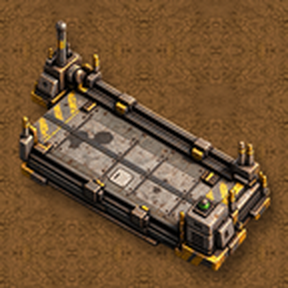
Autopilot for the trucks of Heavy Trucks (Vanilla+): they drive themselves between truck stops following a schedule, like trains.
Mods introducing new content into the game.
Version: 1.0.13
Date: 2026-10-13
  Bugfixes:
    - Crash (drive.lua:624, "attempt to index field 'path'") with level crossings on a truck's route: a truck that lost its route half way (held up behind something standing and going round it, sent somewhere else, stopped, put on manual, no way found) could still look at the crossings of its old route. The crossings marked on a route, and any wait for a train at one, now go with it.
    - Another crash of the same kind: a truck whose new route the pathfinder had put off (busy), slowed down meanwhile, asked for it again standing and went on reading the route it had just let go.
Version: 1.0.12
Date: 2026-10-12
  Changes:
    - The truck stop's way in is named by where its ends are on the map, as the stop is turned: "Either end", "Only from the west", "Only from the east" (or north and south). It spoke of an arrow that couldn't be seen.
    - Arrows on the truck stop show its ways in (the way a truck drives in by each end it may use), like an inserter's: in alt mode, with the cursor on the stop, and for a moment after building it.
  Bugfixes:
    - The way-in choice was cut short in its drop-down, and the note under it said trucks come in from either end whatever the choice. The note now follows the choice: where tanker trucks come in (by the pumps), and when they don't use the stop.
Version: 1.0.11
Date: 2026-10-12
  Features:
    - Level crossings: trucks now wait for trains. Coming up to rails, a truck looks for trains near the crossing (one on it, close to it, or coming that would get there soon) and stops short of the first rail until it's clear. Parallel tracks close together are one crossing: it goes across all of them at once, never stopping between them, nor on the rails (it doesn't go across if there's no room for it on the far side). Gates on the rails (the game's own crossings) are left to the trains: a truck only asks them to open when no train is coming, and waits while the game keeps them shut. Trucks no longer line up on rails at a stop's queue.
    - Truck stop way in and way out, in the stop's window: which end trucks come in by (either end, its entrance along the arrow, or the far end) and how they leave (automatic, always straight on ahead, or always backing out; the other way if that one is walled off). They travel in blueprints and copy and paste with the rest of the stop's settings. Tanker trucks always come in by the entrance (the pumps are placed for them).
Version: 1.0.10
Date: 2026-10-10
  Bugfixes:
    - A truck in a group put down from a blueprint (or copy and paste, or pasted over a truck already there) came out with no group. Like a train, a truck now takes its group, its schedule and its interrupts with it in blueprints. A group or an interrupt the game doesn't have yet (a blueprint from another game) is made, the group with the blueprint's schedule. Cloned trucks keep them too.
    - In the truck's window, while a wait condition was on its way (10 s passed, say), part of its orange bar showed as a grey striped stretch. That stretch is the condition's grip: it now turns orange with the bar, as the game's own grip does, as it turns green when the condition holds.
    - The truck's "Change train group" window closed when you clicked in its text field to put the cursor there: the click counted as confirming. A click in the field now only puts the cursor in it; Enter or the green button confirm. The same with the truck stop's name.
    - The headlights drawn by the autopilot could come off the truck as it turned. They now follow it every tick, for where it will face once the tick is over: the turn it's steering into, the other way backing up, and the snap onto the straight and diagonal axes that the game does.
Version: 1.0.9
Date: 2026-10-09
  Features:
    - The truck's group is chosen like a train's: its pencil button opens "Change train group", with the groups of your force's trucks and how many trucks each has. Click one to put the truck in it, or type a name and confirm for a new group; hold Ctrl while confirming to rename the whole group.
  Bugfixes:
    - The truck's window didn't show the temporary stop of an interrupt until it was closed and opened again. It now draws the schedule again by itself, like a train's, whenever it changes on its own: an interrupt fires or is done with, one is set off by hand, its group's schedule is taken, or it heads for its next stop. (Only open windows look, a few times a second.)
Version: 1.0.8
Date: 2026-10-08
  Features:
    - Circuit condition in wait conditions and interrupts, like a train's: a signal compared with a constant or with another signal, read from the circuit network of the truck stop the truck is at (with no stop or no wire it's false, as in the game). Trucks can now wait at a depot until a signal sends them out: an interrupt with a circuit condition sends them to load and unload, and back.
    - Interrupts can be set off by hand, like a train's: the play button of each interrupt in the truck's schedule sends the truck to the interrupt's targets now, as if its conditions held, and it carries on with its schedule afterwards (to try a route out without waiting for its conditions). The usual rules apply: not while that interrupt is running, nor while another one is, unless it may interrupt interrupts.
  Bugfixes:
    - Trucks leaving a truck stop could drive out one way, turn round and come back past the stop, and get stuck on its posts (a stop at the end of a spur, or along the edge of a yard). Choosing between driving out ahead and backing out, the truck now also looks at the way along roads it would take, and avoids a way out that brings it back past the stop.
    - Going through a truck stop (one standing on a road, say), a truck keeps down the middle of its lane, between the posts, and only turns once its tail is clear of them.
Version: 1.0.7
Date: 2026-10-08
  Changes:
    - Trucks with "Use roads" on now put roads first: if there is a way along them to where they're going, they take it, even when it's longer than driving straight there. They look for a road up to about 100 tiles from the truck and from where it's going (was 30), and only drive across country when there's none, or the trip is very short.
    - The "Longest detour along roads" map setting is gone: there is no detour limit any more.
Version: 1.0.6
Date: 2026-10-02
  Bugfixes:
    - Icons in a truck stop's name (an item, a signal, "[item=rocket-fuel,quality=legendary]"...) showed as their code in its alt mode label and on the map. They show as icons now.
Version: 1.0.5
Date: 2026-10-02
  Features:
    - Truck stop circuit connection: "Include fuel", under "Read truck contents" (like the game's assembling machines): the stopped truck's fuel goes to the circuit network too.
Version: 1.0.4
Date: 2026-10-01
  Features:
    - Truck stops connect to the circuit network, like train stops: wires go to the signal lamp on the right of the stop's entrance, and the circuit button in the stop's window opens its options. Enable/disable (with a condition: while it's false the stop counts as full), read the stopped truck (a signal with a number unique to the truck while it's locked in the stop: to start inserters only then), read its contents (trunk and tanks), set the truck limit, read the trucks count and set the priority from signals. Copying a stop's settings, copy and paste and blueprints carry these options (not the wires).
    - Interrupts with parameters, like a train's: the item, fluid and fuel parameter signals stand for what the truck carries. Use them in the item, fluid and fuel count conditions and in stop names (for instance, target "[item parameter] Unload" when "[item parameter] Unload" is not full): the first thing the truck carries that makes the conditions hold fills them in, in the target stops and their wait conditions.
    - Stop names can be typed, besides picked from the list: in "+ Add station" (a text field on top of the list) and in the "Specific stop full / not full" and "At / not at stop" conditions (the pencil button). The icon button in the field puts in items, fluids and signals such as the parameters.
    - The truck stop's name field has the icon button too, to name stops like "[item=iron-plate] Unload".
  Changes:
    - Automatic trucks work like trains: whoever gets in (or drives it remotely) only rides along. The truck keeps to its schedule by itself, the keys don't move it, and it doesn't leave a stop until its conditions say so. Switch it to Manual to drive it.
    - Wait and interrupt conditions look like a train's: the conditions joined by "and" grouped with a bracket, the "and" buttons between them and the "or" ones between groups; the game's texts ("30 s passed", "Cargo", "Fuel"...), the comparator as a drop-down, and, where the truck is waiting, each condition green when it holds and an orange bar as far as it has got (time, inactivity, how full, fuel, counts, damage). The stop of a condition is chosen with its pencil button (a list of stops, or a name typed on top). The time and the amount are set like a train's: the button opens, right under the condition, a slider with the number (and OK, or "Set constant"); the amount shows in a box (1.5k, 15k).
  Bugfixes:
    - Trucks driving on autopilot at night lit the ground ahead but their headlights themselves stayed dark (the game only lights them with a driver). The glow of the headlights is drawn now too.
    - A blueprint or copy and paste (Ctrl + C, Ctrl + V) put down over truck stops that were already there didn't carry its stops' settings over to them (it did for new stops). Now it does.
    - A truck could keep butting a pipe or a tank next to a stop: its queue was set in a lane with no room for a truck. Lanes with something in the way behind the stop are now skipped, as if walled off.
    - Trucks driving towards each other at speed could crash head on: a truck now brakes in time for one coming the other way, counting the other's speed too.
    - Two trucks pressed against each other could wait for one another for good. A truck only gives way to another one that is moving, and gives up waiting in traffic after 40 s.
    - A truck that gave up on a place (no way through) tried it again every minute, grinding on the same spot. It now waits longer each time it gives up there (1, 2, 4... up to 8 minutes); getting anywhere resets it. Lanes no truck can get into are given up the same way.
    - The fresh start after hits only counts separate hits (a long scrape was a dozen), after 20 of them without getting closer: trucks squeezing through a narrow gap no longer start afresh on the way.
    - Trucks could get stuck across a gateway in a wall when they turned round right by it after backing out of a stop next to it. If their next route goes on straight back through that gateway, they now go on backing through it instead of turning round there. Queues are never set in a gateway.
    - A truck that butted a post while coming in to a stop and stuck there crooked, between the posts, couldn't get in nor out. The stop now catches a truck coming in to it even a bit askew, and pulls it straight.
Version: 1.0.3
Date: 2026-10-01
  Features:
    - Truck stop settings (name, colour, truck limit and priority) are copied like a train stop's: copy and paste settings (Shift + right click, then Shift + left click on another stop), copy and paste, blueprints, and stops copied in the map editor.
Version: 1.0.2
Date: 2026-09-30
  Features:
    - Roads of two lanes with a line down the middle (line, lane, middle line, lane, line) are recognised as roads. Trucks keep to the middle of the lane on the right.
  Bugfixes:
    - A truck could butt the same thing (a pipe, say) again and again without backing off, when another truck of the autopilot was standing nearby: it took the hit for one with that truck and waited for it to move. Now it only waits when it's really touching the other truck.
    - Trucks that got stuck (on the corner of a bay, say), went round in circles or kept hitting the same thing now start afresh by themselves, as when you get in and out: after 20 s without moving on, a minute driving without getting closer to where they go, or a dozen hits without getting closer, they drop the manoeuvre they were in and plan a new route from where they are (after hits, keeping further from buildings for a while). After three tries without getting closer they give up like a train with no path, and try that place again a minute later. Each fresh start is written to the game's log.
    - A truck that couldn't get on or off a road because something was standing right there went across country instead; it now tries the road again a second later.
  Changes:
    - The collisions written to the game's log leave out the truck's own robots and the logistic truck's chests, which hid what it had hit.
Version: 1.0.1
Date: 2026-09-30
  Features:
    - "Drive remotely" in the truck window (it was "View remotely"): remote view on the truck with you at the wheel. If someone is already driving it, it's only viewed. While you drive an automatic truck, its autopilot waits, and carries on when you leave it.
  Bugfixes:
    - An automatic truck driven by hand onto a truck stop wasn't caught and set in place. Now it is; if it's the stop it was heading for, it counts as arrived and waits there for its conditions.
Version: 1.0.0
Date: 2026-09-28
  Features:
    - Trucks use your roads. ON BY DEFAULT: trucks now follow the roads you have built when one takes them where they go, instead of driving straight across country. Turn it off for the whole map in the mod settings ("Trucks use roads"), or for one truck with "Use roads" in its truck tab.
    - Roads are found by themselves, by how they're drawn; nothing to mark and nothing new to build: the space between two yellow lines of hazard concrete (plain or refined), a strip of hazard concrete, or a street of paving (concrete, stone path...) with something else either side. 5 to 12 tiles wide, straight along x or y (not diagonal yet), at least 16 tiles long. A slab of concrete under a factory isn't a road. Transport Drones roads, and tiles other mods mark with is_road_tile, count as roads too.
    - Trucks drive on the right half of the road, slow down and round the corners at crossings, and go off the road to reach a goal away from it. If there's no road that takes them there (or it would be more than twice as long as going straight: "Longest detour along roads" in the mod settings), they go across country as before.
  Bugfixes:
    - Periodic stutter every 10 seconds on big maps, even with no trucks: stops were searched for across the whole map. Also the overview window while open.
  Optimizations:
    - Roads are read once and kept, a little each tick, and read again only where tiles are laid or taken up (and, slowly, everywhere, for mods that change tiles without telling).
Version: 0.1.6
Date: 2026-09-28
  Features:
    - Trunk limit, like a chest's: the red button next to "Trunk" in the truck window, then click the first slot to close. Closed slots take nothing in (inserters, players, the autopilot's stops); what was already there can be taken out. Right-click the button to remove the limit. Slot filters under closed slots come back when they open, and blueprints of the truck keep its limit. (Cars can't have the chests' bar, so the closed slots are filtered for an item that never exists.)
    - The "Full cargo" condition only counts the open slots.
Version: 0.1.5
Date: 2026-09-27
  Bugfixes:
    - Headlights stayed off while the autopilot drove: the game only turns a vehicle's lights on with someone driving it. Trucks in automatic mode now have their headlights and taillights on at night, turning with the truck.
Version: 0.1.4
Date: 2026-09-27
  Bugfixes:
    - With time paused (as it usually is in the map editor), the truck window's slots didn't change after a click, so filters and moved items only showed once time ran again. They're now redrawn right away.
Version: 0.1.3
Date: 2026-09-27
  Features:
    - Slot filters in the truck window, as in a cargo wagon: middle-click a slot to filter it to the item on the cursor (or, with an empty hand, to the item in it); middle-click again to remove it. Inserters only put that item in a filtered slot, so filtering the trunk keeps extra fuel out of the cargo.
Version: 0.1.2
Date: 2026-09-26
  Bugfixes:
    - Gates didn't open for trucks (they only open by themselves for players): trucks now open the gates they're getting to, and don't take them for walls.
    - Driving into a stop right next to a wall, a truck that reached the lane at an angle could swing out into the wall. Going in, it now stops short of anything right in front of it and lines up backing.
    - A path found with the narrow margin (to get out from between buildings) was followed all the way at full speed, close to buildings: now only slowly, and a few tiles on it asks for one with the usual margin.
Version: 0.1.1
Date: 2026-09-26
  Bugfixes:
    - Trucks could hit buildings next to their route at speed (e.g. a substation): they went into sharp corners too fast for their turning circle and swung out wide. They now slow down to what their turning circle allows, and never drive faster than they can stop at anything fixed they're pointing at.
    - A stop walled in (a wall across its entrance) made trucks drive into the wall again and again. They now leave out stops they can't drive into (and have no path if there's no other), and give up a lane after getting stuck on the way in three times.
    - A new route found on the move that went another way (or back) was followed at speed, straight across whatever was in between. The truck now stops and asks again.
    - Two trucks that ran into each other could keep backing off and meeting again: now only one gives way.
    - A truck wedged next to a building could stay without a path for good: it gets clear of it (forward, if it backed into it) and asks again, with a narrower margin if it has to.
    - A truck scraping a post on its way out of a stop could be caught by that stop again and stay there for good.
    - A truck heading for a stop that was removed kept looking for it forever.
    - Removing a record from a schedule could leave the truck going to the wrong stop; truck groups kept records by position instead of by record.
    - Trucks leaving a stop counted towards its truck limit.
    - Renaming or removing an interrupt left its temporary stops behind in the trucks that were using it.
    - The artillery truck deploying or folding on the way to a stop lost its route and its booking of the stop.
    - Schedules of trucks that no longer exist are cleaned up.
    - Moving items in the truck window could lose their data (e.g. an equipment grid or a blueprint).
  Optimizations:
    - The check for new obstacles on a truck's route searches the map in pieces, and stops with no truck nearby do almost nothing.
  Changes:
    - Collisions of trucks driven by the autopilot are written to the game's log (factorio-current.log), to help with bug reports.
    - New remote function is_automatic(unit) (used by the tanker truck).
Version: 0.1.0
Date: 2026-09-25
  Features:
    - First release: the autopilot of Heavy Trucks (Vanilla+).
    - Trucks drive themselves with the game's pathfinder, braking and turning like a driver, and see each other: they follow, give way, go round what's stopped and queue at stops.
    - Truck stop: holds the truck in place with barriers and side walls; stops in a row work as one lane. Truck limit and priority, like train stops.
    - Schedules like trains: wait conditions, temporary stops, interrupts and truck groups.
    - Windows copied from the locomotive's and the train stop's, and a trucks overview (Shift + T).
    - Tips and Tricks: truck stops and truck schedules.