
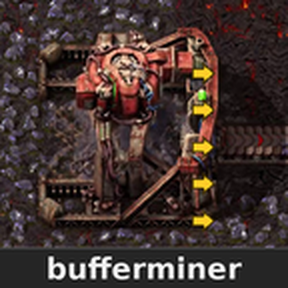
bufferminer adds internal storage and multiple front outputs to the existing Electric Mining Drill and Big Mining Drill.
Store mined materials inside each drill, inspect them alongside the normal mining window, and collect them without picking up the machine. The original drill graphics, module slots and mining information remain available.
| Mining drill | Front outputs | Internal storage |
|---|---|---|
| Electric Mining Drill | 3 | 42 slots |
| Big Mining Drill | 5 | 42 slots |
Each inventory contains 42 usable storage slots, displayed in two rows of 21.
When a belt or receiving container cannot accept more items, the drill can continue placing mined materials into its internal inventory while space remains. If the inventory fills and no output can accept materials, mining pauses until space becomes available.
All front outputs draw from the same inventory. Available outlets are used in turn, allowing materials to leave through another outlet when one is blocked. Place belts or receiving containers immediately in front of the output positions.
Turn on Alt-mode to see the yellow output arrows. The markers rotate with the drill and sit inside its footprint, keeping the receiving belts visible.
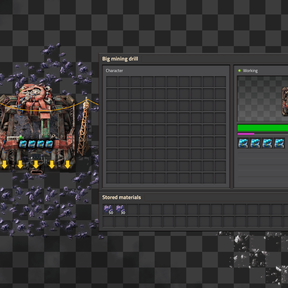
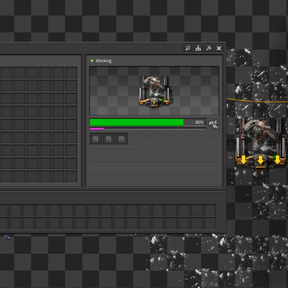
Opening a supported drill displays its Stored materials inventory below the normal mining window. You can inspect and move stored items while retaining access to:
- The original module slots.
- Mining progress and operating status.
- Mining speed and module effects.
- Resource and electricity information.
- Stored material counts and item quality.
Hovering over a drill also shows its stored materials alongside the normal drill information.
Materials can be collected directly from the placed drill using the game’s existing transfer controls:
| Default control | Action |
|---|---|
| Ctrl + left-click | Collect stored materials that fit in your inventory. |
| Ctrl + right-click | Use the game’s half-transfer action. |
| Hold Ctrl and a mouse button, then drag across miners | Collect from successive drills without clicking each one separately. |
Use an empty cursor and stay within normal interaction reach. These actions follow the linked game controls, so custom key bindings remain applicable.
Pickup feedback shows the amount collected. If your inventory has insufficient space, uncollected materials remain inside the drill. Stored materials are also recovered through the game’s normal collection process when you pick up the drill.
Item quality is preserved during storage, collection and output. Quality variants remain distinct.
The additional outputs and storage do not multiply ore production or increase mining speed. Mining continues to use the original game calculations, including module effects and mining productivity. The existing drills retain their normal power requirements and appearance.
Burner Mining Drills retain their original game behaviour. The storage and multiple-output features apply to Electric Mining Drills and Big Mining Drills.
The mod supports Factorio 2.1. Space Age is optional: Electric Mining Drills work in the base game, while Big Mining Drills are available with Space Age. Existing supported drills can be used when adding the mod to a save; replacement machines do not need to be crafted.
The Buffered mining drills startup setting controls the feature. Disabling it restores normal drill outputs and spills stored materials beside the drills for recovery.
Before removing the mod completely, collect the stored materials first. Alternatively, disable the startup setting, load and save the game with the mod still installed so its recovery process can release the buffered items, and then remove the mod.