Biter Cleanup


Continuously removes biter creep decoratives that aren't near a biter nest (or the mound of corpses left behind after destroying one). Performance impact should be pretty low but can be reduced further by adjusting settings if necessary.

Tweaks
a month ago
2.0
8.42K
Enemies Environment

g Can't actually tell if this is working

a month ago

I installed this on a late game save in hopes of restoring the landscape. The map is scarred from hundreds even thousands of destroyed nests, same areas are full screens of mess. Turned the cleanup speed to 20 because it's a large map and it has a lot of catching up to do. It's been running for a bit and I really have a hard time telling if any of the long term nest marks are getting deleted? If I turn on map icons I can see them randomly hitting all over the map but when I catch one near me I look and honestly can't tell. Maybe it's just too subtle and/or many overlapping decals to take care of? Is this something that needs to be in before the nest damage happens to track it?

To be honest I wish there was a command or button to hit and just erase them all in 1 shot for this case of cleaning up a whole map. Even if the computer grind to a halt for a few minutes to do it, just get that over with and then the normal settings would maintain it.

Also I see the icons show checking for nests on other planets such as Vulcanus, Fulgora, Aquilo. This seems not needed? Maybe performance would be better if we can disable it on certain planets? As far as I know Nauvis is the only use case for this. Perhaps this is true and just the map icons on over planets are visual only?

a month ago
(updated a month ago)

I could add a command to manually clean everything all at once, sure.

As for the other things, I should probably add some kind of logging to make sure it's not failing for some weird reason. It shouldn't care about overlapping decals, it should just clear an area around wherever it hits, so if it's definitely not clearing a spot then something's going wrong and it would be handy to know what. Also, it checks all surfaces - not just planets, but space platforms, inside modded buildings like Factorissimo factories, and temporary surfaces like tutorials and such too - primarily because other mods may add or alter other surfaces as they please, so they could put biters pretty much anywhere. I could perhaps add a setting-adjustable surface list or something of that nature with a default set for vanilla - it shouldn't dramatically impact performance but every bit of optimisation helps. It would have to be down to the player to update that with which surfaces to include though.

I'll keep you updated on when I publish these changes, unfortunately I have no estimates right now though.

a month ago

I can't believe I never noticed this on my own, thank you for telling me.

It wasn't cleaning up at all. I was performing a validity check on the decorative scan results - but they don't have a "valid" property. So when I checked for it, it came back nil, which compares as false in boolean logic. So every single time it tried to delete a decorative it was aborting at the last moment because I wrote the mod to not perform the deletion if it was invalid.

And the worst part is that I never needed to check for decorative validity. They don't track it. Decoratives aren't objects. There can't be an invalid reference because the game doesn't provide a reference for decoratives - you just get the coordinates of where it is and the type it belongs to. You have to tell the game to perform a deletion at those coordinates. If there was a decorative there and now there isn't, it just ends up deleting nothing, not crashing horribly like it would for an entity.

This mod. Since version 4.0.0. Has been doing nothing.

And you're the first person to notice. Before any other player; before the lunatic in the other thread who finished a playthrough in 3 days; before me, the author and tester, who has literally looked at it not clearing creep patches and thought to myself "Wow I'm getting really unlucky on these coordinate rolls, but it's fine, it'll get it eventually".

I'm a moron, you're a hero, and I'm pushing a fix for this most heinous bug in a moment, along with the "clean here" command I used for testing and the "clean everywhere" command you asked for. The other stuff will hopefully come later. Thank you.

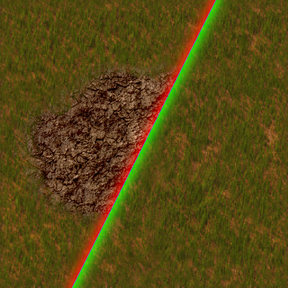
a month ago

Wow I did not expect to catch such a wild bug, really just thought I had 30 layers of decals to deal with lol.

a month ago

Ok it is definitely working now. With it turned up to 20 regularly seeing large areas of nest vanish.
I did try the new global command but it seem to lock up the game. I let it cook for 10 minutes before just calling it and restarting. It is ok I think at this rate the map will be clean in less than an hour.
Thank you for the quick fix!

a month ago
(updated a month ago)

Is this working for different surfaces? I don't notice any cleanup on planets other than nauvis in my Krastorio 2 + Space Exploration run. Even standing in the middle of a patch and calling "clean here" does nothing at all.

a month ago

It should be working if you're on the most recent patch - if you're on a surface without biters it won't do a lot, though, just check and then move on. What surface are you on and what are you trying to clean up?

a month ago

I don't know if you've ever played Space Exploration - it's got a lot of different planets. The one I'm on is called Mossgarden. Lots of biters that I killed, nests I destroyed. Cleanup did not work though. It also seems reluctant to clean on nauvis, but the clean here works fine there.

a month ago

The way it works is surface-agnostic. If it's able to clean on Nauvis then it should be able to clean anywhere, it calls the same functions with the same parameters save for the surface and x/y coordinates. That being the case, I can only conclude that if it's not cleaning then the specific decals spawned by nests on these other surfaces are not known to the mod. If that's the case I might be able to add compatibility, but it would be helpful if you could show me some screenshots or something so I can just do a sanity check to make sure.

I haven't played Space Exploration but if you send me your save I should be able to take a look and see what's really going on, if you'd like.

a month ago
(updated 15 days ago)

I'll try to whittle down the mod list so you don't have to download all of them, and prepare a save. Might take a bit though, depending on how much time I have to play.

edit:
I was preparing a savegame, and again tried the "clean here" command, but it seems to work now also on Mossgarden. I wonder if the cleanup was just extremely slow because of the huge number of chunks my game has (we're talking about several planets in the size range from 62x62 to 160x160 generated chunks each.
I can't run "clean everywhere" anymore because the game simply stops working for half an hour before I lose patience and kill it :-D

So disregard my question, it seems to work now when triggered manually at least, which is all I need.

New response
