
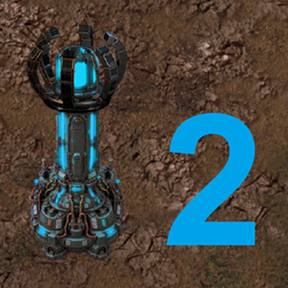
Repair Turret 2
A fork of Klonan's Repair turret, focusing more on the construction and logistic side of things
Advanced Turrets
In addition to Repair turret, this mod introduces the Advanced turret,
a much more capable construction beast that is designed to support megabase-ish scales
Both variants consume real items and energy; repairs also drain repair-tool
durability. They can construct entity and tile ghosts, perform upgrades, fulfill blueprint item requests,
and return deconstructed items to logistic storage.
Construction
Construction is the main reason this mod exists
Standard turrets work the original way, picking items to build from within their range
With advanced turrets, I wanted them to support huge bases and scanning with each turret around it
drops the UPS quickly when using thousands of turrets, so advanced turrets use a semi-global queue system,
which is shared among all the advanced turrets (per planet) - this queue is expandable by research
Advanced Turrets also use priority order to quickly build important items, leaving things like concrete in lower priority
This builds infrastructure and water foundations before large paving jobs.
Foundation tiles blocking an entity are temporarily promoted to top priority.
Advanced construction throughput
The shared advanced-turret bucket starts at 5 placements per
tick. Research can be used to increase this limit
Throughput: 10
Throughput: 25
Throughput: 50
The limit applies independently per planet.
Standard turrets retain their original independent construction.
Elevated rail and chain signals preserve their ghost rail layer, including
when the elevated track crosses water.
Performance settings
Some default settings bog down performance pretty heavily on big builds or weak computers, so adjust accordingly
- Hide paths removes logistic-path visuals for better UPS.
- Allow multiple actions per update controls multi-action turret updates.
- Construction effect can disable construction beams.
- Deconstruction effect supports full effects, beam only, or no effects.
- Robot charging, port count, charging rate, and turret range are configurable startup settings.
Disabling visual effects is recommended for exceptionally large construction
or deconstruction jobs.