
Rate Combinator
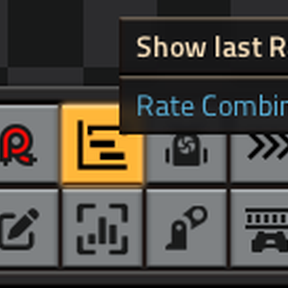
Adds a 1x1 sized entity to record pulsed signals from a circuit network, calculating rates and display them as time series data.
BETA STAGE
Well, it's the 1st public release and hence beta. There MAY be breaking changes in appearance and code during BETA stage...
Use Case
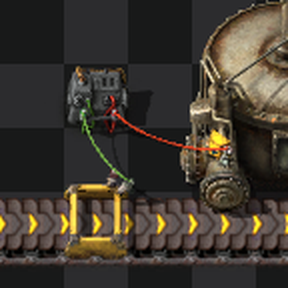
Lets take a trivial example:
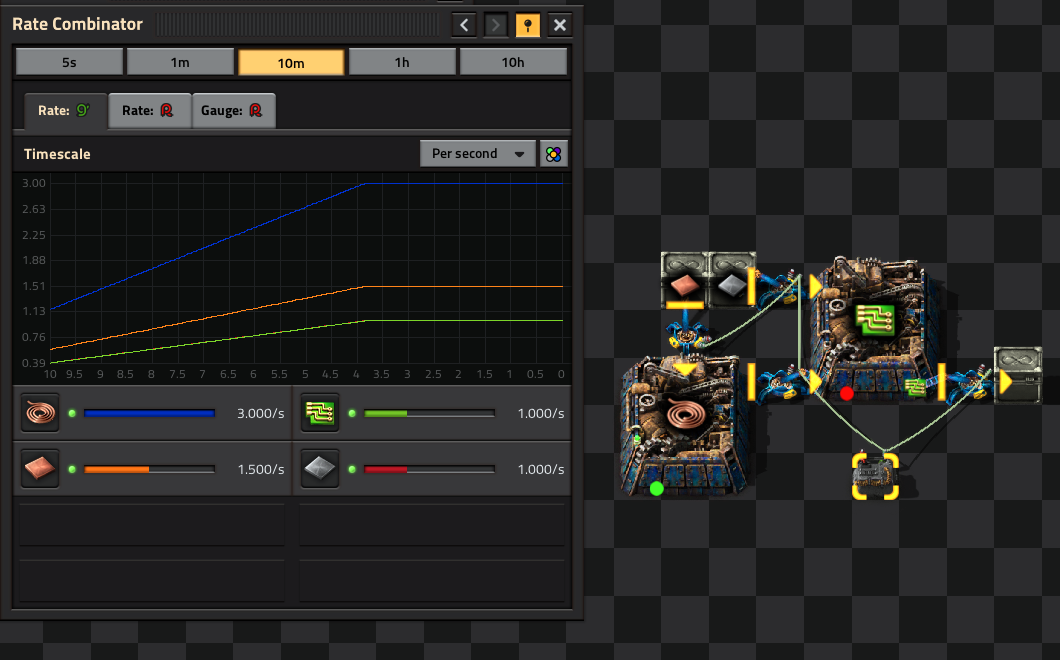
This builds green circuits, but does not provide sufficient copper cables. So, how many greens do you get with this build and how many iron plates does it consume?
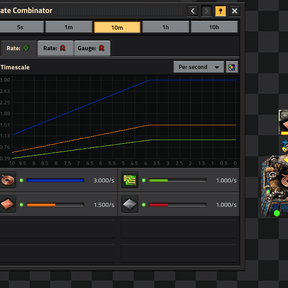
These questions are answered by RateCombinator:
- Copper cables are running at max speed, giving 3/s and using 1.5/s plates
- You get 1/s greens, using 1/s iron-plates
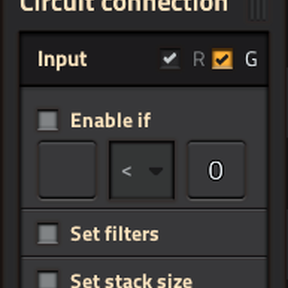
Just place a RateCombinator nearby and connect the inserters with GREEN wires. Each inserter must be configured to "Read hand contents" and output a Pulse signal:
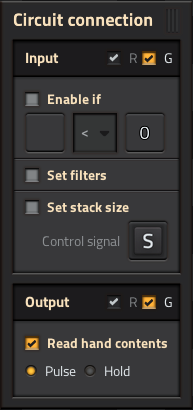
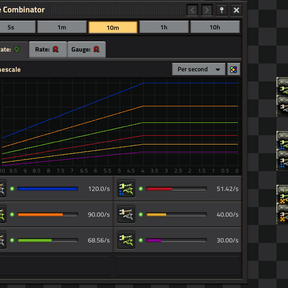
(other settings are optional)
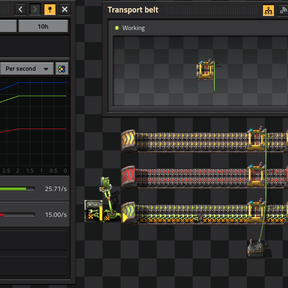
It is also possible to measure belts:
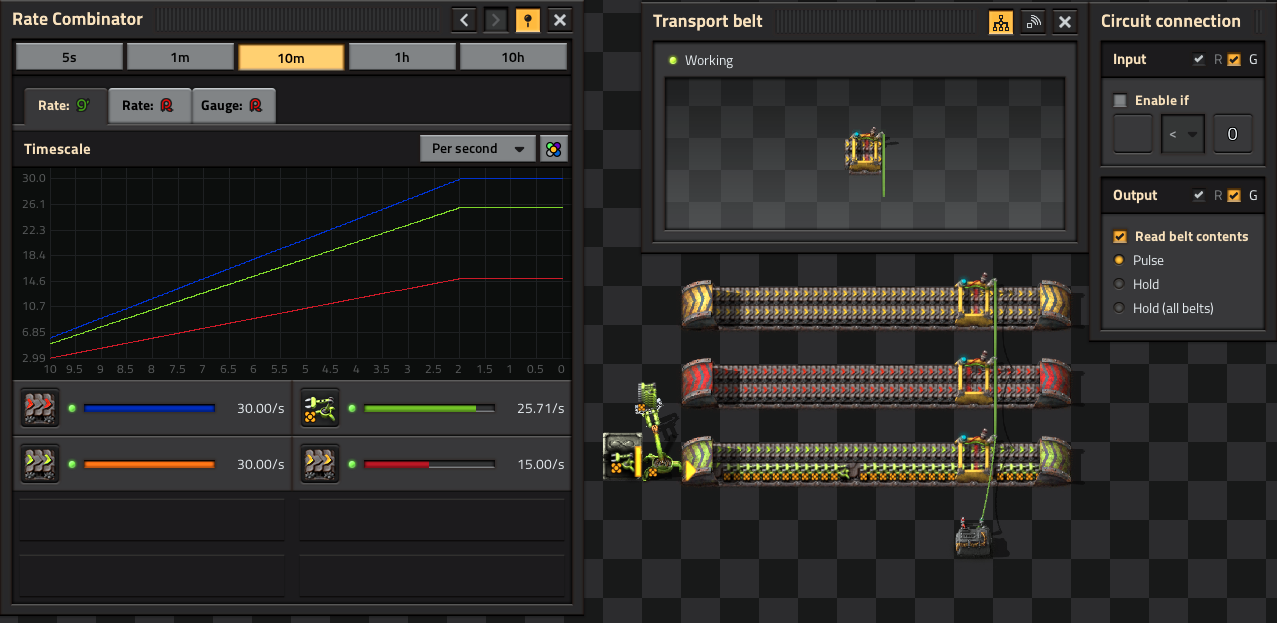
(Input signals are optional)
IMPORTANT:
Always use a GREEN wire for the Rate Mode, which ONLY contains the signals you want to measure!
(RateCombinator expects a PULSE for each item to count)
Modes of operation
RateCombinator uses a round-robin-database like storage, which supports these two modes:
- Rate (with GREEN wire)
- Gauge (with RED wire)
Both modes are supported by one RateCombinator. Just feed both signals (green and red)
Rate Mode
This mode uses the output generated by entities from a Pulse signal as input and calculates a running average over 5 intervals, like the vanillia statistics page. Currently this mode is selected by providing the pulse-signal on the GREEN wire.
Gauge Mode
Gauge mode is hard to explain and an advanced feature, which is subject to be nerfed in a future release to support inputs for rates on red and green wires. Like separate circuit-networks which came with Factorio 2.1...
This mode is selected by providing a content signal on the RED wire, like from chests and storage-tanks for liquids (also pipes in 2.1). RateCombinator monitors and calculates 'rates' from the content. It's important to understand that these 'rates' are FILL-RATES, not production- or flow-rates! So the fill-rate may be negative.
The initial idea was to monitor a storage-tank for lubricant and verify the somehow lower production can cope with a burst-consumption, indicated by a positive or zero fill-rate...
As a known issue, when you initially connect (or empty the storage-tank) the shown fill-rates do not correspond to the real rates and need quite some time to recover (the interval time). From my experience, this feature is not as useful as expected...
However, there may be some use case for trains and train-stations, like how many trains are targeting a specific station. (feel free to drop me a note about your use-case)
Connecting a RateCombinator to a reasonable sized logistic network through a robo-port which reads the content of the network is considered abuse! Just because of the number of input signals and the processing required, this WILL cause performance issues! (you have been warned...)
Performance
Performance was a high priority during development, so I spent quite a lot of time for fine-tuning. I expected quite a huge impact because of on_tick() processing, but was surprised that it is not as bad as expected...
Even rendering the graph for 5s interval (graph update each tick), works well on my old PC.
See Map Settings.
Settings
Map Settings
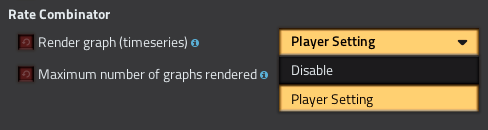
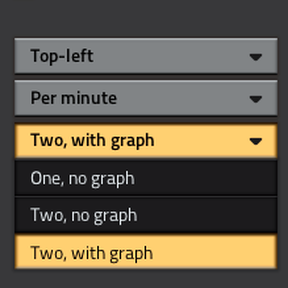
You can limit the number of graphs rendered, or disable graph rendering at all for better performance.
Player Settings
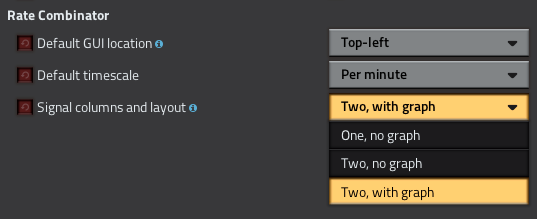
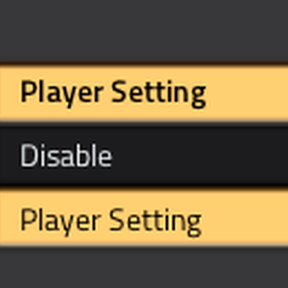
If enabled in map settings, each player may select RateCombinator's appearance.
Known Issues
- gauge mode showing 'wrong' fill-rates on initial connect (see Gauge Mode above)
Multi Player
Care has been taken to support cooperative multi-player gaming, but this is completely UNTESTED, because of missing testing capabilities. Due to the nature of this mod (collect and process a fair amount of data), usability in multi-player is questionable -- take care.
See also Clean Uninstall.
Clean Uninstall
With the default settings, RateCombinator will create a new (invisible) surface to render its graph. For a clean uninstall:
- disable graph rendering in map-settings (removes surface)
- save game
- disable/uninstall mod
Credits
- MightyMooquack for his initial timeseries mod, where I got the idea from
- raiguard for his RateCalculator, from which I really learned a lot about Factorio's GUI coding