
Search the Mod Portal by entering a search term.
To search for specific phrases, surround them with double quotes (").
The mod portal will match your query against the mod title, internal name, summary, and username of the mod owner.
To further refine your search, use the sidebar on the left. Enable the checkboxes to limit the search results to selected categories and tags or use the ban button to exclude them.
You can reset your filters by clicking the active tab on the top.
There's a lot of caching on this page. It can take several hours for new mods and updates to show up in search results.

Adds tools to make fluid handling with pipes much better. -Orphan finder -Pipe cleaner (In Blueprint Menu) -Underground Pipe Highlighter Press <CTRL SHIFT P>(press again to toggle off) - Pipe Highlighter Verify connections by hovering over pipes. (Configurable in mod settings) -Pipe clamps Press <CTRL + R> on pipes, or use tool from Blueprint Menu (Like flow control but automatic) -Auto clamps (close proximity pipe laying without pipes connecting) toggle with /autoclamp or <CTRL SHIFT C>...
Providing the player with new tools or adjusting the game interface, without fundamentally changing gameplay.

Assist train organizations and dispatches. Adds a GUI listing idling and stalled trains (or other customizable filters). Displays train status, for easy and quick schedule inspection and assignment. (Locale: English, Deutsch, 正體中文, 简体中文, Português Brasileiro)
Providing the player with new tools or adjusting the game interface, without fundamentally changing gameplay.
Providing the player with new tools or adjusting the game interface, without fundamentally changing gameplay.

Enforces 90° angles for auto-connections when electric poles are placed.
Providing the player with new tools or adjusting the game interface, without fundamentally changing gameplay.

Providing the player with new tools or adjusting the game interface, without fundamentally changing gameplay.

Automatically switch trains into manual mode when they arrive at a temporary stop (created by Ctrl+Click on the map in train menu). If you change the condition on the temporary stop to anything other than the default of "wait 5s", the train will NOT switch into temporary mode.
Providing the player with new tools or adjusting the game interface, without fundamentally changing gameplay.

Revert a product back to its ingredients. Designed for recycling unused items. (Locale: English, Deutsch, 正體中文, 简体中文, Русский, Português Brasileiro)
Providing the player with new tools or adjusting the game interface, without fundamentally changing gameplay.

Add-on utility for IR3. Constant combinators in the same chunk as forestries are updated with a signal representing the number of husbanded trees.
Providing the player with new tools or adjusting the game interface, without fundamentally changing gameplay.

Adds a redo keybind and shortcut for when you undo too much. Integrated into vanilla 2.0!
Providing the player with new tools or adjusting the game interface, without fundamentally changing gameplay.

Gives you an overview of your production rates NEW UI Scale NEW multiple views NEW integrated setting view, number of rows/columns, create/delete instance NEW Insert/Delete Rows
Providing the player with new tools or adjusting the game interface, without fundamentally changing gameplay.
Allows blueprints to be used much earlier. Once a blueprint is placed, nearby entities will be auto-placed at 5/second so long as you have the objects in inventory and are standing still. Once items are marked for deconstruction, they will be auto-removed and put into inventory so long as you are standing still. Press b to toggle building, press n to toggle demolishing.
Providing the player with new tools or adjusting the game interface, without fundamentally changing gameplay.

Enables alternate en locale with 'aluminium' spelling for Aluminum mod.
Providing the player with new tools or adjusting the game interface, without fundamentally changing gameplay.

Inventory items and grid equipment inside destroyed containers, like chests, vehicles (cars, tanks), will now spill over ground, instead of simply vanish. Adds a hotkey to pick items on ground with adjustable pickup radius. (Locale: English, Deutsch, 正體中文, 简体中文, Русский, Português Brasileiro, Français)
Providing the player with new tools or adjusting the game interface, without fundamentally changing gameplay.

Mod Mash Splinter for Regenerative Technology, utilizes unique properties of the inhabitants of Nauvis to allow self healing structures
Providing the player with new tools or adjusting the game interface, without fundamentally changing gameplay.
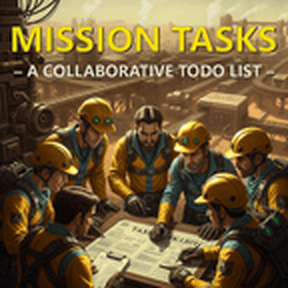
Organize tasks, assign players, set locations, and comment in real-time.
Providing the player with new tools or adjusting the game interface, without fundamentally changing gameplay.

adds 2 asteroid belts to the starmap, doesnt add any gameplay
Providing the player with new tools or adjusting the game interface, without fundamentally changing gameplay.

Providing the player with new tools or adjusting the game interface, without fundamentally changing gameplay.

Displays a "notification" in chat when your force completes research. Useful if you want to stay informed about your research queue's progress. Also includes an option to force research queues to be turned on at all times.
Providing the player with new tools or adjusting the game interface, without fundamentally changing gameplay.

Speed your world up to 10,00x time faster, or down to 0.1x speed. Computers, be warned! You can down your auto save rate before boosting to ease the load on your computer. 600,000 UPS? Buttons appear on the top left. View the project page on https://mods.factorio.com/mod/SpeedyControl for more info. Server (For bugs): (https://discord.gg/nWrdGbzjrJ)
Providing the player with new tools or adjusting the game interface, without fundamentally changing gameplay.

Hit the ground running with a spidertron, robots, and more in your next game! This mod is meant for players who have already beaten the game at least once.
Providing the player with new tools or adjusting the game interface, without fundamentally changing gameplay.
