Search the Mod Portal by entering a search term.
To search for specific phrases, surround them with double quotes (").
The mod portal will match your query against the mod title, internal name, summary, and username of the mod owner.
To further refine your search, use the sidebar on the left. Enable the checkboxes to limit the search results to selected categories and tags or use the ban button to exclude them.
You can reset your filters by clicking the active tab on the top.
There's a lot of caching on this page. It can take several hours for new mods and updates to show up in search results.

qol. Most machines and furnaces only require 100 iron plates to craft. OHHHHHHHHHHH!
Providing the player with new tools or adjusting the game interface, without fundamentally changing gameplay.
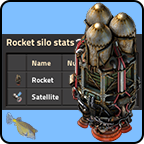
This mod shows a gui with statistics on rocket launches and as in the vanilla Factorio up to version 1.0 statistics about the payload and more. In addition, a distinction can be made by surface, with Space-Age the launched astronauts and the quality of the payload can be displayed.
Providing the player with new tools or adjusting the game interface, without fundamentally changing gameplay.
Providing the player with new tools or adjusting the game interface, without fundamentally changing gameplay.

This mod will give you an extra inventory slot for each different item type in your main inventory.
Providing the player with new tools or adjusting the game interface, without fundamentally changing gameplay.

Providing the player with new tools or adjusting the game interface, without fundamentally changing gameplay.

Automatically hide HUD when inventory is closed and show when opened. Or do it manually with hotkey.
Providing the player with new tools or adjusting the game interface, without fundamentally changing gameplay.

Based off the original mod `QueueToFront`. ALT+Q to toggle the queuing mode between back queueing(default) and front queueing. This version adds a map setting that allows the admins block new recipes if the recipe queue limit has been reached. There is also a command `/crafting_queue_list` that can be used to list the mode and count of all the connected players to help track who might be causing the server to lag.
Providing the player with new tools or adjusting the game interface, without fundamentally changing gameplay.

Enforces 90° angles for auto-connections when electric poles are placed.
Providing the player with new tools or adjusting the game interface, without fundamentally changing gameplay.
Providing the player with new tools or adjusting the game interface, without fundamentally changing gameplay.

Providing the player with new tools or adjusting the game interface, without fundamentally changing gameplay.

Allows you to void any item or fluid, at the cost of a lot of power and pollution.
Providing the player with new tools or adjusting the game interface, without fundamentally changing gameplay.

Providing the player with new tools or adjusting the game interface, without fundamentally changing gameplay.
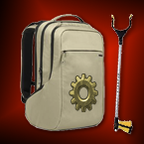
Big bags everywhere ! More space in inventory, toolbelt, logistic and trash slots, robots cargo size and speed, bigger stacks & pickstick to increase your picking distance...
Providing the player with new tools or adjusting the game interface, without fundamentally changing gameplay.
Providing the player with new tools or adjusting the game interface, without fundamentally changing gameplay.

* Snipping: Screenshots a selected area, similar to programs like the Windows Snipping Tool or Flameshot. * Timelapse: Automatically does screenshots of the whole base in set minute intervals. Written to be performance friendly. Aims to be your do-it-all toolkit for screenshots.
Providing the player with new tools or adjusting the game interface, without fundamentally changing gameplay.

Adds a shortcut (Alt-W) for giving free wires, repeat presses cycle between wire types. Adds nicer looking wire shortcuts than vanilla.
Providing the player with new tools or adjusting the game interface, without fundamentally changing gameplay.

Single slot containers, designed for mods that consider storage size (Like space exploration)
Providing the player with new tools or adjusting the game interface, without fundamentally changing gameplay.

Providing the player with new tools or adjusting the game interface, without fundamentally changing gameplay.

Schall's machines support Bob's crafting recipe categories.
Providing the player with new tools or adjusting the game interface, without fundamentally changing gameplay.

Allows each player on a map to decide whether they want components returned by mining (requires components overhaul / mining results to be enabled).
Providing the player with new tools or adjusting the game interface, without fundamentally changing gameplay.