
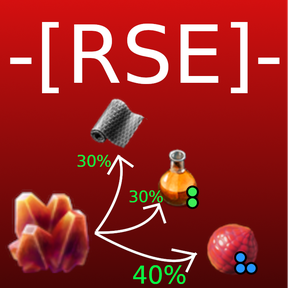
Runtime Spoilage Engine (RSE)
RSE lets Factorio mods decide at runtime what a spoiled item becomes. The shape of results selects the mode automatically: do not specify random, conditional, quality_change, or another mode flag.
The prototype named by original_item_name must already exist and be spoilable. RSE changes its result; it does not add spoil_ticks.
placeholder_spoil_into_self defaults to true, protecting items that spoil inside inaccessible crafting buffers. If you explicitly disable it, consider setting fallback_spoilage.
Common fields
Every registration is a uniquely named mod-data prototype.
---@class RseResult
---@field name ItemID
---@field quality? QualityID Explicit output quality; omit to preserve current quality.
---@field weight? integer Positive relative probability in a random result array.

---@class PlaceholderOverrides
---@field icon? FileName
---@field icons? IconData[]
---@field localised_name? LocalisedString
---@field localised_description? LocalisedString

---@class RseRegistrationData
---@field original_item_type string Usually "item".
---@field original_item_name ItemID Existing spoilable prototype name.
---@field results RseResult|RseResult[]|table<string, RseResult|RseResult[]>
---@field key_selector? string Name of a built-in or custom key selector.
---@field items_per_trigger? ItemCountType Advanced; defaults to the original stack size.
---@field placeholder_spoil_into_self? boolean Defaults to true.
---@field fallback_spoilage? ItemID Used when placeholder_spoil_into_self is false.
---@field additional_trigger? TriggerItem
---@field placeholder_overrides? PlaceholderOverrides
All item registrations may retain custom placeholder presentation:
placeholder_overrides = {
    icon = "__your-mod__/graphics/icons/placeholder.png",
    localised_name = {"item-name.your-placeholder"},
    localised_description = {"item-description.your-placeholder"},
}
Set quality on a result to request that quality; omit it to preserve the spoiled item's quality. No quality mode flag is needed.
Registration templates
Copy exactly one template whose result shape matches your use case. Prefix prototype names to prevent collisions.
Fixed result
data:extend({
    {
        type = "mod-data",
        name = "your-mod-fixed-spoilage",
        data_type = "rse_registration",
        data = {
            original_item_type = "item",
            original_item_name = "your-mod-spoilable-item",
            placeholder_spoil_into_self = true,
            results = {
                name = "iron-plate",
                quality = "rare",
            },
        },
    },
})
Random result
Use an array without key_selector. Give every entry a positive integer weight, or omit all weights for equal probabilities.
data:extend({
    {
        type = "mod-data",
        name = "your-mod-random-spoilage",
        data_type = "rse_registration",
        data = {
            original_item_type = "item",
            original_item_name = "your-mod-spoilable-item",
            placeholder_spoil_into_self = true,
            results = {
                {
                    name = "iron-plate",
                },
                {
                    name = "copper-plate",
                    quality = "rare",
                },
            },
        },
    },
})
Built-in key selectors
Built-in selectors are always available and do not require an rse_function registration.
| Name | Returns | Matching results keys |
|---|---|---|
quality |
event.quality |
Quality names such as normal, uncommon, rare, epic, and legendary |
Use the selector name directly:
key_selector = "quality"
For example, if the spoiled item has rare quality, this selector returns "rare" and RSE reads results.rare (equivalent to results["rare"]). Built-in names are reserved and cannot be reused by custom rse_function registrations.
Custom rse_function
The function receives EventData.on_script_trigger_effect. Its return value is converted to a string and used as a result key. Consequently, every key in a keyed results table must be a string. Its prototype name is the registration's key_selector.
Selector event
RSE calls the selector synchronously with the Factorio on_script_trigger_effect event generated when the registered item spoils. The event contains these fields:
| Field | Type | Presence and meaning |
|---|---|---|
name |
defines.events |
Always present. The on_script_trigger_effect event ID. |
tick |
MapTick |
Always present. The tick on which the item spoiled. |
effect_id |
string |
Always present. The RSE placeholder prototype name, such as "steel-plate-rse-placeholder". |
surface_index |
uint32 |
Always present. Index of the surface where spoilage occurred. |
source_position |
MapPosition |
Position of the source. |
source_entity |
LuaEntity |
Entity associated with the spoiled item, such as its container or the item-on-ground entity itself. |
target_position |
MapPosition |
Position of the target. |
target_entity |
LuaEntity |
Target entity associated with the spoiled item. |
cause_entity |
LuaEntity |
Entity that caused the trigger sequence. |
quality |
string |
Quality name of the spoiled item, such as "normal". |
RSE spoilage events contain all six source/target/cause fields:
- Inside an entity,
source_entity,target_entity, andcause_entityrefer to that entity, with both positions present. - On the ground, the three entity fields refer to the same
item-on-groundentity, with both positions present.
The quality field is also present in both cases.
For example, a selector can branch on both quality and the type of entity containing the item:
function(event)
    if event.source_entity.type == "character" then
        return "character-" .. event.quality
    end
    return event.quality
end
data:extend({
    {
        type = "mod-data",
        name = "your-mod-select-entity-type",
        data_type = "rse_function",
        data = {
            func = [[
                function(event)
                    return event.source_entity.type
                end
            ]],
        },
    },
})
Keep function source self-contained and make it evaluate to a function.
Keyed deterministic result
Map each key directly to one result. Use a built-in key selector or register a custom one separately.
Keys must be strings. Lua's identifier syntax already creates string keys: normal = value is exactly the same as ["normal"] = value. For values that are not valid Lua identifiers, use explicit string keys such as ["2"] or ["true"]; do not use numeric ([2]) or boolean ([true]) keys.
data:extend({
    {
        type = "mod-data",
        name = "your-mod-keyed-spoilage",
        data_type = "rse_registration",
        data = {
            original_item_type = "item",
            original_item_name = "your-mod-spoilable-item",
            placeholder_spoil_into_self = true,
            key_selector = "quality",
            results = {
                normal = {
                    name = "iron-plate",
                    quality = "rare",
                },
                rare = {
                    name = "copper-plate",
                    quality = "normal",
                },
            },
        },
    },
})
Keyed random result
Map each key to an array. Weight every entry in every array, or omit all weights.
data:extend({
    {
        type = "mod-data",
        name = "your-mod-keyed-random-spoilage",
        data_type = "rse_registration",
        data = {
            original_item_type = "item",
            original_item_name = "your-mod-spoilable-item",
            placeholder_spoil_into_self = true,
            key_selector = "quality",
            results = {
                normal = {
                    {
                        name = "iron-plate",
                        quality = "rare",
                        weight = 1,
                    },
                    {
                        name = "iron-plate",
                        quality = "epic",
                        weight = 2,
                    },
                },
                rare = {
                    {
                        name = "copper-plate",
                        quality = "normal",
                        weight = 1,
                    },
                },
            },
        },
    },
})
RTM error reference
Registration errors include the mod-data prototype name in the message. When an error points here, compare the registration with the single matching template above.
RTM stands for Read The Manual. RSE reserves RTM Error for registrations that do not follow the documented template. A friendlier Registration error instead describes contextual problems such as a missing prototype, a duplicate target, a missing key selector, invalid function source, or a selector returning an unmapped key.
rse_registrationrequiresoriginal_item_type,original_item_name, andresults.rse_functionrequiresdata.funccontaining Lua source that evaluates to a function.- A fixed result is one table with a string
name. - A random result is an array of result tables.
- A keyed deterministic result has
key_selectorand maps every key to one result. - A keyed random result has
key_selectorand maps every key to an array. - Do not mix single results and result arrays in one keyed registration.
- Random results must all use positive integer weights, or all omit weights.
key_selectormust be"quality"or exactly match a unique customrse_functionprototype name.- Every keyed
resultskey must be a string. Selector returns are converted to strings:true, for example, selects["true"], and2selects["2"]. - Prefix all
mod-datanames with your mod name to avoid collisions.
If no runtime result is found, check that the selector returns a key present in results and that the output item exists.
Thanks
- PennyJim for helping by offering the first version of data validation.
- Majoca22 for finding and helping solve several selection bugs.