
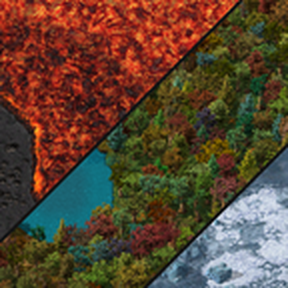
Design your own Space Age planets in an in-game Planet Designer, with no modding needed. Then play them in any Space Age game, start a new game on one, or share them with other players as planet codes (like blueprint strings).
The Planet Designer
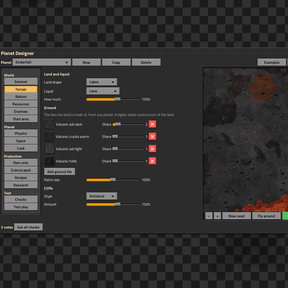
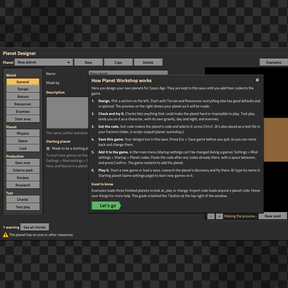
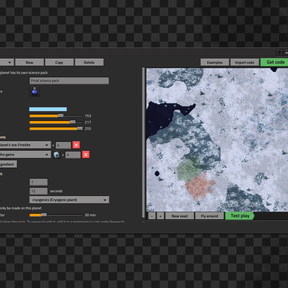
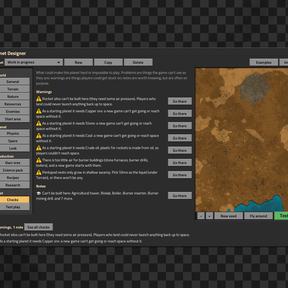
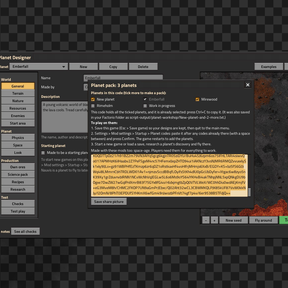
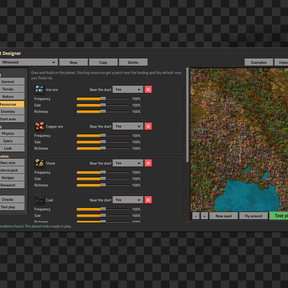
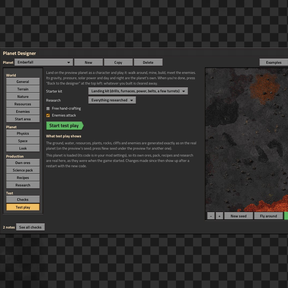
Start New game > Scenarios > Planet Designer (Planet Workshop). A short "How it works" guide opens first. Then you get a window with a live preview of your planet, made by exactly the same rules the finished planet uses:
- World: land shape, liquid (water, lava, oil, ammonia, slime), up to 12 ground tiles from any planet mixed by share, cliffs, plants, rocks, decorations, resources (with frequency, size, richness and "near the start"), and enemies (biters, pentapods or demolishers).
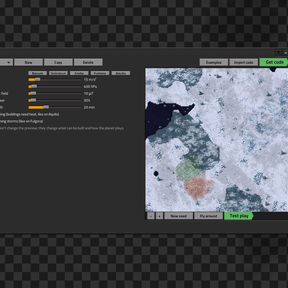
- Planet: gravity, air pressure, magnetic field, solar power, day length, freezing, lightning storms, the space route and its asteroids, its place on the star map, and its look. By default the picture in space matches the colour of its ground. "Same as" buttons copy a vanilla planet's physics, or add its resources, in one click.
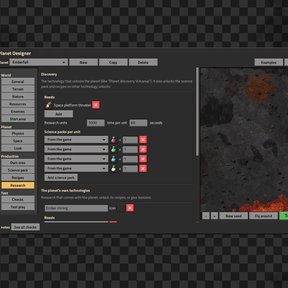
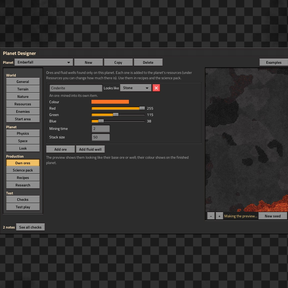
- Production: the planet's own ores and fluid wells, its own science pack (ingredients, machine, time, made only there, spoiling), its own recipes, and its own research: the discovery technology and new technologies with prerequisites, costs and rewards.
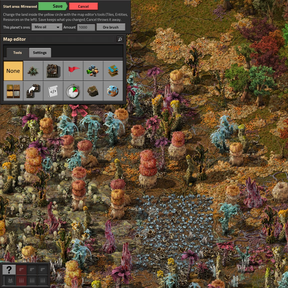
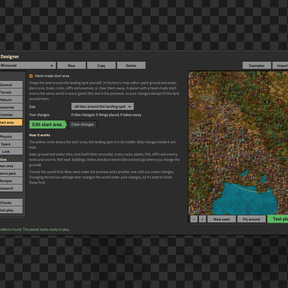
- Start area: shape the land around the landing spot in Factorio's own map editor. Paint ground and water; place ores, trees, rocks, cliffs and nests. The planet is then the same world every game, with your changes on top.
- Checks: what could make the planet unplayable (no air for a rocket silo, an ore that never generates, pentapods without swamp, research that needs itself...), each with a button to the section that fixes it.
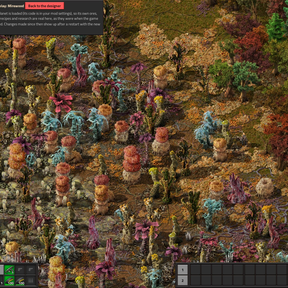
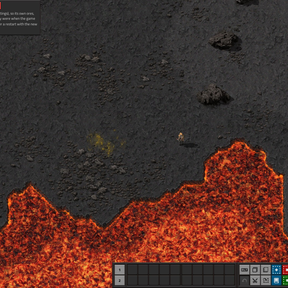
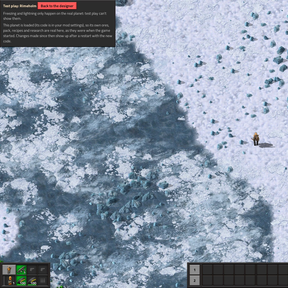
- Test play: land on your planet as a character with a starter kit, its own gravity, pressure, solar power and day and night, and awake enemies. Then come back to the designer.
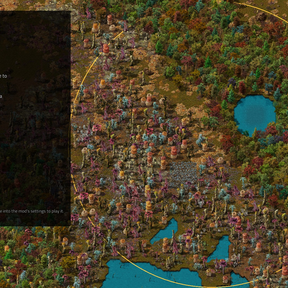
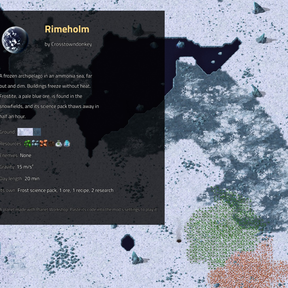
- Examples: three example planets to play, look at or remix: Emberfall (volcanic), Mirewood (a starting planet) and Rimeholm (frozen).
Play your planets
- In the designer, press Get code (it's already selected: Ctrl+C).
- Paste it into Settings > Mod settings > Startup > Planet codes. Several codes go one after another, with a space between.
- The game restarts, and your planet is in the tech tree and on the star map, with its own research, pack, recipes and ores.
Start on your own planet: type a planet's name in the Starting planet setting. New Freeplay games then crash-land there instead of Nauvis (Nauvis is still there, to fly to later). Tick "Made to be a starting planet" in the designer to check it has what a new game needs.
Share them
- Planet packs: tick several planets in the Share window to put them in one code.
- Share picture: saves a picture of your planet with a card about it, ready to post next to its code.
- Import code: load anyone's planet into the designer to play it or change it. Change someone else's planet and share it, and it becomes your remix: its own id, you as author, and "Based on X by Y" in its description.
- Codes list the other mods a planet uses, so a game without them says which one is missing.
Good to know
- Planets are added when the game starts, so a new code needs a restart, like any mod setting.
- In multiplayer, everyone needs the same codes (Factorio syncs startup settings when you join).
- Removing a planet's code from a save deletes that planet, and everything built on it, from the save. Changing a code (same planet, new version) keeps the planet; things that were taken out of it disappear. Add planets freely, remove with care.
- All graphics are Space Age's own, tinted.
Try it now
The three example planets as one code (also in the designer's Examples button):
PW1:eNqtl1uPmzgUx7+KxXOIQjLpJU/d7bZv+7Lat1EUOWDAisFZ2yRLR/Pd939sEghhLl11RpoWc2yf+4/zFB0Vr4Wz0ebxKZJZtInEv6LaC5NzpaJZVPNKYPHbYIk3rtQGi1+Nttbpc53p+iBavMqETY08OqlrvP+NtbqpC3bSKuW1TNlZG5UxnbO94umBcVsyXmdM8RNnVnA7Z19lnQkjnZgxzgqlzxL7teF1IfAPVnNtKsvOpTCCuVKEvanWCpv/NoJnLOVG5I1S7YZlotJKWghbZjSv/A66FUbL2s6hsdL6EG2enmeRPfIUpj5FudEVtD81pHVjSUjUhSujzXKBH1gpreM1CS8fZpE2UtSOB5sX89UsqnhRS9dkgp4/w2HWCaNlBifDn81J2t31cFx8LFsrU0tXF4afpGujzQrXHI2wtjGCnuhaOlY4me5yKVRG2kBprbjZHfVZICDLNSnH291F3xVOx9UGxtLptuRHCqbiB+HNkv80PuTkxOvzjleImos2yXwNJbhLy52VP7AxmUFBvMt8sjip6LBLcGP4Nc64OeAgXERqL59n92KpQehtfOam6iWTKUk6UMmidG/I5VpldiiznUWpknnuXWpdG8T7cA4MJPejAFwvSpUQZaaNnRF42PbiCy9uNNS/lb5qEt4NtiyfsUPUopLC7zlIcl40yMtofD6yPBQjVdQmSi8FAcFuN2KOqF1L8+tAYs8tLaEoa3p0ks59TGaL+cMaf5I1dKtkjaLaOUm7l3CbQ0C6CK8X5DxooBuTdnpcnnDuFyi3GWqEvQaXFNHGmUZQcAbS0ug6xo5otJ7q41GY6Tdcjddso/LGUDqkMosL0VqkOmlpU9RdqNhhk2LdOkM5H259QC5Ybq9eqoRDQ2tMgcO7TXG3CSYZkVFdkw8e7wyHHx9hvBAqRvrQSrKlrOvyim4ljRLUY4rXhTY+lobn3luIcq3aHTWxi+dgciqPE6GP9zD+MA4386v2Hao+bENEG9UJ+OS4nLryavcq2kqoTsVgwmq+JGc7kZa1VrqQNyp6UsQho0awYNdV9DEj0Fks9PH18gUNNNUngRt7p62oxXV3LibMCpFJyPFpiYJKuRpFzYdA5LlIO5y51re7plaoyzg4OLp4mtI5/G9z42jfYcLGYEGcGakQZ6OzJnWS+nO816GTVDqT6MaGihd9B7+zK0UracRZ60Gl/tmv/ARDM14dCXvCuh6gvoV7eO51YWes4hl4qJkvSKCzFmdW4Fam6zn7Rq52JaGUd0jOeeoQcciJzDJpWaq0FWzfzvyhxEk6GFQWRyIxemHNyCKmpcJr7lho5AzlpXGVh+mlHezCR0XI7dcYG2g4IGyyHBE2uSfsh+UNYpN5MonYQok9f4mvyQ1fk0m+fhzz9dMIr5+n8bqXRXyH2DNqzEwxdvkOxkJta+Nlz7jVgIP4SIK3sxhUOKGuVbPf+5smkJlJ4+IPb6LyGpVbMk2BMuQlRL23405kO2bsBDTDEuUMUoE7aO9ucZtMs3MPuRE2P05wk3I1Rq722MxVI0fFyIJAx4PUIJ+6PR01Om5+oj+rMTuTV1l5pd8blBzQ8A3JC9XfOI6rN2Wuho5eeHZcPRfMG1PJv/a1f9PzL+5kg1eTaOoDg6obs+kokA1KNFWMjhLNPi6o3ftvwLBluRjxCqvUmeF/O6TW+hVmBQMIIUi9dmTBcP2OW6PLBsBfv8ouNHtKcbSvO2KReVDQurtvkP9Ns9sAjaBkoGSpVdWb/Ve/8hNQQv/+ASJwk5a4U/FCAwRAB+NVpWvpxzkMa9ww3TiPlExWc/Z7I1UGtSwOEOKHYGeJKyFRCu7m7Dvudd3wd+QKDFJNN/cBUTm1RbqG6GRrffZ92gZiSWdvvvyIUWcQ8sxb2lJylZN6uMy8PvZxRFzpAZJW46Hv4dMdktAgbqe+T7dICofuAk1sizfVTmSFeBFP6yGeHqbolIzptBrRicZD7+VBG5jC1SCGQ2B1gZxA1ghYNCXeI4viE+f4Np6Gln+dEjvsNKokCgGHFuWIVhMkgSiIV7xn8Kqpg97DIu/y7sUZ63sv0MGiMZj40KdC377iYu1xQYU9YgV56WcnrYFa7xu03o+aF4nwxhGgdElm41u5vjsFhNW0Hp9QGy/MaN6TL8xo+LQLsE22Ayi3uhD1O0e03mMP1FqRGd0AdDeZLUeTWXeLvZ/NqEXAMzvEs/EgWC0mxzVqOPcZ4/vQKzjsNV6OYdhpP3u8kD8ZwW8Iq+s4P54sXwahvzpWIXFuwtOtvW9wW/eDGz6WXh3cfK/9VZzz/g5wC/ZkmFXiVKtB3f5B4wstMThWUKebNIsctBm4Y5Awi966Dx7tOcraXVPjV1mr+F4bTiPZzaA5GjEXa4/z7fN/qKleLA==