Ore-ganizer

by 0n0w1c

Take control of your resources!

Tweaks
7 days ago
2.0
4.91K
Environment Mining Fluids Cheats

g Quality not Copy/Paste Correctly

14 days ago

If you use a higher quality resource drill (eg a legendary big mining drill), then you cannot copy/paste it. Doesn't matter what kind of blueprint (autosnap, grid, absolute grid, even just copy + paste), it simply won't work.

Resource Pumpjacks also have very strange behavior when you try to copy paste, even without quality. I can't always reproduce the bugs. It might have to do with rotations?

13 days ago
(updated 13 days ago)

Hmm, could you maybe supply your mod list?
I am unable to reproduce this issue. When I place legendary Resource big mining drills and pumpjacks, copy & paste, pipette, and blueprints work fine.

13 days ago
(updated 13 days ago)

Could you explain more, when you say it simply won't work, could you describe what is happening? Blueprints are not created? Do you see the ghosts on the cursor? When you attempt to place them, any flying text message or sound generated?

13 days ago

It dawned on me, are you upgrading normal quality to legendary? If so, make sure to upgrade to Resource drills. If you upgrade to normal, then the only to copy and paste would be to resource tiles like normal.

13 days ago

Perhaps its because I have the normal drills disabled by mod option? If I used Q to select the drill and try to place it manually, it works just fine. If I try to blueprint it works all the way except won't place the drills. Not sure how to get my mod list.

13 days ago

Hmm, I will check that now.

13 days ago
(updated 13 days ago)

I am able to blueprint a legendary Resource big mining drill and the blueprint works as expected (with the vanilla recipes removed).
If you take the blueprint that will not place, and attempt to place it on a resource patch, does it work?... If so, a vanilla mining drill has replaced the Resource mining drill before the blueprint was made. That blueprint can only be placed on resources.

That said, I would not advise enabling that startup setting. It was a suggestion from a user, but I have considered removing it or I need to make a significant change to the mod. Currently, Resource mining drill's next_upgrade is set to the original mining drill. When I first wrote the mod, I expected people to not trust the Resource drills and want to switch them for the original mining drill. Without the original drills for the upgrade, it breaks the use of the upgrade planner.

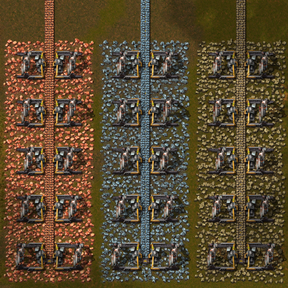
13 days ago

A simple solution came to mind for the startup setting, with version 0.14.1.
It is obvious, but I missed that if the vanilla recipes are hidden, you can not upgrade to them and therefore next_upgrade is not a useful feature.

13 days ago
(updated 13 days ago)

As for resolving your issue, I am at a loss as to why.

This is what you should expect:
1. Open the Resource selector and select "stone".
2. Open your inventory and click on a legendary Resource big mining drill and place it on Nauvis.
(Hover your mouse on the drill, check the info box to verify that it is a legendary Resource big mining drill.)
3. Click on the blueprint planner shortcut, and then click and drag to select the Resource mining drill.
4. Click Create blueprint (You should now have a blue ghost on your cursor)
5. Move your cursor to an open area and click to place the blueprint.
6. Construction robots fly out and place the legendary Resource big mining drill and stone is spawned.

12 days ago

This mod does make changes to the blueprints, would you have any mods installed for blueprints?
Since Q works, my best guess is something incompatible concerning blueprints or how they are stored.

12 days ago

Just updated to your newest version.

I think the issue is that when I place down a quality resource mining drill, its name gets changed somewhere. If I could post a picture it would be more obvious but in the inventory it looks fine and normal, but after placing it it turns into

Unknown key: "entity-name.rmd-big-mining-drill" (Legendary)

Notably it doesn't have the Ore-ganizer tag anymore after placing it down. The normal quality ones have it.

Maybe I have some mod that is messing with this behavior somewhere? I double checked my list and it doesn't seem like it.

12 days ago

Yup, I name the drills with "item-name" not "entity-name".
Where it used to show the Ore-ganizer tag, does it show any other mods?

12 days ago

It shows More Quality Scaling, Panglia, and Planet Pelagos.

11 days ago
(updated 11 days ago)

That should be the history of the prototype, the mods that touched the drill.
However, when I add More Quality Scaling, Pangila and Planet Pelagos, I see the history as:
Ore-ganizer > PlanetLib > Moshine > Pangila > Planet Pelagos
Unfortunately, the drill remains named Resource big mining drill (Legendary) and blueprints work fine.

Edit:
When I place a vanilla Big mining drill, the history is:
More Quality Scaling > Planets Lib > Moshine > Pangila > Planet Pelagos

11 days ago

With so many mods and startup settings, I am afraid you will need to find the mod that is conflicting. That would likely require starting with no other mods loaded than Space Age and Ore-ganizer, you should find Ore-ganizer works as expected. Then load the modded planets and test again, then try adding more mods until you find the one that causes the conflict. I am willing do my best to supply a fix, but I think you will need to find the conflicting mod.

New response
