

Quick, easy, and smart map tags
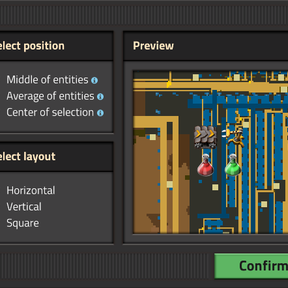
Map Tag Generator adds a selection tool to create map tags with a single click (and drag). Simply select a group of related entities, and the generator will take care of the rest, including position, layout, and detecting what tags to create.

You can tweak the settings of the tags before creating them, and see a preview of what your final tags will look like.

Supports many entity types
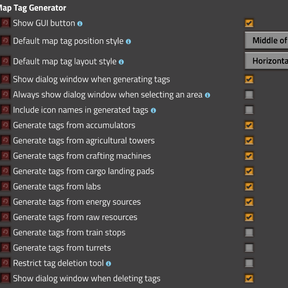
Representative tags can be created for the following entity types:
-
Assemblers (including furnaces, chemical plants, rocket silos, etc.). Tags will be based on the products of the assemblers' recipes.
-
Labs
-
Power generators (such as steam engines and solar panels)
-
Accumulators
-
Resources. Tags will detect the total amount/yield of the resources in the patch.
-
Turrets
-
Train stops
-
Agricultural towers. Tags will be based on the items yielded by nearby plants.
-
Cargo landing pads
Each of these categories may be toggled on/off individually. The generator also supports adding quality icons to any tag.
Map tag eraser
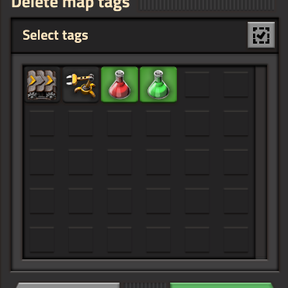
This tool can also be used to quickly delete map tags. Just right-click and select a region on the map, and any tags inside will disappear. (This tool only works in map view, while zoomed out far enough that tags are visible.) You can select which tags you would like to delete before confirming.

Use this tool with caution, as there is no way to undo tag deletion (besides loading an autosave). The mod offers settings to restrict tag deletion to only the tags generated by the mod's generator tool, so you don't accidentally delete handmade tags. For multiplayer, there is a per-map setting that restricts all players to only deleting tags that they themselves created with the generator tool.
Controls
No research or crafting is necessary to use this mod. The tool is found in the shortcuts next to the toolbar, and can be accessed by the hotkey Shift + T (by default).
Feedback and suggestions are welcome!