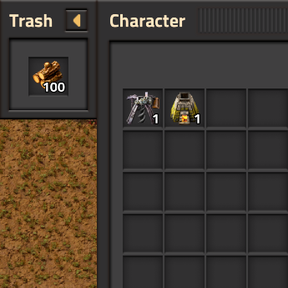
Here's something I whipped up quickly:
local function cleanupMassDeleteChest(index)
    if storage.massDeleteChest and storage.massDeleteChest[index] then
        local chest = storage.massDeleteChest[index]
        if chest.valid then
            chest.destroy()
        end
        storage.massDeleteChest[index] = nil
    end
end

local function massDeleteError(player)
    player.create_local_flying_text{
        -- REPLACE this with a LocalisedString
        text = "Couldn't create/open chest, try switching Editor tabs",
        create_at_cursor = true,
    }
    player.play_sound{path = "utility/cannot_build"}
end

script.on_event("inventory-trash-slot-mass-delete", function(e)
    local player = game.get_player(e.player_index)
    if player.controller_type ~= defines.controllers.editor then
        return
    end

    -- In case a previous one got left behind
    cleanupMassDeleteChest(e.player_index)

    -- This will even work on top of existing buildings and water!
    local chest = player.surface.create_entity{
        name = "infinity-chest",
        position = e.cursor_position,
        create_build_effect_smoke = false,
        preserve_ghosts_and_corpses = true,
    }
    if not chest then
        massDeleteError(player)
        return
    end

    -- Try to open the chest's GUI
    player.opened = chest
    storage.massDeleteChest = storage.massDeleteChest or {}
    storage.massDeleteChest[e.player_index] = chest

    -- User is in an Editor mode that doesn't support opening entity GUIs
    if not player.opened then
        massDeleteError(player)
        cleanupMassDeleteChest(e.player_index)
    end
end)

script.on_event(defines.events.on_gui_closed, function(e)
    -- Put this in your existing GUI closed handler
    cleanupMassDeleteChest(e.player_index)
end)
Basically, you make a new unbound keybind called inventory-trash-slot-mass-delete that only works in Editor mode. It will spawn and try to open an infinity chest at the player's cursor, and delete itself when you close it.
If you're feeling up to it, you could try prototyping your own invisible chest to use with this function.