
HyperCore Nexus Control System (Factorio 2.0)
HyperCore Nexus transforms your Factorio experience from manual machine configuration to high-level strategic management. Instead of setting recipes on every single assembler, you issue production orders from a central command center.
Core Components
-
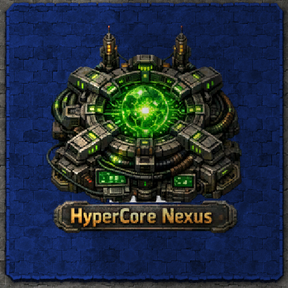
HyperCore Nexus (The Brain)
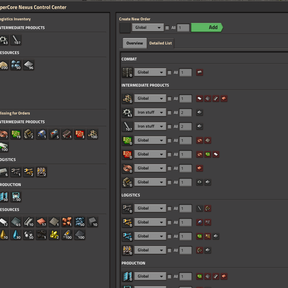
The Nexus is a 5x5 central hub where you manage your entire factory's production.
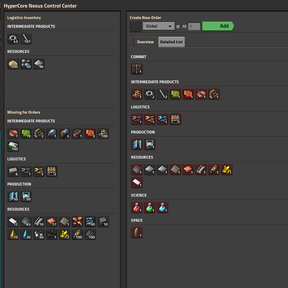
Inventory Panel: View your entire logistics network inventory categorized by type. It automatically calculates Missing Items required to fulfill your current active orders.
Order Management: Create "Draft" orders by selecting a recipe, assigning it to a specific Zone, and setting the number of machines.
Active Orders: View all running orders grouped by category. Each icon shows current global stock levels. Holding your mouse over an order shows a Full Tooltip with ingredients and machine requirements.
System Status: A real-time overview of your fleet. It monitors total machines, active units, and identifies Issues (power/ingredient shortages) while intelligently ignoring machines that are simply blocked by a full output. -
HyperCore Beacon (The Zone)
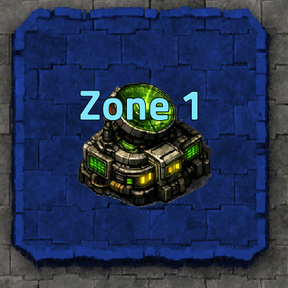
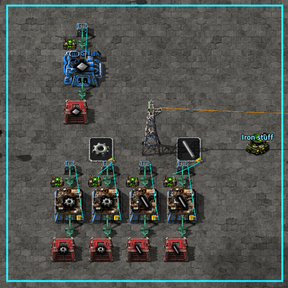
Beacons define the physical areas where your orders are executed.
Adjustable Zones: Use the GUI sliders to set custom Width (X) and Height (Y) ranges.
Visual Overlay: A semi-transparent blue rectangle shows exactly which machines are covered by the zone.
Naming: Give each Beacon a unique name (e.g., "Gear Sector", "Smelting Alpha") to target them specifically from the Nexus. -
HyperCore Node (The Connection)
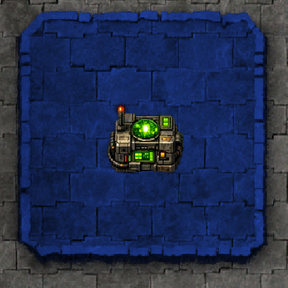
The Node is the 1x1 link between the HyperCore network and your machines.
Smart Detection: Place a Node directly adjacent to any machine (supports everything from 3x3 Assemblers to massive 7x7 Manufacturies).
Automatic Configuration: The Node detects which Beacon zone it belongs to and pulls orders from the Nexus, automatically setting the correct recipe on the attached machine.
Circuit Integration: Nodes output the current production signal to the circuit network. Connect a Red or Green wire to any Node to see exactly what that machine is producing on your displays.
How to Use
- Define a Zone: Place a HyperCore Beacon, open its GUI, and give it a name. Use the sliders to expand the blue area over your production floor.
- Connect Machines: Place your Assembling Machines or Furnaces. Place a HyperCore Node touching the machine.
- Issue Orders: Open the HyperCore Nexus.
- Select a recipe in the Create New Order section.
- Select your named Zone from the dropdown.
- Set the number of machines or check "All" to use every machine in that zone.
- Click "Add".
Monitor: Watch as your machines automatically switch recipes. Check the System Status panel to see if any machines have issues or if you are missing ingredients.
Technical Details
Version: 0.1.0
Compatibility: Fully optimized for Factorio 2.0 and Space Age. Supports large-scale machines (7x7+) and handles both items and fluids.
Performance: High-performance logic designed to handle large factories without impacting UPS.