
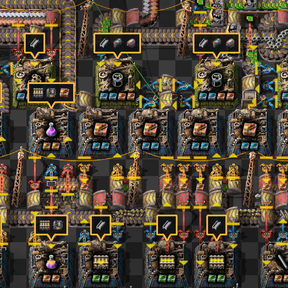
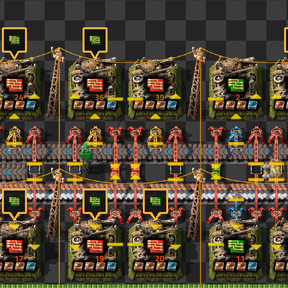
Factorio Tracker shows how consistently your machines are producing and which recipe ingredients they are missing. It adds two independently controlled displays to assembling machines and furnaces: a coloured efficiency percentage and a missing-ingredient callout pointing at the affected machine.
Both displays start switched off for new players. To enable them, use the shortcut bar beside the quickbar:
- Efficiency tracker — click this to show production efficiency numbers on your machines. Click it again to hide them.
- Missing ingredients (only for you) — click the shortcut with the green electronic-circuit icon to show missing recipe inputs. Click it again to hide them.
If a shortcut is hidden, make it visible through the shortcut bar’s customisation menu. You can enable either display separately or use both together. You do not need to click each machine individually.
The efficiency number is a cumulative estimate of how much of the measured time a machine has spent doing production work. Its colour moves from red at low utilisation towards green at high utilisation. A machine producing continuously will move towards 100%; idle time lowers its average.
This measurement accounts for recipe duration, crafting speed and productivity. Because it is an accumulated average, the number changes gradually rather than immediately jumping whenever a machine stops or starts. Existing machines begin a new measurement when the tracker discovers them; production history from before tracking began is not included.
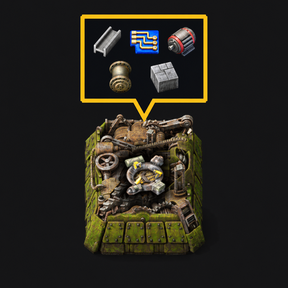
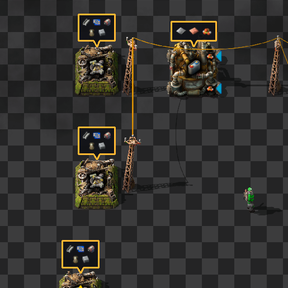
The missing-ingredient display reads each machine’s recipe and checks its available inputs. For an assembling machine, select a recipe first. When the machine is short of an ingredient, a dark callout with a yellow outline appears above it. A connected downward pointer shows which machine the callout belongs to.
The callout shows the icons of the missing items or fluids. Several shortages can appear together, and an ingredient is still considered missing if the machine has some stock but not enough for one craft. Item quality and fluid temperature requirements are taken into account.
Up to three missing inputs fit in one row. Larger lists use smaller icons and a compact grid, keeping recipes with five, six or more shortages within a manageable panel. The icons update as inputs become available, and the callout disappears once the shortages are resolved. Input shortages can also be displayed before electricity or fuel is supplied.
Each player controls their own displays independently. Switching a display on or off affects only your view, and overlays are restricted to machines belonging to your force. Your display preferences and recorded measurements are saved with the game.
Existing machines are discovered gradually, with visible machines given priority. A large factory may therefore take some time to finish populating its displays.
Administrators can enter /fet-reset in the console to restart the shared efficiency measurements. This leaves machine production counters, inventories and player display preferences intact.