
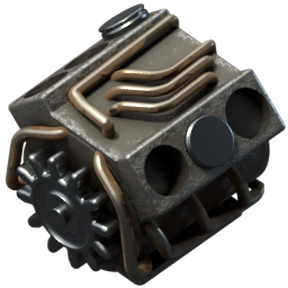


Diesel Engine
This is library for managing fluid with fuel value for my mods
Here is what it does:
Central Fluid Configuration
- Everything relies on a single configuration file (
fluid-properties.lua). - This is where fuel values (e.g.,
1.2MJ) and emission multipliers for various fluids (both vanilla and from mods like Pelagos or
Krastorio 2) are placed.
Global Stat Updates
- The script takes table and automatically overwrites the fluid properties
in the game. - It also ensures that every listed fluid can be packaged into
barrels (auto_barrel = true).
More Flamethrower Ammo
- Script automatically checks which fluids have a fuel value and adds them as
valid ammo. - It scales the damage modifier of the flamethrower
proportionally to the energy value of the fluid used.
Barrel Fuel Generation
- Script converts standard (and titanium) barrels into burnable fuel items
(barrel-fuel.lua) based on the underlying fluid's fuel value. - This allows machines and vehicles that do not support
direct fluid fuel inputs to be powered by barreled fluids instead. - The system also calculates acceleration and top-speed bonuses dynamically, based on the
fluid's power and standard rocket fuel stats.
Space Diesel
- Generates chemical recipes to process any fuel from your list into
space-diesel-fuel, maintaining the correct energy conversion ratios. - Overrides specific icons (like oxygen) to better fit the mod's aesthetic. (this can be changed in settings)
- Automatically generates "space" filters for diesel-powered machines (with
proper fluid filters applied) as long as the mod creator adds the
diesel_fuel_fluid_filter = trueflag to their entity.
For modders:
Adding your machine as diesel machine
This library includes a script that creates fluid filters for machines marked as "diesel machine"
The script automatically scans the entire game database (data.raw) and generates new filters for the
entities.
To make the script pick up your machine (or a machine from another mod), you
just need to add a single, simple flag to its definition:
diesel_fuel_fluid_filter = true.
Simply inject this parameter into your chosen entity during the data.lua or data-updates.lua phase.
Example for a custom machine:
data:extend({
    {
        type = "assembling-machine",
        name = "my-custom-awesome-diesel-assembling-machine",
        -- ... rest of the standard machine parameters
        diesel_fuel_fluid_filter = true, -- <<< ADD THIS LINE <<<
        energy_source = {
            type = "fluid",
            fluid_box = {
                -- fluid box definition
            }
        }
    }
})
Example for an existing machine:
if data.raw["assembling-machine"]["calciner"] then
    data.raw["assembling-machine"]["calciner"].diesel_fuel_fluid_filter = true
end
Using Barreled Diesel Fuel
This mod introduces a custom fuel category named "diesel-fuel". All the
burnable barrels generated by the barrel-fuel.lua script belong to this
specific category.
If you want your custom vehicles, generators, or burner
machines to accept these fluid barrels as fuel, you simply need to add
"diesel-fuel" to the fuel_categories of your entity's burner energy source.
IMPORTANT NOTE: Burnt Inventory Because burning a barreled fluid leaves
behind an empty barrel (defined via burnt_result), your entity must have
a burnt_inventory_size defined in its energy_source.
Example for a custom machine:
data:extend({
    {
        type = "car",
        name = "my-custom-diesel-car",
        -- [...] other entity properties
        energy_source = {
            type = "burner",
            fuel_categories = {"diesel-fuel"},  -- Add "diesel-fuel" to allow it to burn the generated fluid barrels
            effectivity = 1,
            fuel_inventory_size = 2,
            burnt_inventory_size = 2 -- <--- Must be greater than 0
        }
    }
})