

Craft Finder
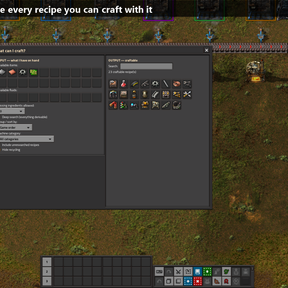
"What can I build with this?" Craft Finder answers that instantly. Open the panel, drop in the items and fluids you have on hand, and see every recipe you can craft with them — perfect for packing more production onto a single line without digging through the crafting menu.
How to use
- Click the Craft Finder button in the top-left of the screen.
- In the Input panel, pick the items and fluids you have.
- The Output grid instantly shows every recipe craftable from that selection.
- Hover any recipe for its ingredients, products and a production-ratio helper.
- Left-click a recipe to pin it, right-click to open it in Factoriopedia.
Features
- Instant recipe lookup from the resources you select (items and fluids).
- Deep search — not just direct crafts, but everything derivable in chain from your resources.
- "Missing 0 / 1 / 2 ingredients" mode — see what you could make with just one or two more resources (the missing item is shown on the icon).
- Name search (localised) to filter the results.
- Pinning — keep a personal shortlist at the top, saved between sessions.
- Group and sort by game order, ingredient count, machine category or source tab.
- Machine-category filter (smelting, chemistry, crushing, and more).
- Ratio helper in the tooltip: craft time, output per second, and machines needed to saturate a yellow belt.
- Remembers your selection and options between sessions.
- Fully localised in English and French.