Constructor Equipment

by sparr

Adds equipment for short range automated construction.

Content
a month ago
0.15 - 2.1
47
Character Blueprints

b Construction Equipment doesn't place things asked by the upgrade planner

a month ago
(updated a month ago)

Hi! (sorry if this is seemed as spammy).
I've just noticed that the arms don't try to place things asked by the upgrade planner (as in, using the upgrade planner to change t1/yellow belts to T2/red).
The same happens with the Deconstruction Planner.
Let me know If you need me to test anything! Ty for your work.

a month ago

Is it working to place normal ghosts for you? I'm pretty sure I know what's wrong, regardless, but more info could help.

a month ago

I found the problem and am working on a solution.

a month ago

Pushed a new version, please let me know if this is fixed for you.

a month ago
(updated a month ago)

Can confirm that it is fixed! Thanks!
But I found a problem (didn't notice it before).
It seems like the constructor arms enter a state of... Confusion? Not knowing what to do? Near "big" buildings, like an oil refinery. They'll eventually get it right and remove the building after a while tho. (I'm using T3 constructor arms, so plenty of range to be able to do it).
They can easily put an oil refinery, but removing it (using the deconstruction planner) replicates this behaviour every time :c
IMO the worst offenders are "big" buildings, but I see this happening with all buildings I've tried (it works flawlessly with belts tho). Sometimes it fixes itself after going close and far from the building while still being in range for the constructor equipment to still being "active". Maybe a problem with the animation or smth?
Ty for all your hard work tho! Like damn I didn't expect so many fixes in just an update! Ty!

a month ago

Can you describe what the arm does while it's confused? Does it not extend? Does it extend half way and stop? Does it stutter back and forth (and how far)? Does it return the oil refinery item to you then do something else?

a month ago

Sure!
It mostly stays extended by a really little bit. Like, it looks a bit smaller than a real inserter. It remains stuck in this state indefinitely. The only way to "fix" this is either:
1 get out of reach for that equipment, which will just retract it and make it disappear, or...
2 Move closer and farther from the building WHILE being in the range for the equipment to be able to remain active. This "forces" the equipment to continue it's animation and it will eventually end it and remove that building. (it only removes the oil refinery when the animation ends, and it gives me the item as expected).

EDIT: I've done more tests... Could it be that the equipments "find it easier" to remove buildings from their "lower" parts of the sprite? As in, I was trying to let them remove the oil refinery from the "upper part" of the sprite, and that still replicates my problem. BUT, if I move in front of the "lower part" of the oil refinery, it can remove it without problems...
Let me explain. The Oil Refinery is a 5x5 building. The equipments can't remove the building from the upper 3x5, but they can from the lower 2x5 haha.
It's as if the arms are a physical object of sorts and become "blind" from the collision box of the building from it's back, but they are able to see the building if aproached from the south? Does it make sense? I could try uploading pics too.

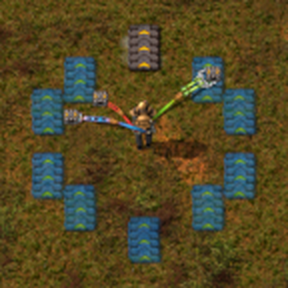
a month ago

Are you still having this problem after the latest updates?

a month ago

Not that I've noticed! Ty for your work, I'll let you know If I see it again or notice it in any way!
And seriously, ty so much for your hard work, it's so difficult to see someone do some hard work on a passion project! So thanks for that too!

New response