
Factorio planets are effectively infinite. This gives them an edge.
Set a radius per planet and everything past it becomes out-of-map void — not walkable, not buildable, not pathable. The same finite-planet feel Space Exploration had, without the rest of Space Exploration.
Preview before you commit
Nothing is destroyed until you say so.
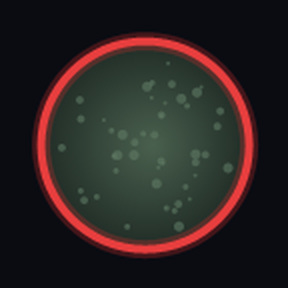
Toggle the preview and the boundary appears as a red ring in the world, plus a ring of markers on the zoomed-out map. Grow and shrink it live until it looks right, then apply.
Works on existing saves
Applying is a real operation, not a new-game-only setting.
- Chunks fully outside the radius are deleted; chunks straddling the boundary are trimmed tile by tile.
- Players standing outside are teleported inward first — you cannot be deleted with the terrain.
- Runs across ticks with a configurable work budget, so it never freezes the game.
- Progress window shows percent, chunk counts, elapsed time and ETA. Cancellable mid-run.
Never touches what it shouldn't
Space platforms can never be bounded. Rejected when the job is queued, when the planet is scanned, and on every tick while it runs. No setting enables it.
Factorissimo factory floors are blocked outright. Factorissimo creates a real planet prototype per factory floor, so a plain "is this a planet?" check does not exclude factory interiors — and those sit far from the map origin. Bounding one would delete the inside of every factory building.
Hidden container planets are skipped — things like maraxsis-trench. Opt in if you actually want one bounded.
Run /bp-status to audit exactly which surfaces are excluded, and why, on your own modset.
Commands
/bp— open the settings window/bp-status— every planet's radius, and what is excluded/bp-radius <tiles>— set the current planet's radius.0unbounds it/bp-preview— toggle the boundary preview/bp-grow//bp-shrink— adjust by one step/bp-apply— commit. Destructive/bp-cancel— stop a running apply
Hotkeys ship unbound so they cannot collide with anything. Assign them under Settings > Controls > Mods.
Notes
Default radius is 0 — nothing is bounded until you name a planet.
The boundary is centred on 0,0, not on the player.
Applying permanently destroys terrain, ore and buildings outside the radius. There is no undo. Back up the save first.