

Auto Trash Reborn
Presets and tools for personal logistics — without replacing vanilla sections.
Auto Trash is a companion dialog for Factorio 2.0 and 2.1 personal logistics. Vanilla already has logistic sections and groups. This mod fills in the workflow around them: named presets, blueprint import/export, inventory import, network-gated trash, spidertron presets, and request status.
On Apply, only a dedicated logistic section named AutoTrash is rewritten. Your other vanilla sections stay intact.
Gallery
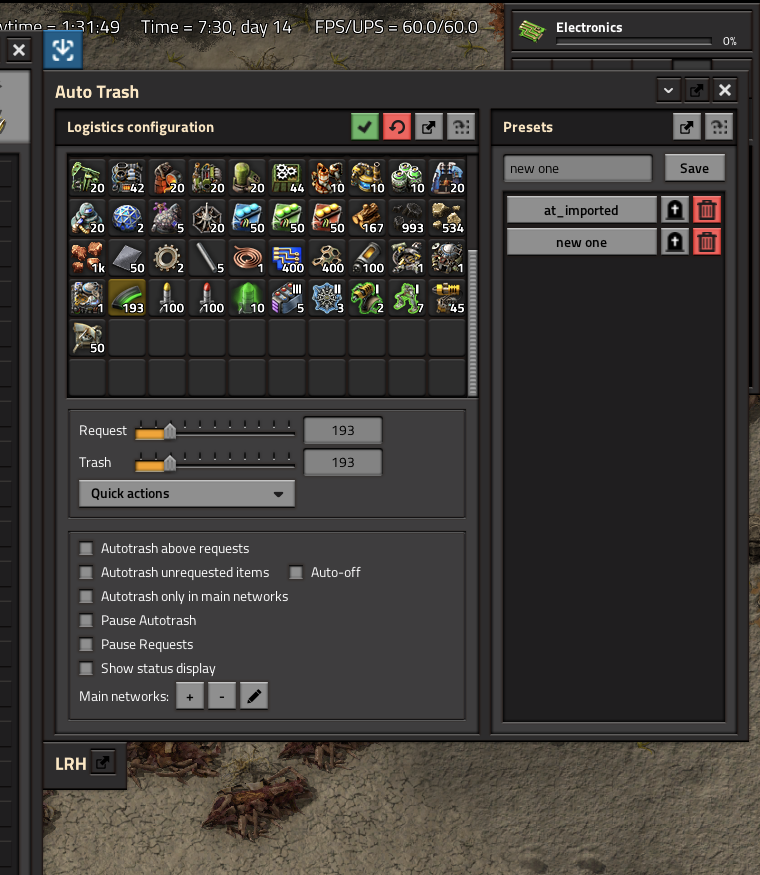
Docked beside the character inventory — configure requests, trash amounts, and presets.
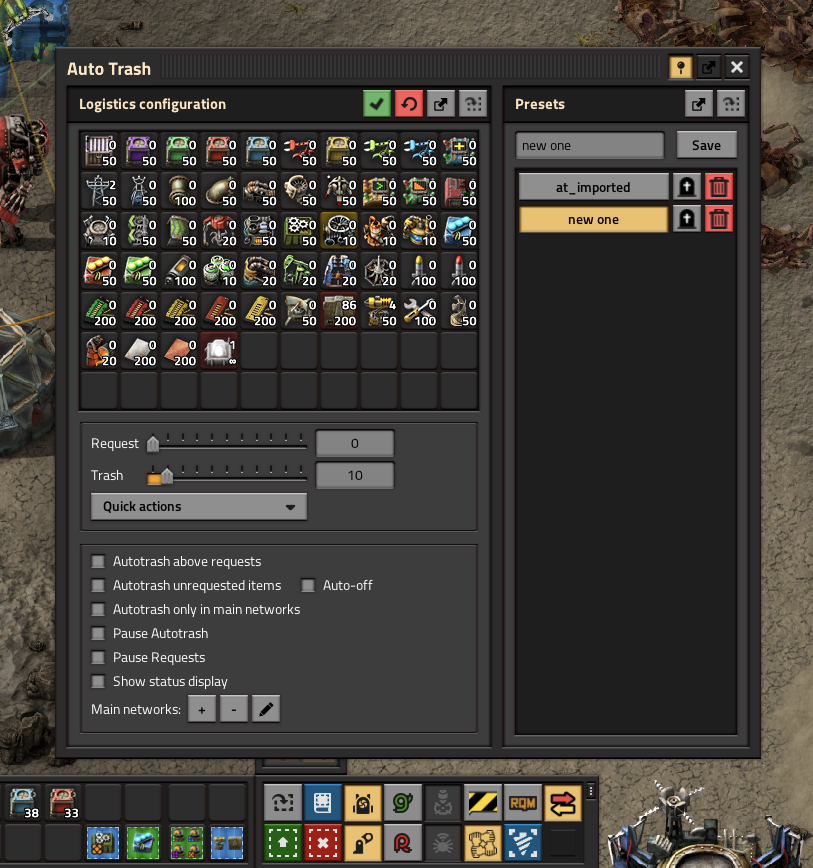
Floating window — same companion GUI, with the toolbar shortcut visible in the shortcut bar.
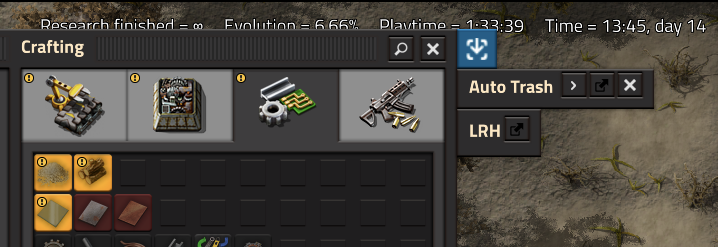
Collapsed while docked — expand when you need the full logistics panel.
About this revival
Factorio 2.0 brought a lot of what older AutoTrash existed for: logistic sections and groups, a clearer request/trash UI, and built-in options such as trashing unrequested items. There is real overlap — and that is fine.
This fork is revived mostly for nostalgic reasons: the familiar companion dialog and workflow many players were used to. It is not meant to replace vanilla logistics.
What Auto Trash still adds beyond the base game:
- Named presets (including load-on-respawn)
- Blueprint / blueprint-book import and export of configurations
- Import from inventory or merge-from vanilla logistics into the mod GUI
- Request status display (fulfilled / in transit / missing)
- Network-gated autotrash (only trash inside selected roboport networks)
- Independent pause for requests vs autotrash, plus temporary trash
- Docked or floating companion GUI
- Spidertron preset load/save from a relative panel
If vanilla sections already cover how you play, you may not need this mod. If you liked the old AutoTrash workflow, it is here again.
Highlights
- Named presets (including load-on-respawn)
- Blueprint / blueprint-book import and export
- Import from inventory or from vanilla logistics
- Request status: grey (fulfilled), yellow (in transit), red (missing)
- Trash unrequested items (native logistic-point flag)
- Pause autotrash outside selected networks
- Pause requests and autotrash independently
- Dock beside the character inventory, or float freely
- Spidertron preset load/save from a relative GUI panel
Quick Start
- Research personal logistics (vanilla).
- Open Auto Trash (Control + L, the shortcut, or the top-left button).
- Configure request and trash amounts in the grid.
- Apply — writes only the
AutoTrashlogistic section. - Save a named preset for later (or for respawn).
Keyboard shortcuts
- Control + L — Toggle Auto Trash GUI
- Shift + P — Pause autotrash
- Shift + O — Pause logistic requests
- Shift + T — Add cursor item to temporary trash (or toggle pause if empty)
- Unbound — Toggle trashing of unrequested items
How it works with vanilla
Auto Trash does not replace vanilla logistic sections.
- Apply rewrites only the section named
AutoTrash. - Edit other groups in the vanilla logistics tab as usual.
- Import from logistics merges filters from all manual sections into the AutoTrash GUI.
- Prefer keeping export strings as blueprints in the library.
GUI location
Mod setting GUI location:
- Attached right (default) — docks beside the character inventory
- Attached left — docks on the left
- Floating — classic free window
Docked windows include collapse/expand and dock/undock controls. The shortcut opens the character GUI when the panel is docked.
Presets
- Save and load multiple named configurations
- Load a preset automatically after respawning
- Export/import one preset or all presets (string, blueprint, or book)
- Shift-click configured items to reorder them
- Quick actions: clear requests/trash, set trash ↔ requests, import from inventory or logistics
Network-gated trash
Mark one or more roboport networks as main networks. Optionally restrict autotrash so it only runs while you are inside those networks.
Use the network selection tool or the in-GUI controls to add/remove networks.
Spidertron presets
When a Spidertron with logistics is open, Auto Trash shows a relative panel to:
- Load player presets into the Spidertron
- Save the Spidertron's current requests as a preset
- Optionally trash unrequested items on the Spidertron
Presets are shared with the player's character presets.
Commands
/at_import— Import vanilla logistics (all sections) into the mod GUI/at_reset— Reset GUI/at_compress— Remove empty rows in the configuration GUI/at_insert_row <n>— Insert an empty row after rown(rows are 10 slots)
Compatibility
- Factorio 2.0 and 2.1 (one codebase; portal uploads set
factorio_versionper release) - Requires flib ≥ 0.15.0
- Multiplayer compatible
Credits
This mod is based on Auto Trash by Choumiko.
- Original Mod Portal: https://mods.factorio.com/mod/AutoTrash
- Original source: https://github.com/Choumiko/AutoTrash
Auto Trash Reborn is an unofficial revival/port for Factorio 2.0/2.1 and is not affiliated with the original author. Released under the MIT license.
Source
GitHub
https://github.com/ashlessscythe/AutoTrash-Reborn
Issue reports and suggestions are welcome.