
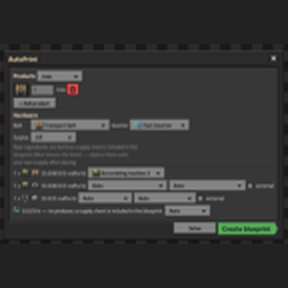
This is a fork. autoprint-fixed is AutoPrint by edm, used under the MIT License. All of AutoPrint's design, solver, layout and routing is edm's work; please support the original. It cannot be enabled together with AutoPrint.
What this fork changes
- Fixed: opening the AutoPrint planner crashed the game (and, in multiplayer, the whole server) with
Invalid selected_index - out of boundswhen no electric inserter or belt was unlocked yet. This happens, for example, with AAI Industry, which starts you on burner inserters only. The empty picker is now shown disabled, and the blueprint falls back to the basic inserter and belt, as AutoPrint already does elsewhere. - New: Layout: Compact & tidy (tick it on the Hardware tab, then Create blueprint). The planner searches widths, margins, row shapes, chest pairs, mirrored row pairs, routing channels, exact power-pole plans and repair passes for the smallest layout that passes an in-game verifier — every ingredient actually arrives, nothing overlaps, everything is powered — and falls back to exactly the classic layout when nothing beats it. Verified plans are typically 25-40 % smaller than classic at identical machine counts. The search runs as a background job: the GUI shows progress and a Cancel button, you can close the planner while it works, it survives save/load, and the blueprint lands in your cursor when it ends, labelled
[compact]with its size against the classic area. Mining fields stay classic.
Known limitations
- Very large plans can take a few extra moments during the search; each work slice is capped at about one classic build, so the game stays responsive.
- Compact & tidy is new and was tested across a 600+ plan sweep; if a plan comes back
[classic]unexpectedly or misbehaves in game, the Debug button writes everything needed for a bug report toscript-output/autoprint-debug.txt. - A few Gleba science-pack plans whose recipe chain feeds on its own spoilage (bioflux-style loops) can run slightly under the requested rate in a compact layout while classic stays at rate. Untick the option (or re-create) to get the classic blueprint.
About AutoPrint
Tell it what you want to make and how fast, and AutoPrint designs the whole factory for you and hands you a ready-to-place blueprint. It works out which recipes and machines to use, how many you need, arranges them, connects all the belts, pipes and power, and marks every ingredient you have to supply with a labeled chest or pipe. It works anywhere and knows the local rules: on Gleba it cleans up spoilage and keeps bacteria loops running by itself; on space platforms it feeds the factory from a mixed asteroid-chunk belt and sorts it out. With Editor Extensions installed, blueprints supply themselves, which is perfect for test benches.