
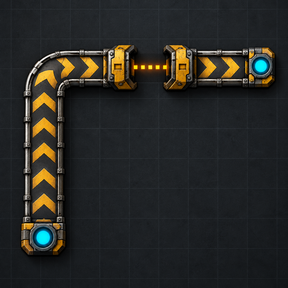
Auto Belt
Connect two points with a belt route. Preview it, then place ghosts for construction robots or build the belts for free when the map allows it. Choose a surface belt layout or a layout made mostly of underground belts.
Controls
- Press Alt+B or use the shortcut to take the auto belt planner.
- Choose Ghost or Free, a layout, and a belt tier in the panel. Ghost placement is the default. The tier selector applies when starting on an empty tile; an existing start belt supplies its own tier.
- Click the start, then the end on the same surface. For existing underground belts, start at an output and finish at an input.
- Wait for the route preview, then click the route or press Build.
Right-click or Shift-click with the planner to cancel. Shift+B switches layout while holding the planner. If construction is blocked, click the red marker to find a new route from there.
Route rules
Routes prefer fewer turns, run beside existing belts and keep clear of machines where possible. They respect existing belt connections and obstacles.
- Belts uses surface belts, with underground crossings when needed to pass obstacles.
- Undergrounds uses chains of maximum-length underground pairs where space permits.
Map settings
These settings apply to the whole map.
| Setting | Default | Effect |
|---|---|---|
| Allow free placement | On | Allows real entities to be placed without spending items. Turn off to require ghosts. |
| Route search budget per tick | 50 | Work units shared by all players' searches each tick. Higher values find routes faster but cost more time per tick. |
| Entities built per tick | 150 | Maximum number of route entities placed each tick. |
| Route search limit | 5,000,000 | Work units a search may spend before giving up. |
Compatibility
Requires Factorio 2.0. Space Age is optional. Modded belt tiers with a matching underground belt are supported through their prototype relationship. Tiers without an underground belt use surface belts only.
Performance
Routes are calculated in the background with a fixed work budget per tick, shared across players. Construction is also spread over ticks in bounded batches. Long or difficult routes can take time; increasing the search budget trades more work per tick for a shorter wait.