


Agricultural Roboport — Lightweight automatic seeding & harvesting for Factorio
Overview
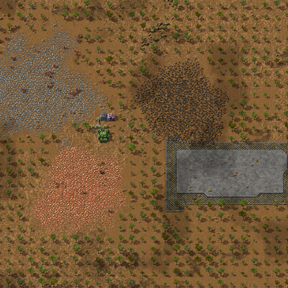
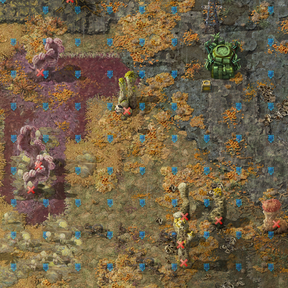
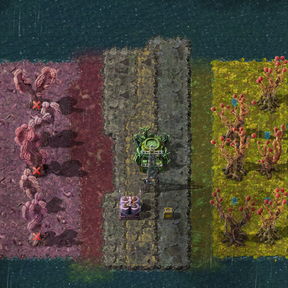
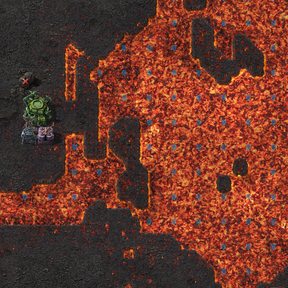
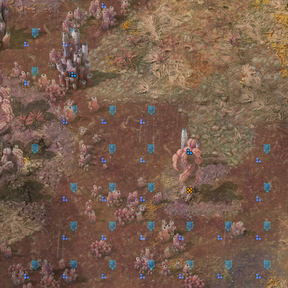
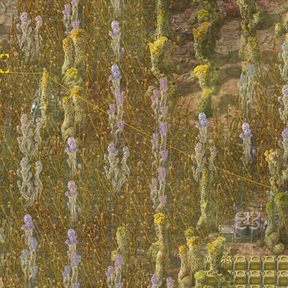
Agricultural Roboport automates seeding and harvesting inside a roboport area. It places virtual seed ghosts that robots build into real plants, and orders deconstruction of mature or unwanted vegetation — designed to scale with large maps while keeping CPU use bounded.
Key features
- Automatic seeding and harvesting modes (Harvest only / Harvest & Seed).
- Vegetation Planner: Manual selection tool for planning vegetation in specific areas - draw boxes to seed or clear (Alt-select).
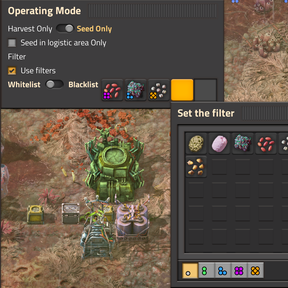
- Per-roboport filters (whitelist / blacklist) to control which crops are planted.
- Independent filter configuration for vegetation planner tool.
- Option to seed only inside logistic range (respect logistics coverage).
- Virtual-seed system: plants are placed as ghosts and built by robots.
- Quality support: Plants retain quality from seeds and display quality badges. Toggle quality tracking with startup setting.
- Quality mutations: Configurable chance for harvested plants to upgrade or downgrade quality tiers.
- Universal mod compatibility: Automatically detects ALL plantable items from any mod - no configuration needed.
- Smart filtering: Whitelist mode supports per-quality filtering; blacklist mode blocks all qualities of an item.
- Time-Division Multiplexing (TDM) scheduler: spreads work across ticks to avoid spikes.
- Per-roboport precomputed grids for harvesting to minimize search costs.
- Runtime settings to tune performance vs responsiveness.
- Multi-language ready (English, German, Spanish, French, Russian, Chinese, Japanese).
How it works (player summary)
- Build an Agricultural Roboport.
- Open its GUI to choose mode, filters, and options.
- Roboport precomputes a small grid of candidate positions on placement and then:
- On each scheduler tick it processes a small batch of positions (configurable), issuing deconstruction orders for harvestable plants and placing seed ghosts where needed.
- Work is spread over many ticks (TDM), so the mod scales to large surfaces with controlled CPU use.
- Quality tracking: When enabled, plants preserve seed quality and can mutate during harvest (configurable rates).
- Vegetation Planner: Already got construction robots, but have no Roboports? No problem, Vegetation Planner is your new best friend!
- Manual selection tool for planning vegetation in specific areas
- Access via shortcut bar (ALT+V) after researching "Soil Analysis"
- Independent filter configuration for precise control
- Perfect for decorative landscaping and targeted crop placement
Settings (what to tweak)
Startup Settings:
- Enable quality plants — Toggle quality tracking and display (requires game restart).
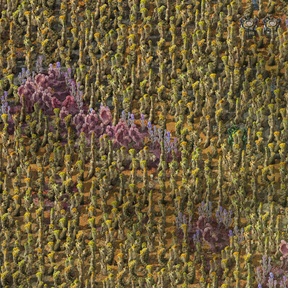
- Seed in dense grid — Attempts to plant on every tile instead of every 3rd tile. Enables much tighter plant packing and requires more construction bots. Requires game restart.
Runtime Settings:
- Max seeds per tick — how many seed placements are attempted per tick (lower reduces CPU).
- Ignore cliffs — when false, cliffs may be planned for deconstruction; set true to preserve cliffs.
- TDM period / tick interval — controls how often and how TDM divides work across ticks.
- Harvest checks per call — number of harvest grid cells scanned each harvest invocation (higher = faster coverage, more CPU).
- Max harvests per call — limit how many deconstruction orders per invocation.
- Seed checks per call — limit how many seed candidate cells are checked per invocation.
- Mutation chance multiplier — multiplies the base 0.5% quality mutation chance (0-200).
- Chance of quality improvement — probability (0-100%) that mutations upgrade instead of downgrade quality.
- Debug (runtime) — enables file logging while troubleshooting (off by default).
Performance notes & tuning
- The mod is optimized for scale: it precomputes grids on placement and uses filtered small-area searches during operation to minimize returned-entity counts.
- If you see slowdowns on very large maps, reduce "harvest checks per call" and "max seeds per tick" to trade coverage speed for lower CPU.
- The TDM tick interval can be decreased for more frequent small batches or increased to reduce wake frequency.
Tips
- Use filters to avoid planting undesired species and to limit the work set.
- Whitelist filtering: Select specific items with specific qualities to plant only those combinations.
- Blacklist filtering: Block entire item types regardless of quality (e.g., blacklist "tree-seed" blocks all qualities).
- If you change settings, the scheduler re-registers itself to the new interval automatically.
- Quality farming: Enable quality support to track seed quality through the growth cycle and configure mutation rates for breeding higher-tier plants.
- Adjust quality improvement chance to control upgrade vs downgrade probability during mutations.
- Automatic mod compatibility: The mod automatically detects all plantable items from any mod - works out of the box with Boompuff Agriculture, Space Age planets, and any other agricultural mods.
- Vegetation Planner: Use the planner tool (ALT+V) for manual control over specific areas. Great for decorative landscaping or precision farming.
- Force sparse mode in planner: Override dense seeding setting per selection area using the planner's configuration.
Compatibility & translations
- Built for Factorio 2.0+.
- Space Age and Quality are optional
- Universal mod compatibility: Automatically detects and supports ALL agricultural items from any mod. Scans every prototype category for items with plant_result - works with base game, DLCs, and all third-party mods.
- No configuration needed: Just install and play. Works out of the box with Boompuff Agriculture, Space Age planets, and any other mod adding plantable items.
- Full locale support included (English, German, Spanish, French, Russian, Chinese, Japanese).