
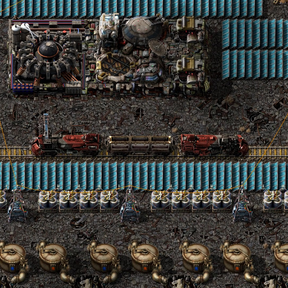
Videos: the 2.2 update: soft landings and take-off ·
the original trailer
Total Hull Unscheduled Descent. Every space platform has an emergency exit, and with the right equipment, a way
back up.
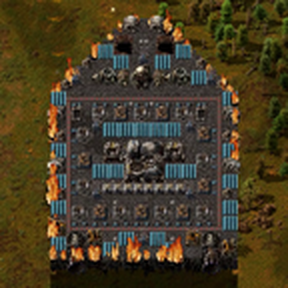
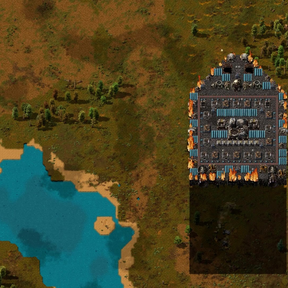
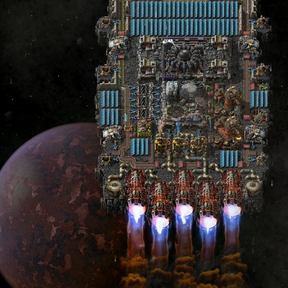
Open a platform's hub, press Emergency landing, and aim it anywhere on the planet below, with a preview of the
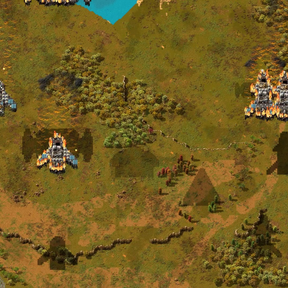
platform in your cursor. Click, and the platform plunges through the planet's atmosphere for twenty seconds: clouds
rushing past, the bow glowing, re-entry plasma, white-hot shards and hail coming at it. Whatever survives the trip comes
down where you aimed, with a flash and a bang.
The way down
- A real trip. Walls along the bow and turrets behind them get the platform down in one piece. Each planet throws
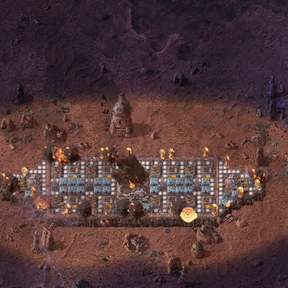
something different at it, and on Fulgora lightning flashes in the clouds. - The ground gets a warning. For the last nine seconds an alarm sounds at the site and the platform's shadow grows
over it, long enough for anyone under it to run. Anyone still standing there is crushed. - A platform that loses its hub on the way comes down as burning wreckage.
What comes down
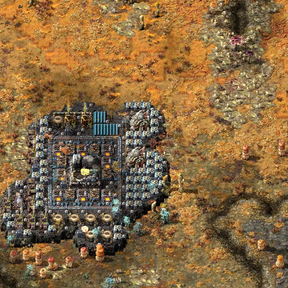
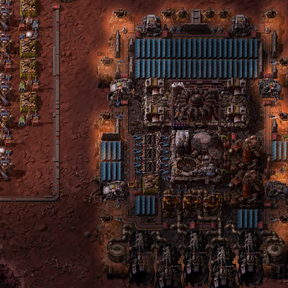
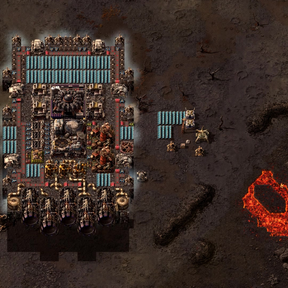
- All of it. Every tile, every machine, every belt and chest, its cargo and anyone aboard. Inventories, wires,
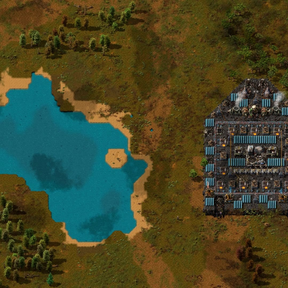
fluids, filters and quality come down as they were. - The hub becomes a Landed platform hub, a cargo landing pad that wears the hub's art. It keeps the hub's cargo and
its cargo bays, and receives deliveries from orbit like any other landing pad. - The floor is one electric network. Machines packed wall to wall stay powered, and one ordinary pole anywhere on
the floor connects the whole thing to the rest of your grid. - Machines that can't work on that planet come down wrecked on an emergency landing, spilling whatever they held.
Where it lands
- On top of whatever was there. Trees, rocks, cliffs and nests are flattened without a word. If any of your own
buildings are in the way you are warned, and a second shift-click on the same spot lands anyway. - Solid ground only. Water and lava refuse a landing. Shift-click to land anyway, and the part of the platform over
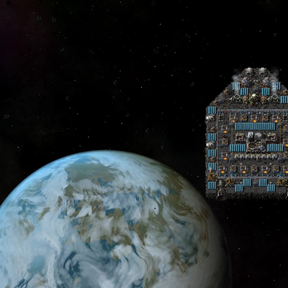
them is left behind. - Any planet the platform is orbiting, including one nobody has visited yet.
Soft landings and take-off
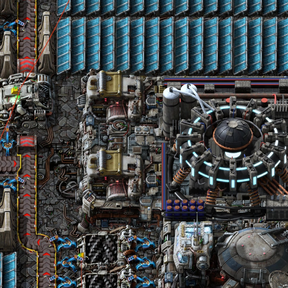
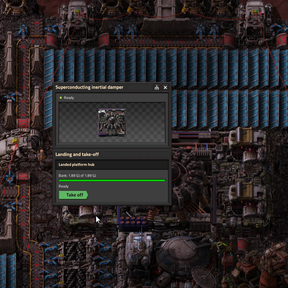
Build superconducting inertial dampers against the hub and let them bank the platform's spare power.
- Land softly. With the bank full and a landing site chosen on the planet below, Land on a damper's window
brings the platform down gently: no fire, no asteroids, braked to a stop in the dampers' field. It never lands on your
buildings or over water. Nothing of its own is wrecked: whatever can't work down there, thrusters and asteroid
collectors included, stands idle and says why. - Take off. With the bank full again, Take off counts down while the floor's edge glows, and the platform
rises back into orbit as the same platform: its name, schedule and wires, everything of yours on the floor that can
stand in space, its cargo and anyone standing on it. What can't go up stays behind, after a warning, and the ground
it stood on is given back. - Mining the Landed platform hub still gives a space platform starter pack.
- Just want the fall? Turn off the Inertial dampers startup setting, and the dampers and their technologies are
gone, leaving only the emergency landing. Dampers already built in a save keep working.
Platforms started on the ground
- Place a space platform starter pack on a planet and it becomes a Landed platform hub on the pack's own floor,
with the pack's foundation in it. - Lay space platform foundation next to a landed floor to grow it, by hand or by robots. It joins the floor's
electric network. Laid anywhere else it is plain, unpowered floor, until the landed floor reaches it. - Build dampers on it, charge them, and take it off.
Circuit control
- Land when and Take off when on a damper's window are circuit conditions, read from every network the
platform's dampers are wired to. Once the bank is full and the condition holds, the platform lands softly at its
landing site, or takes off from the ground. Leave a condition holding and it shuttles down and up by itself. - The landing site can come from the X and Y signals instead of the one chosen for the planet.
- The dampers put the bank's percentage on their network as A, 100 when it is full.
- A refused landing or take-off says why on the dampers, and is tried again after ten seconds.
Build anything anywhere
- Every machine can be built on any surface. One that can't work where it stands -- a boiler in space, a biolab on
Vulcanus, an assembler making space science on a planet -- stands idle and says why, until it is somewhere it can
work. The hub, landing pads, the rocket silo, lightning attractors and spidertrons still can't be built where they
don't belong. - Thrusters and asteroid collectors can stand on planets, idle, and work again on a platform, so a platform's
engines can be built, stored and moved on the ground. On a planet, as in orbit, they stand at the edge of a platform floor -- a
landed floor or platform foundation -- with their exhaust or arms out over the ground. A roboport on a platform goes
dormant, keeping its robots, and wakes on a planet. - Chests, rails, trains, cars and tanks can be built on platforms, and trains and cars run there.
- Walk the deck. Press Enter in the hub, or Step out onto the deck, to leave it and walk around. Dying aboard
brings you back in the hub instead of on Nauvis.
Also
- Crushers can be built on planets, so asteroid chunks can be crushed on the ground.
- Robots can take the landed floor up, which gives back space platform foundation.
For other mods
A mod can have its own entities land as something else, such as a platform-only twin of a machine
that should come down as the real thing. With "? Thud" in your dependencies, in data.lua or
data-updates.lua:
local replacements = data.raw["mod-data"]["thud-landing-replacements"]
if replacements then replacements.data["my-platform-twin"] = "my-machine" end
The two have to be fast-replaceable with each other: both minable, the same
fast_replaceable_group and the same collision box. Contents, settings, wires, quality and health
carry over, and the landing preview shows the replacement.
A machine's other form -- its ground form ("folded") or its form in space ("dormant") -- can be declared the same way
in the "thud-twins" mod-data (folded and dormant pairs), and a planet's descent time in seconds in
"thud-descent-seconds".
Scenarios and other mods can do what the buttons do through the thud remote interface: an emergency or soft landing,
a landing site, a take-off, the dampers' charge and circuit conditions, and whether a platform is landing or taking
off. Each is refused for the same reasons as the button, saying why.
Requirements
- Factorio 2.1.21 or later, and Space Age.