
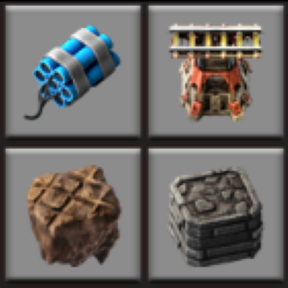
Toggle landfill, foundation, cliff explosives and elevated rail auto-placement on/off. Prevents accidental shift+click terrain filling in blueprints and the rail planner. Recipes remain craftable regardless of toggle state.
Providing the player with new tools or adjusting the game interface, without fundamentally changing gameplay.
Version: 1.0.9
Date: 2026-09-13
  Bugfixes:
    - Toggling OFF no longer unresearches the technology (stays out of the research UI).
    - Cliff explosives toggle OFF blocks cliff deconstruction again (tech stays researched).
Version: 1.0.8
Date: 2026-09-11
  Bugfixes:
    - Toggling landfill/foundation/cliff explosives/elevated rail OFF no longer sets
      technology.researched = false, so the technology does not reappear in the research UI.
      Toggle state is stored only in mod state; recipes stay craftable either way.
Version: 1.0.7
Date: 2026-09-06
  Bugfixes:
    - empty-space is no longer treated as landfill terrain. Force-building on space platforms
      uses space-platform-foundation again instead of landfill ghosts. Corrupted covers
      (empty-space → landfill) are repaired on load.
Version: 1.0.6
Date: 2026-09-05
  Bugfixes:
    - Only clear prototype landfill/foundation covers on liquid tiles. Ground tiles that use
      foundation as default_cover_tile (e.g. moshine-hot-swamp) keep their prototype cover.
Version: 1.0.5
Date: 2026-09-04
  Bugfixes:
    - Foundation toggle now applies to any liquid with a lava_tile layer or "lava" in the name
      (e.g. Moshine molten-iron pools), not only vanilla lava / oil-ocean.
    - Covers are re-applied when a player changes surface so mod planet liquids keep the correct
      foundation/landfill association after travel.
Version: 1.0.4
Date: 2026-09-02
  Bugfixes:
    - Aquilo tiles are no longer managed by the landfill toggle. Ammoniacal ocean / brash-ice keep
      ice-platform as cover; rough/smooth ice are left alone. Older saves that had landfill/nil
      written over those covers are repaired on load.
    - Force-building blueprints that include path tiles over water/lava inserts landfill/foundation
      underneath when the matching toggle is ON.
Version: 1.0.3
Date: 2026-08-30
  Bugfixes:
    - Force-building a blueprint that includes path tiles (concrete, stone path, etc.) could
      overwrite the force's remembered cover for water/liquid tiles (e.g. water → concrete).
      Concrete cannot cover water, so the next force-build skipped landfill until the toggle
      was flipped OFF and ON again. Covers are now re-asserted from toggle state after player
      tile builds, robot tile builds, and tile-ghost creation so each stamp keeps working.
    - On research finished for landfill/foundation, toggle state and cover tiles are applied
      (not only the shortcut UI).
    - on_surface_created only re-applies covers from existing state (does not full-resync).
  Compatibility:
    - Optional dependency on FoundationsRequired; when present, ghosts on liquid are still
      removed while the matching toggle is OFF. FoundationsRequired leaves liquid cover
      management to this mod.
Version: 1.0.2
Date: 2026-06-29
  Features:
    - Updated for Factorio 2.1
Version: 1.0.1
Date: 2026-06-08
  Bugfixes:
    - Fixed toggles incorrectly showing as ON when adding the mod to an existing save
      where the relevant technology had not yet been researched. Toggle state is now
      derived from actual research state on first load rather than defaulting to enabled.
Version: 1.0.0
Date: 2026-06-07
  Major Features:
    - Initial release. Inspired by "Foundation research toggle" (CramerC) (v1.2.0).
    - Added: Elevated rail toggle (Space Age only) — un-researches the elevated-rail technology to suppress blueprint auto-suggestion; recipe stays enabled.
    - Added: Toggling landfill/foundation now updates the default cover tile on all liquid tiles at runtime via set_default_cover_tile, so the rail planner immediately reflects the new state without requiring a game restart.
    - Added: Crafting recipes (landfill, foundation, cliff-explosives, elevated-rail) remain enabled when the toggle is turned OFF, so the player can still craft and place tiles manually even while blueprint auto-suggestion is disabled.
    - Added: FoundationsRequired compatibility — when landfill or foundation is toggled OFF, entity and tile ghosts placed on the corresponding liquid tiles (water/wetlands for landfill; lava/oil-ocean for foundation) are automatically destroyed, preventing ghost buildings from being queued on impassable terrain.
    - Added: Prototype default_cover_tile is cleared from liquid tiles that have landfill or foundation set directly in their prototype (rather than via a technology effect), ensuring the rail planner does not auto-suggest these tiles before the technology has been researched or after it is toggled OFF.