
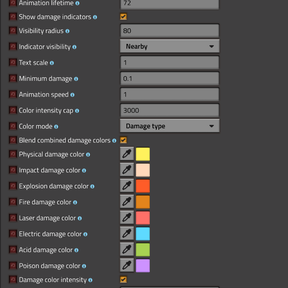
Damage Indicator
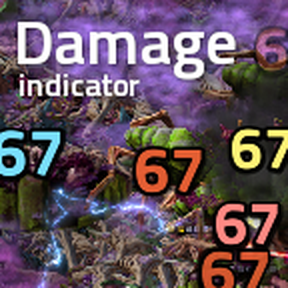
A slightly more fancy damage indicator than the other ones.
Includes optimizations out of the box to minmax on performance! (tile distance render, viewport culling, smart caching, batch text display)
Features:
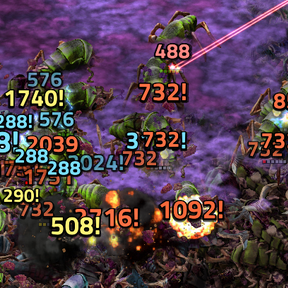
- Displays different damage types with color or damage accumulated
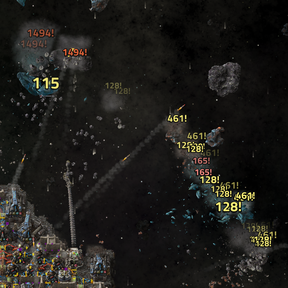
- Damage indicator grouping for units, buildings and asteroids to reduce visual clutter
- Customizable colors, animations, and in-game font styles
- Whitelist/blacklisting of entities and structures to hide damage indicators
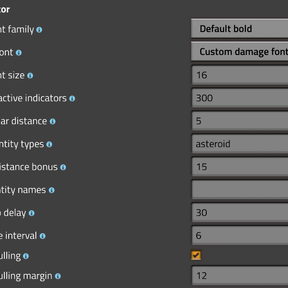
- 20+ Configurable settings to fix to your liking if you don't want the default settings
- Custom font support (add your choice of font in the mod/fonts folder)
- Server-override setup (when you want all players to use the same damage indicator settings)
- Stable Foundations damage reduction compatibility (displays the reduced damage)
Mod Support/Suggestions:
- Language supports: English, German, Simplified Chinese, Polish. Contributions are welcome!
- If you want to add color support for your mod's damage type, refer to the following example:
if remote.interfaces["damage-indicator"] then
  remote.call("damage-indicator", "set_damage_type_color", "plasma", {r = 0.5, g = 0.8, b = 1.0})
end
- Available remote calls include set_damage_type_color, set_damage_type_colors, clear_damage_type_color, get_damage_type_color, and list_custom_damage_type_colors
To add your own font to display as a damage indicator, you'll need to open the zipped mod and access the fonts/custom-font.ttf file, you can replace that with any other font (must be the same name) and make sure in mod settings, Custom font family: Custom font and Rendered font: Custom damage font. Updates to this mod will reset custom fonts, so keep a backup.